
Broken Link Checker EN
KODEMUSE SOFTWARE PRIVATE LIMITED · EEdge MV3
Helps you to automatically detect broken links on websites you visit.
<all_urls>),意味着它可以读取你在任意站点的页面内容,包括已登录的页面。这是许多扩展正常工作的必要条件,但也值得你确认来源可信。
截图
简介
Helps you to automatically detect broken links on websites you visit.
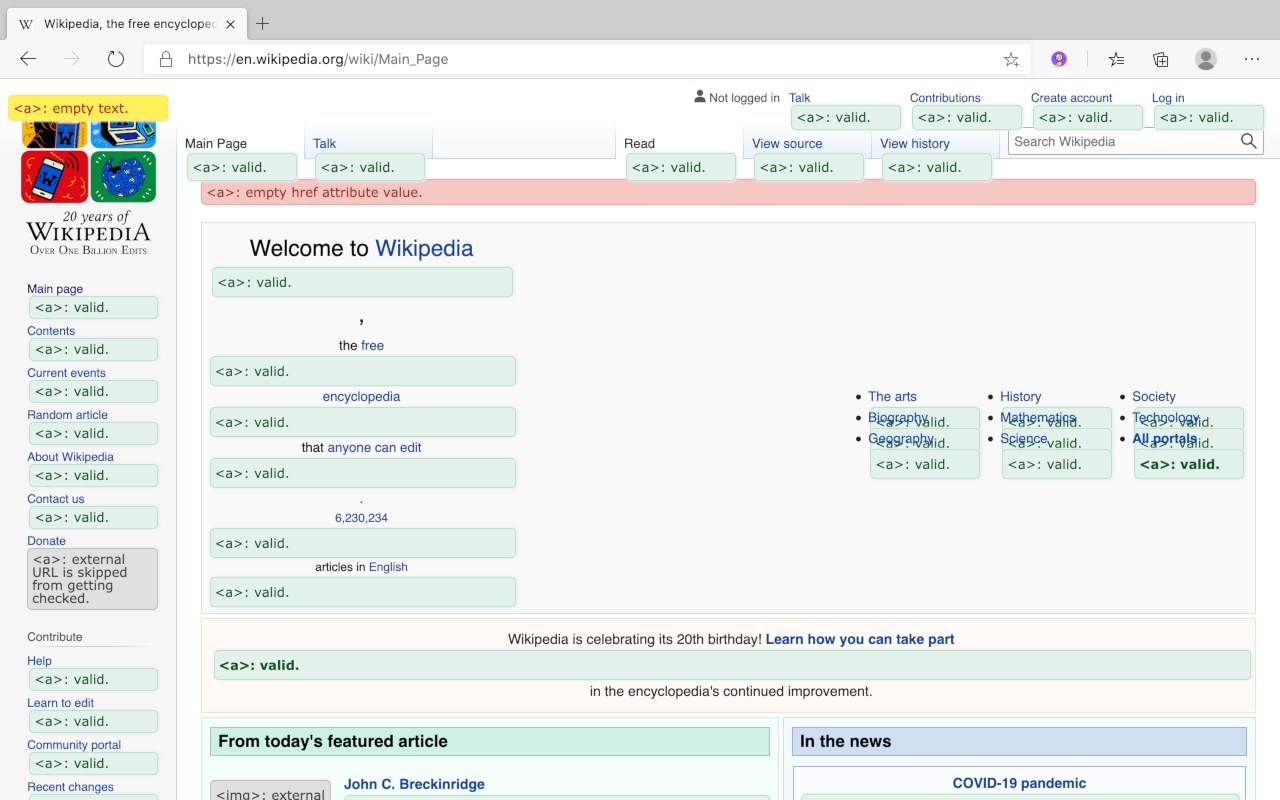
"Broken Link Checker" can detect broken audio, video, iframe, image and anchor tag links on any website you visit.
Users can add their own rules with customized settings for detecting broken links.
When a user navigates to a specific hostname, the rules defined in "Broken Link Checker"
are executed in background allowing automatic detection of broken links as they
navigate around a specific hostname.
This tool is helpful if you are doing a SEO audit of a website and want to know if there are any broken links on the page.
This tools helps you to detect and eliminate broken links.
## Supported document types
- main document
- iframe elements
- shadow dom
Nested shadow elements and nested iframe elements are not fully supported by this tool.
This tool also does not support shadow root opened with the closed mode.
Checking broken tags inside iframe elements is supported but rule of parent document is applied while checking errors to child frame instead of applying rule for the hostname of the child frame.
At the moment, following html tags are supported:
-
-
-
## Features of this tool
- Allows a user to whitelist specific URL schemes from getting checked to avoid false positives.
- Exclude specific URLs from getting checked.
- Provides a user with various rate limiting options to avoid sending too many requests at a time.
- A user can exclude specific URLs from getting checked.
- This tool provides an option to rate limit number of requests sent by the web browser by allowing user to specify a custom delay time between consecutive requests.
- This tool will run in background whenever the page is updated, allowing a user to automatically check various elements displayed on the page.
- This tool provides information about broken or missing attribute values such as alternate text.
- This tool can validate mime type of URL specified in the image tag is a valid image or not, this can help to make sure that URL specified in the image is a valid image.
- Limitations of this tool
- Sending too many get requests for validating linked resource can get a user’s IP address to get blacklisted or rate limited by the server.
- Most external URLs can’t be verified to be correct or not because some servers are configured to disallow cross origin requests and also because of CORB protection
## Input parameters
Hostname:
This input parameter is used for identifying the hostname for which a rule will be applied.
Whitelisted schemes:
This input parameter allows a user to select schemes that must be whitelisted. Whitelisted schemes will not result in an error while checking for broken tags.
Excluded URLs:
This input parameter allows a user to specify what URLs must be excluded from getting checked. Excluded URLs will be skipped from getting checked by the tool regardless of whether they are valid or not.
Highlight Options:
Allows a user to specify whether valid links should be highlighted or not. If box is unchecked then valid links won’t be highlighted.
Rate limiting:
This option allows a user to specify a time interval between two consecutive HTTP requests while an element is checked. Using this option a user can control the number of HTTP requests sent per minute.
Skip external URLs:
This option allows a user to specify whether external URLs should be skipped or not. If this option is checked then all external URLs will be skipped from getting checked.
## How to enable or disable an existing detection rule
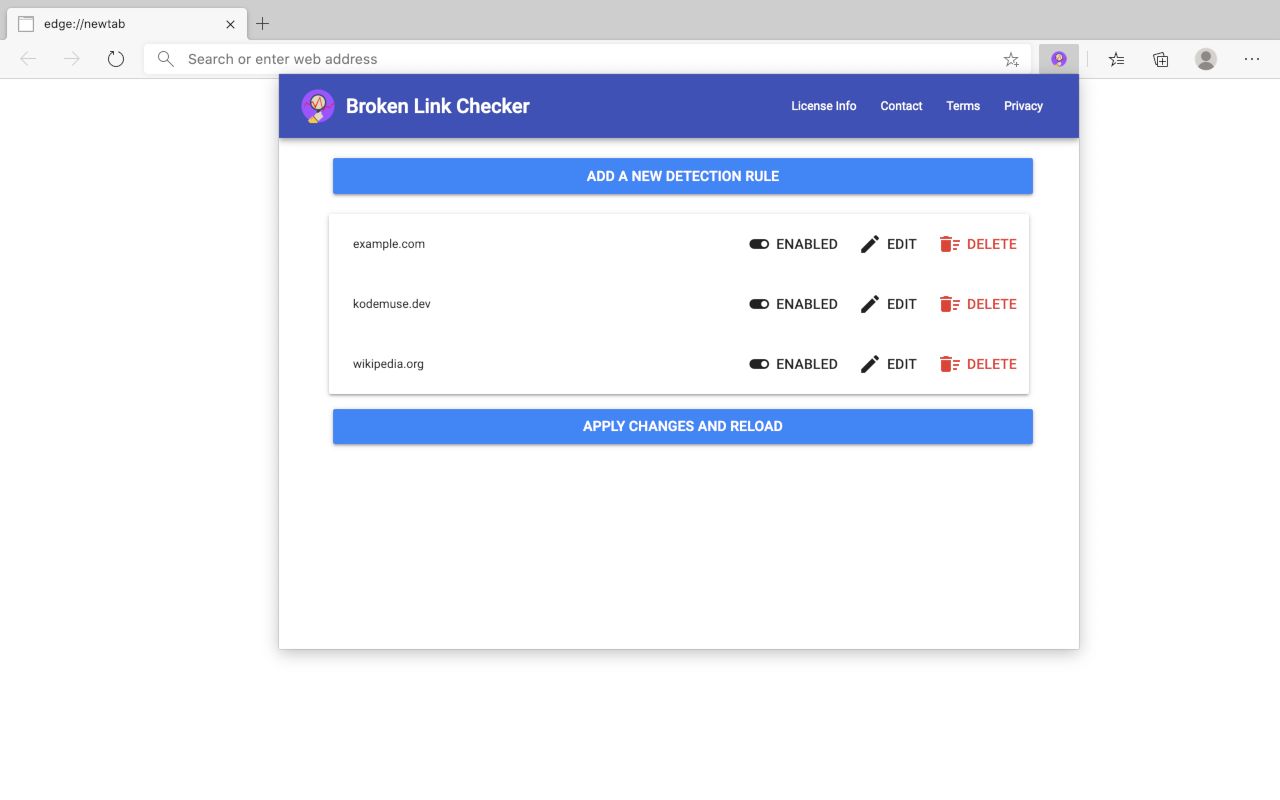
- Click on “Broken Link Checker” extension icon, after that a popup page will be opened.
- Click on “Enabled / Disabled” button of detection rule.
- Click on “Apply changes and reload” button to apply changes.
## How to delete an existing detection rule
- Click on “Broken Link Checker” extension icon, after that a popup page will be opened.
- Click on “Delete” button of detection rule.
- Click on “Apply changes and reload” button to apply changes.
How to edit an existing detection rule
- Click on “Broken Link Checker” extension icon,
- Click on “Edit” button of detection rule.
- Now you can edit any configuration related to selected rule.
- Click on “Update” button.
- Click on “Apply changes and reload” button to apply changes.
## How to add a new detection rule:
- Click on “Broken Link Checker” extension icon, after that a popup page will be opened.
- Click on “Add a new detection rule” button.
- This will open a new dialog box.
- Enter a custom hostname.
- Select custom URL schemes to be white-listed.
- Enter URLs to be exclude from getting checked.
- Select highlighting options.
- Select rate limiting options to avoid sending too many requests at a time.
- After required settings are selected, click on “Add” button.
- Click on “Apply changes and reload” button to apply changes.
## Please contact us if you found a bug or want a custom feature to be added in the software.
This software is free for non-commercial use however a license must be purchased for commercial use.
This software will ask you to purchase a license if commercial use is detected.
Privacy notice:
This software neither collects nor transmits any personally identifiable information. This software does not track your browsing behaviour. Information necessary for functioning of this software is stored on the devices of the end user, our servers do not have access to this information.
For more information please read our privacy policy and terms of service.
Privacy policy:
https://www.kodemuse.dev/privacy/
Terms of service:
https://www.kodemuse.dev/tos/
Broken Link Checker 是做什么的
Broken Link Checker 是一款面向 Edge 的实用工具类扩展,主要用来解决浏览器里某类具体的小问题。官方对它的介绍是:Helps you to automatically detect broken links on websites you visit.在微软 Edge 加载项商店上,它当前版本 3.0.0.1,评分 1(1 人评价),约 171 名用户。
适合什么人用
从功能定位看,Broken Link Checker 更适合想补上浏览器原生缺失功能的用户。如果你平时只是偶尔遇到相关需求,用浏览器自带功能也能凑合;但如果这件事每天都发生,装一个专门处理它的扩展通常比手动操作省事得多。需要注意的是它作用于所有网站,装上后建议先观察一两天,确认不影响常用站点的正常使用。
怎么安装 Broken Link Checker
- 打开微软 Edge 加载项商店上的官方页面;
- 点「添加到浏览器」并确认权限提示;
- 装好后在扩展列表里固定图标,方便随时开关。
本站只做索引与介绍,安装包来自官方商店。如果商店页面提示当前地区不可用,说明该扩展未在你所在区域上架。
常见问题
Broken Link Checker 是免费的吗?
Broken Link Checker 在微软 Edge 加载项商店免费提供下载。它是浏览器扩展,装上就能直接用,不需要注册账号。
Broken Link Checker 安全吗?
它只申请了 0 项权限,范围比较克制,没有申请「读取所有网站数据」这种大权限。
Broken Link Checker 支持哪些浏览器?
当前收录的版本来自微软 Edge 加载项商店,适用于 Edge。同一个扩展在其他商店可能有对应版本,但功能与版本号不一定相同。
怎么卸载 Broken Link Checker?
在扩展管理页找到 Broken Link Checker,点移除即可。它在本地保存的设置会一起清掉,不会残留数据。
权限清单 来自 manifest.json 原文
站点访问(可选) 1
<all_urls>
接口权限 4
scriptingstoragetabsunlimitedStorage
其他商店也有这款
同一款扩展在不同浏览器下的版本,权限与更新节奏可能不同