
BookmarkLens EN
luppiter · EEdge MV3
Manage Chrome and Edge bookmarks with structured search, sorting, export, editing, and undo history.
截图
简介
BookmarkLens: Advanced Structured Bookmark Manager
BookmarkLens is a powerful and sophisticated browser extension crafted to revolutionize how you manage your bookmarks. Designed for individuals who collect, organize, and maintain vast libraries of web resources—whether for personal use, professional research, or academic projects—BookmarkLens transforms the standard browser bookmarks into a highly structured, intuitive workspace. It elevates bookmark management far beyond the browser’s native capabilities through features like detailed tabular views, batch processing, undo/redo functionality, flexible export options, and a user-centric interface. Importantly, it maintains your privacy by operating solely on your local device without transmitting any data externally.
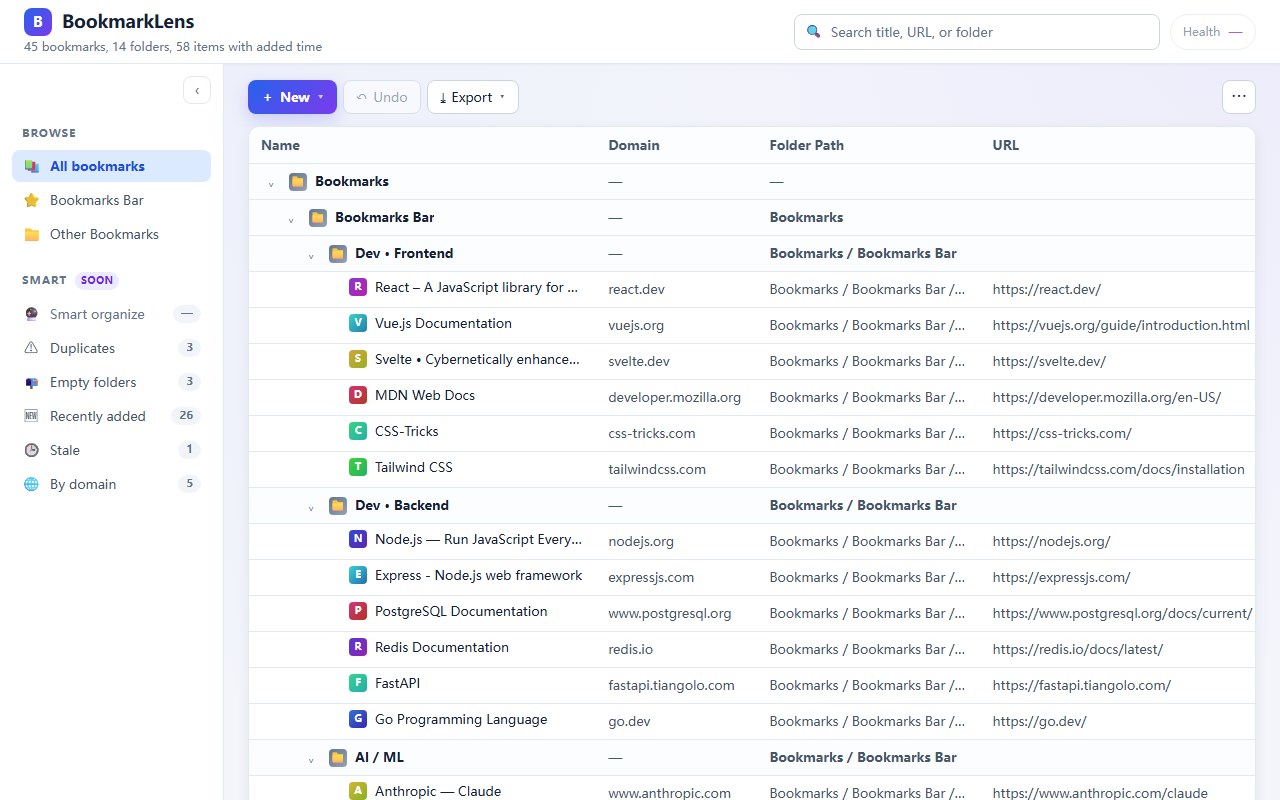
Upon installation, BookmarkLens replaces the familiar but often cluttered tree-style bookmark view with a clean, organized tabular display. This table layout enables easy sorting, searching, and grouping of bookmarks and folders for efficient navigation. You can easily create new folders, move bookmarks between folders, rename items, edit URLs, or delete bookmarks using batch operations that save time and effort. The extension includes safeguards to protect essential system folders like "Bookmarks Bar" from accidental renames or deletions, ensuring your core bookmarks remain intact and stable.
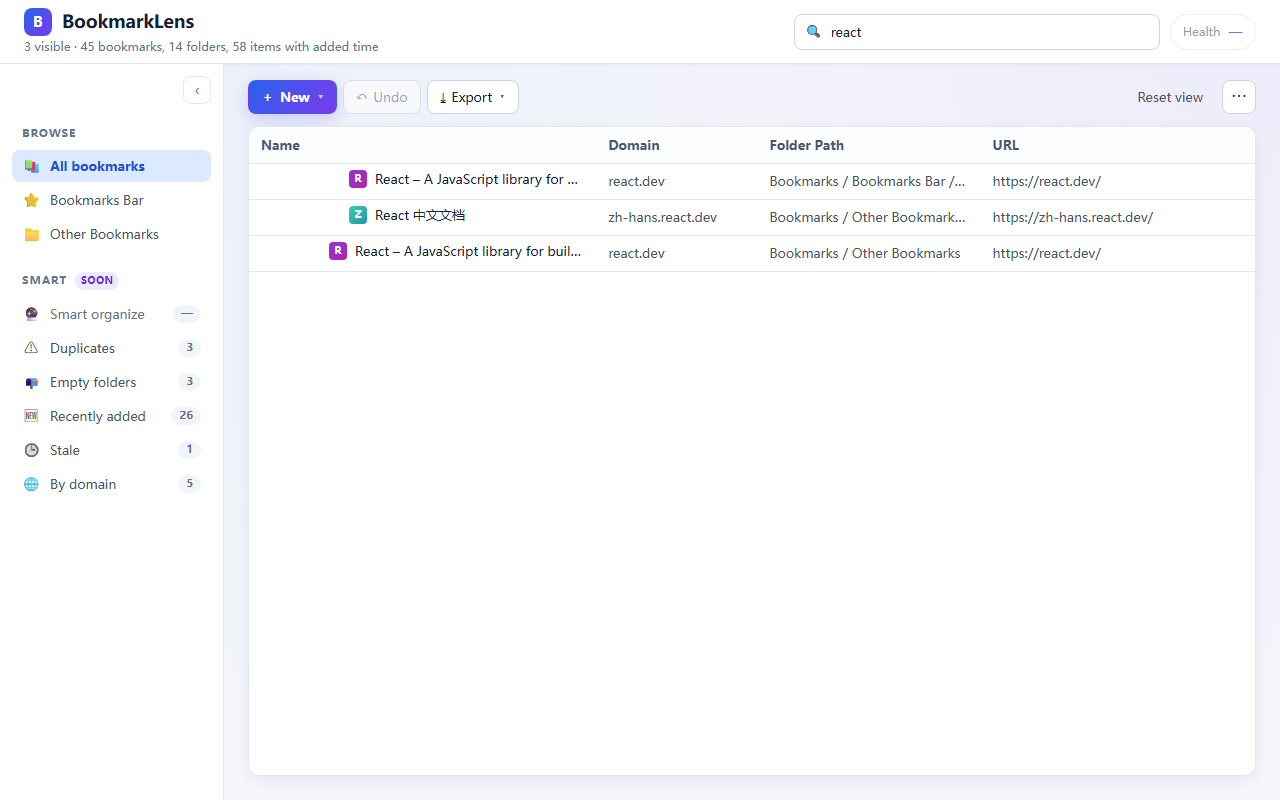
BookmarkLens preserves a comprehensive history of all editing operations. This history feature allows you to undo or redo any changes, thereby preventing loss caused by unintentional edits and enabling you to experiment with organization without worry. Advanced search capabilities support real-time "find as you type" functionality, along with domain-based and folder-based filtering—helping you pinpoint specific bookmarks quickly, even in large collections. The context menus and keyboard shortcuts enhance the fluidity of daily tasks, making the management process both fast and productive. When needed, you can export your bookmarks as CSV files for backup or to use in other applications, allowing easy data transfer and analysis.
The interface is designed to be responsive and accessible, available as either a compact popup or a full manager window, fitting seamlessly into any workflow. As it integrates directly with the bookmarks API, BookmarkLens ensures reliable performance and immediate synchronization of your changes. It’s an ideal tool for students, researchers, professionals, and anyone committed to maintaining an orderly digital workspace with extensive yet secure bookmark management.
Whether your goal is to tidy a disorganized collection, enforce a folder hierarchy, conduct mass updates, or enhance your bookmark search speed, BookmarkLens delivers a robust and flexible solution. With a combination of safety, speed, and comprehensive features, this extension fundamentally changes the way you interact with browser bookmarks.
Key Features:
- Advanced tabular view: Presents bookmarks and folders in a structured, sortable table layout for clarity and ease of use.
- Batch operations: Move, rename, edit URLs, or delete multiple bookmarks simultaneously to streamline organization.
- Operation history and undo/redo: Maintains full tracking of all changes so you can revert or reapply edits anytime.
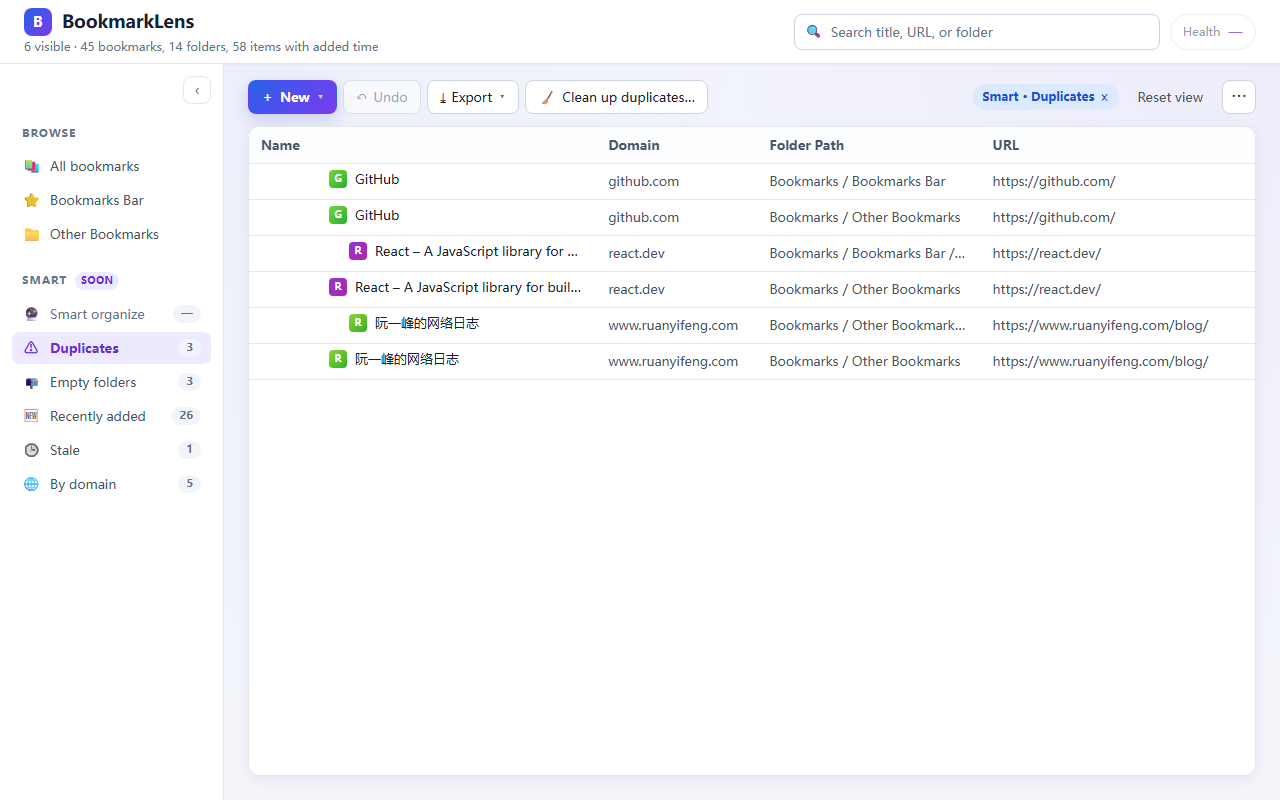
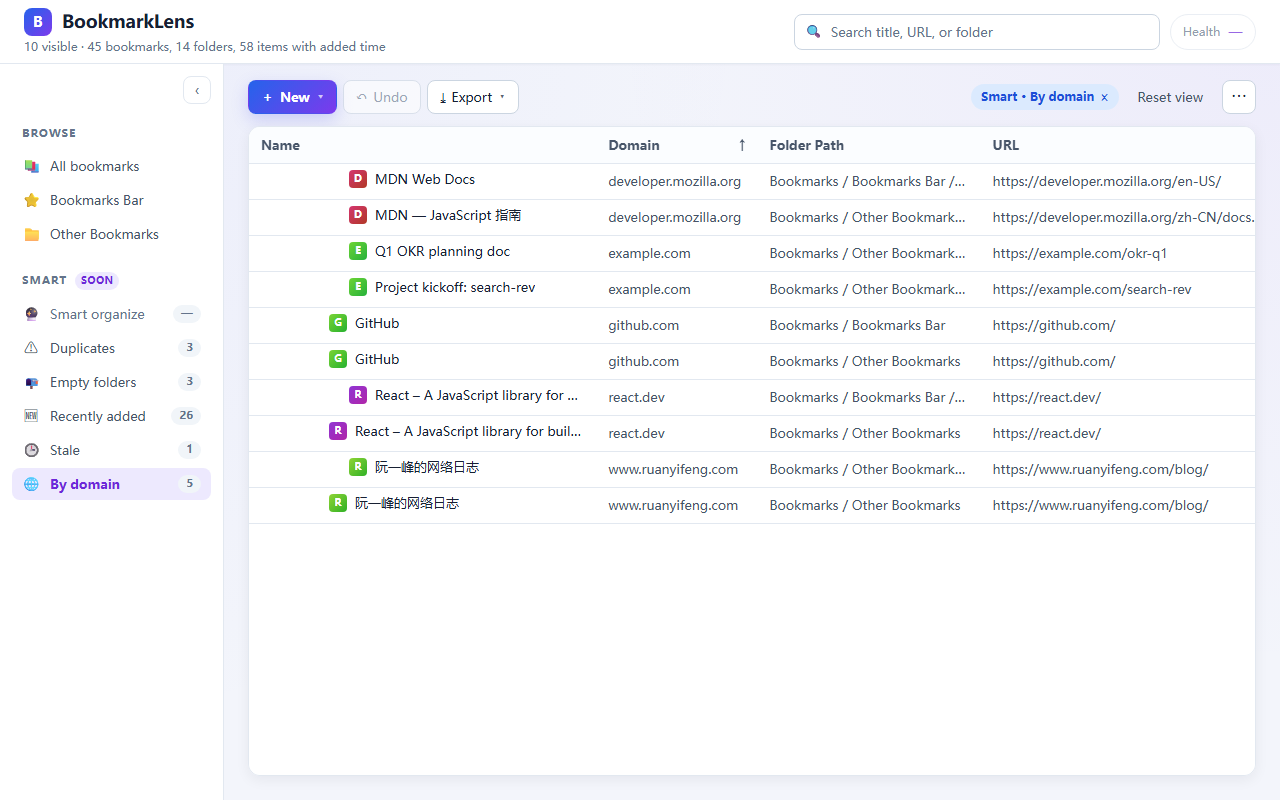
- Domain and folder filtering: Quickly find bookmarks by domain name, folder path, or custom criteria with powerful filtering tools.
- Protected system folders: Keeps critical folders like "Bookmarks Bar" secure from accidental removal or renaming.
- Export as CSV: Back up and analyze your bookmark collection easily with versatile CSV export capabilities.
- Workspace navigation: Enhanced with keyboard shortcuts, context menus, and intelligent search for efficient workflow.
How It Works:
1. Install BookmarkLens from the Web Store and grant bookmark access permissions.
2. Click the extension icon to open a quick popup summary or launch the full manager window for detailed interaction.
3. View your bookmarks presented in an organized table, sorted and grouped by folder, domain, or date added.
4. Use batch operations to move, rename, edit, delete, or create bookmark folders simultaneously.
5. Employ advanced filtering and "find as you type" search to locate specific bookmarks or groups rapidly.
6. Track all editing actions within the operation history, allowing you to undo or redo changes as needed.
7. Export your entire bookmark database as a CSV file for backup or external use; import and reorganize your collection with ease.
Privacy: - No personal data collected. BookmarkLens operates entirely locally within your browser, ensuring complete privacy and data security without transmitting any information outside your device.
BookmarkLens 是做什么的
BookmarkLens 是一款面向 Edge 的实用工具类扩展,主要用来解决浏览器里某类具体的小问题。官方对它的介绍是:Manage Chrome and Edge bookmarks with structured search, sorting, export, editing, and undo history.在微软 Edge 加载项商店上,它当前版本 0.4.0,约 4 名用户。
适合什么人用
从功能定位看,BookmarkLens 更适合想补上浏览器原生缺失功能的用户。如果你平时只是偶尔遇到相关需求,用浏览器自带功能也能凑合;但如果这件事每天都发生,装一个专门处理它的扩展通常比手动操作省事得多。
怎么安装 BookmarkLens
- 打开微软 Edge 加载项商店上的官方页面;
- 点「添加到浏览器」并确认权限提示;
- 装好后在扩展列表里固定图标,方便随时开关。
本站只做索引与介绍,安装包来自官方商店。如果商店页面提示当前地区不可用,说明该扩展未在你所在区域上架。
常见问题
BookmarkLens 是免费的吗?
BookmarkLens 在微软 Edge 加载项商店免费提供下载。它是浏览器扩展,装上就能直接用,不需要注册账号。
BookmarkLens 安全吗?
它只申请了 0 项权限,范围比较克制,没有申请「读取所有网站数据」这种大权限。
BookmarkLens 支持哪些浏览器?
当前收录的版本来自微软 Edge 加载项商店,适用于 Edge。同一个扩展在其他商店可能有对应版本,但功能与版本号不一定相同。
怎么卸载 BookmarkLens?
在扩展管理页找到 BookmarkLens,点移除即可。它在本地保存的设置会一起清掉,不会残留数据。
权限清单 来自 manifest.json 原文
接口权限 2
bookmarksstorage