
Bookmark + EN
Somaraj · EEdge MV3
A premium bookmark manager with nested folders, smart tags, instant search, and optional cloud sync.
截图
简介
Bookmark +: Premium Bookmark Manager for Organized, Powerful Browsing
Bookmark + is a sophisticated browser extension designed to revolutionize how you organize and access your bookmarks. Say goodbye to cluttered bookmark bars and the frustration of endlessly searching for lost web pages. This premium extension offers a robust feature set including deeply nested folders, intelligent tagging, instant and smart search capabilities, as well as optional cloud synchronization, all wrapped in a sleek and modern user interface. Whether you are a power user, a researcher managing extensive link libraries, or someone who simply wants a neat, accessible browsing experience, Bookmark + adapts seamlessly to your workflow, helping you organize, retrieve, and enjoy your bookmarks with unparalleled ease and efficiency.
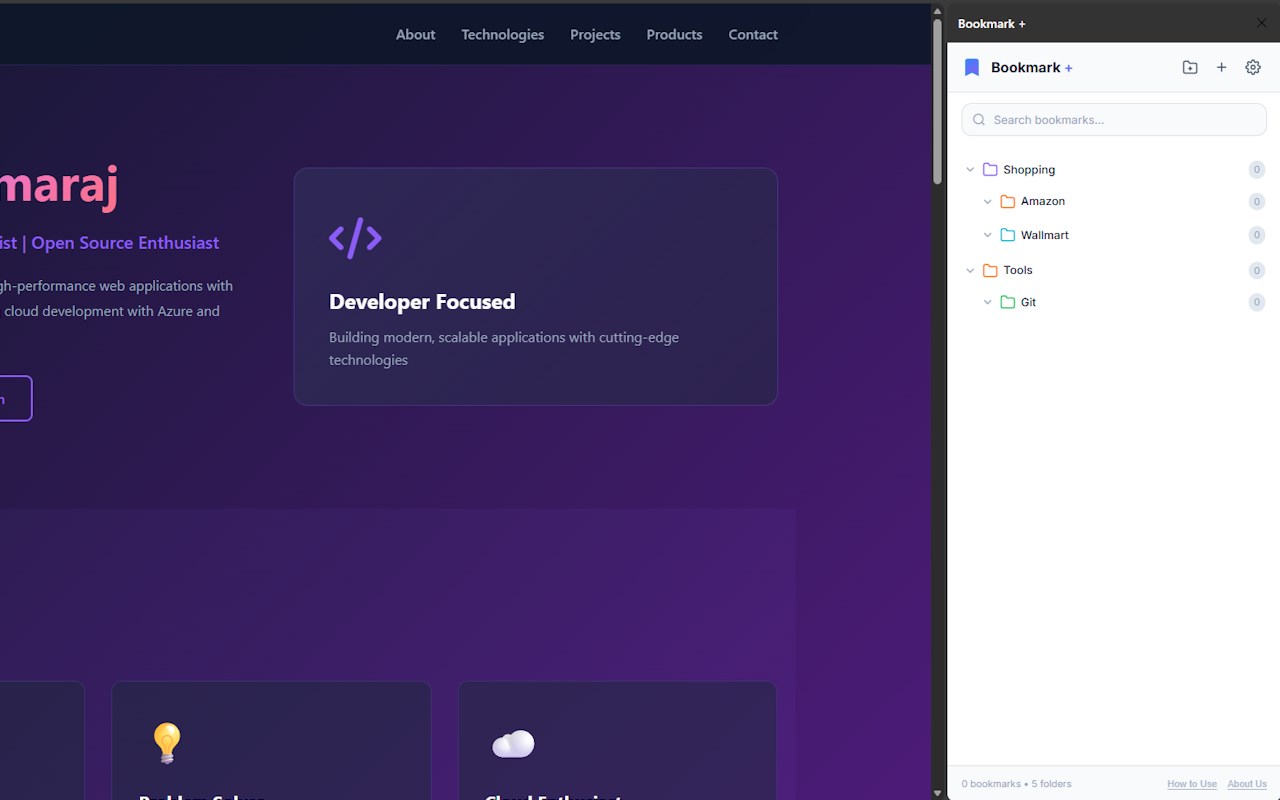
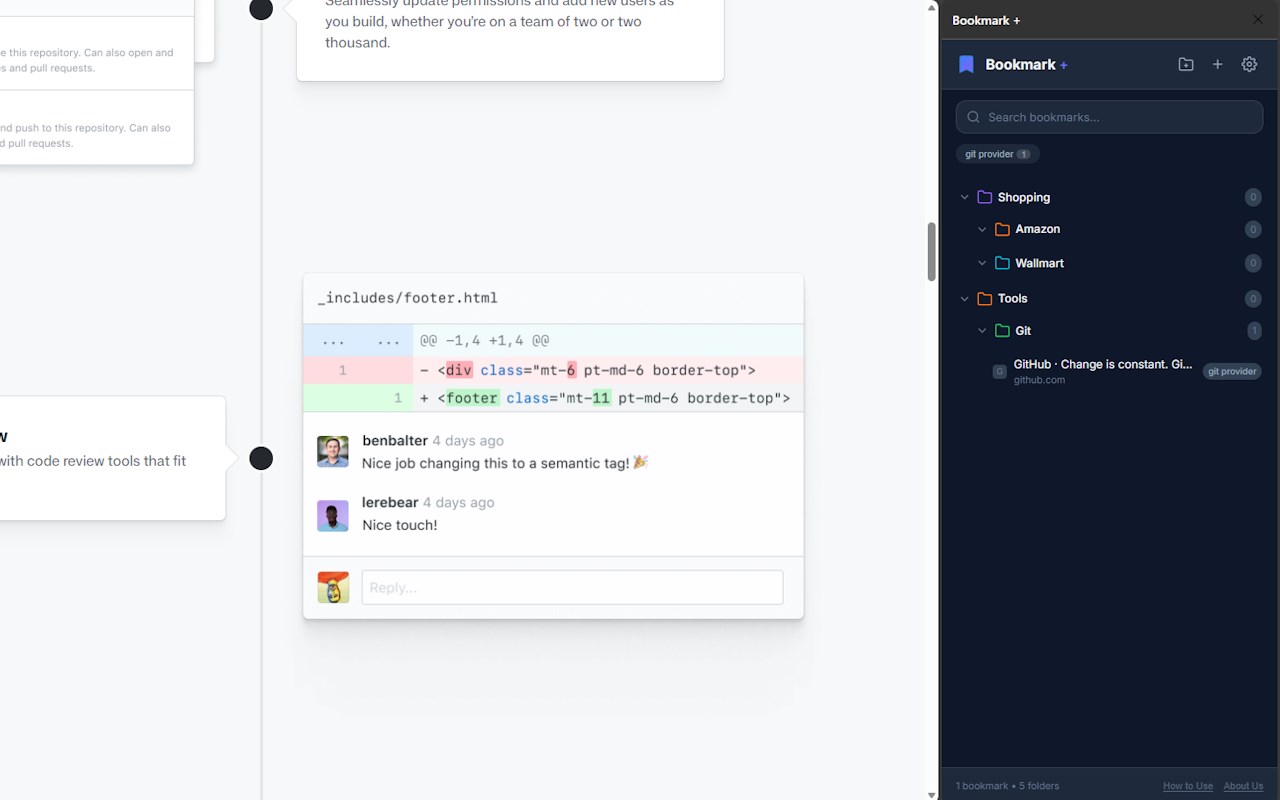
At the heart of Bookmark + is its flexible and powerful folder system. You can create unlimited folders and subfolders, allowing you to build a hierarchical structure that mirrors your way of thinking or project needs. This makes complex organization straightforward, eliminating confusion and boosting productivity. The tagging system enhances this by enabling you to add keywords to bookmarks, which lets you instantly group and find related links across all folders without duplicating them. This combination of nested folders and dynamic tags gives you multiple ways to categorize and retrieve bookmarks according to your preferences.
The extension’s smart search bar is another standout feature. It provides rapid, real-time search results as you type, scanning bookmark titles, tags, and URLs instantly—even when your collection is large. This means you can locate any bookmark in seconds, improving your browsing efficiency dramatically. For users who work on multiple devices, an optional cloud sync feature securely synchronizes your bookmarks, folders, and tags, so your collection stays up to date everywhere.
Bookmark + integrates smoothly into your browsing flow. The intuitive sidebar serves as your control center, allowing you to add, edit, rename, and organize bookmarks and folders with a few clicks or drag-and-drop actions. Context menus let you bookmark pages quickly from the right-click menu, and customizable keyboard shortcuts give you instant access to search and organize without interrupting your workflow. The responsive design of the side panel ensures it works well on any screen size or resolution, making the experience consistent whether you are on a large monitor or a compact laptop.
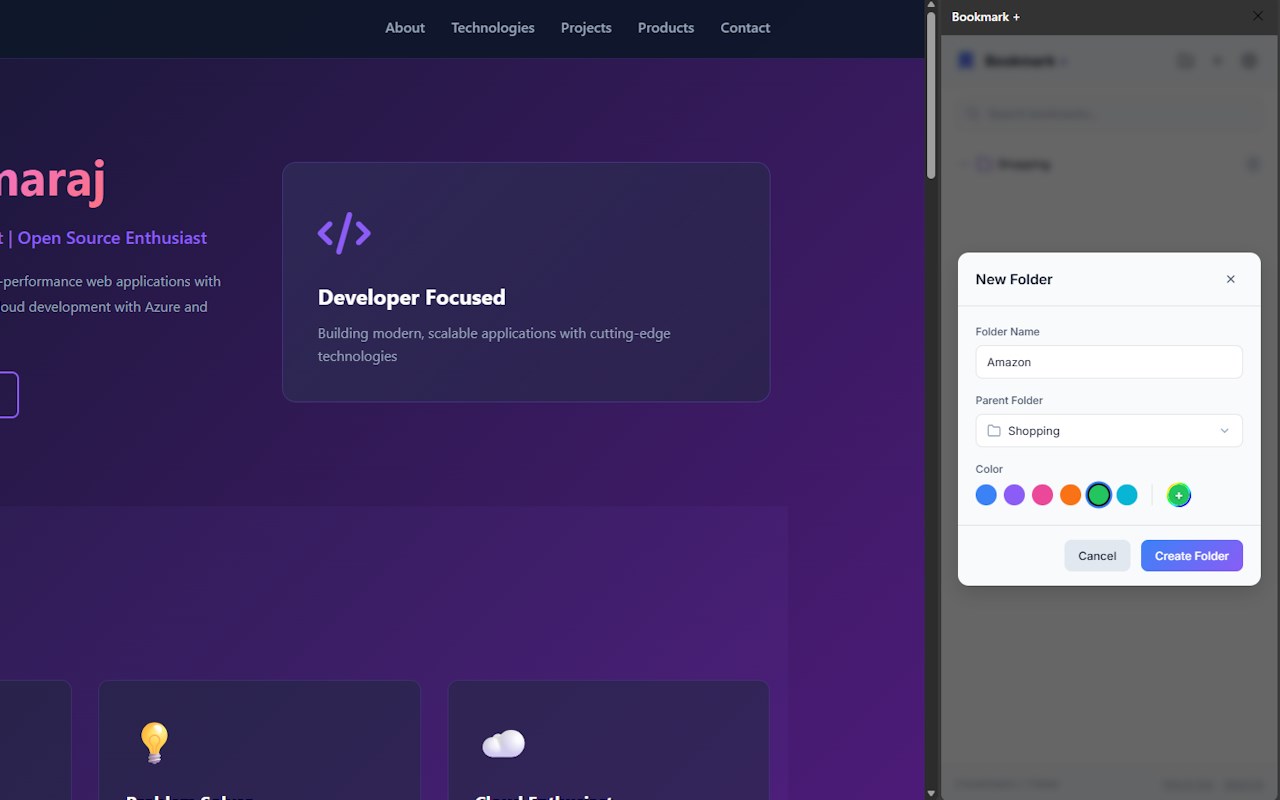
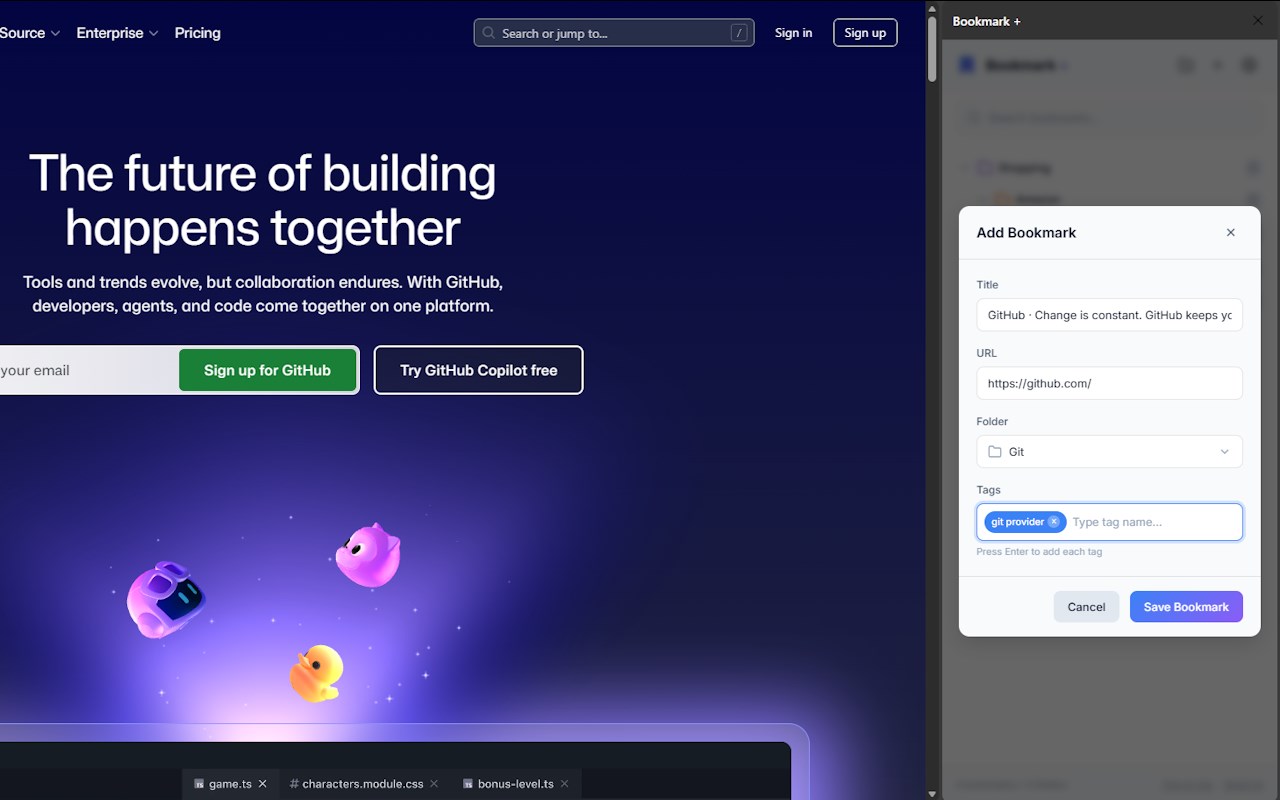
To add bookmarks, simply click the + icon found in the header or footer, enter a title, optionally select a folder, and add tags to label the bookmark effectively. Tags are easy to manage: type a tag name and press Enter to add it, with suggestions appearing based on existing tags. Organizing bookmarks with folders is equally simple—create new folders to categorize bookmarks, rename or change folder colors via right-click or the Edit button, or delete folders as needed (note: deleting a folder deletes all bookmarks inside it).
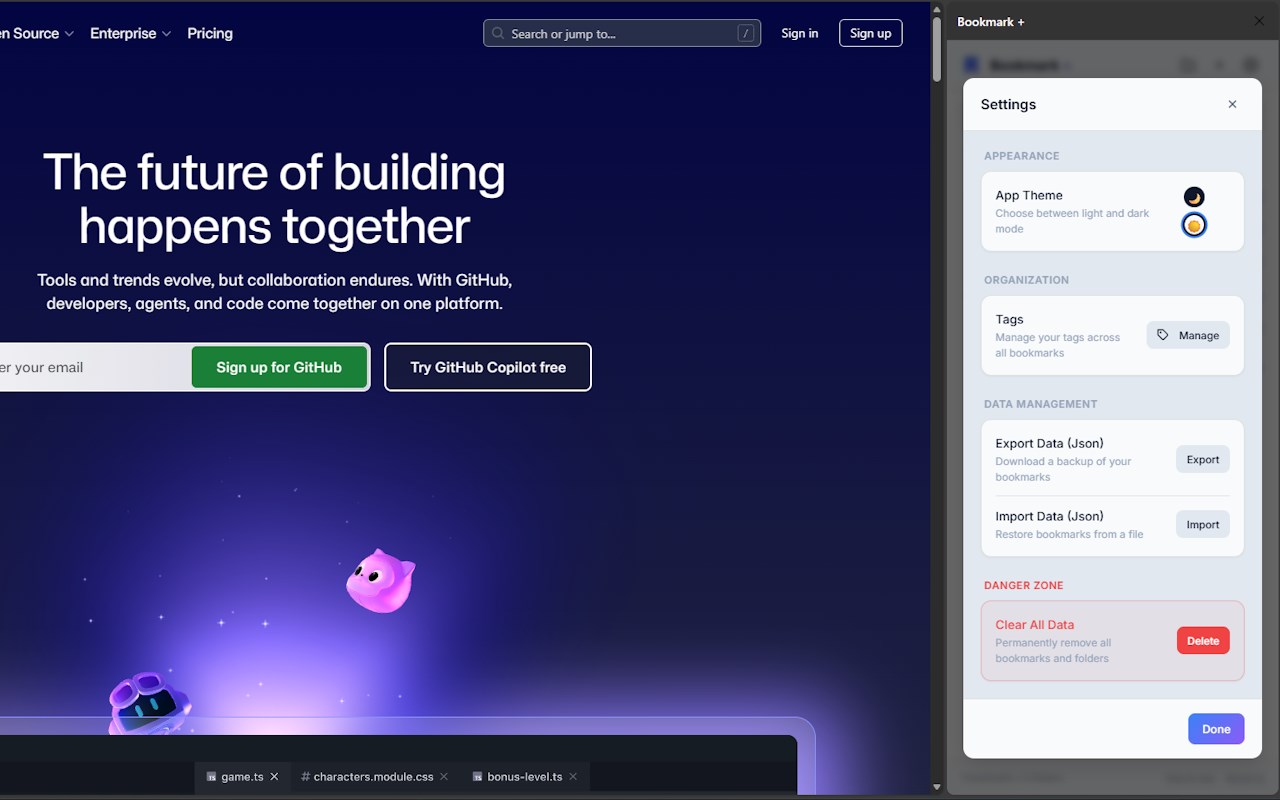
Searching and filtering bookmarks is made efficient with the search bar and clickable Tag Chips that allow you to filter by specific tags and clear filters with a click. In Settings, you can back up your bookmark data to a JSON file or restore it, as well as manage tags globally by renaming or deleting them.
Bookmark + combines maximum organization, speed, and ease of use into a single extension that respects your privacy and is free from bloat. It empowers you to keep your web life neat, intuitive, and accessible wherever you browse.
Key Features:
- Deeply Nested Folders: Create unlimited folders and subfolders to organize bookmarks hierarchically, allowing complex project or theme-based categorization.
- Smart Tagging System: Label bookmarks with keywords and dynamically retrieve related items across folders without duplicates.
- Instant, Intelligent Search: Blazing-fast search offers instant results as you type, parsing bookmark titles, URLs, and tags in large collections.
- Optional Cloud Sync: Securely synchronize your bookmarks, folders, and tags across multiple devices for seamless access anytime, anywhere.
- Drag-and-Drop Management: Easily reorder, move, or restructure bookmarks and folders within the sidebar using intuitive drag-and-drop.
- Context Menu Integration: Quickly add bookmarks directly from the right-click menu while browsing, streamlining bookmark creation.
- Keyboard Shortcuts & Side Panel Access: Access, search, and manage your bookmarks swiftly using customizable keyboard shortcuts and a persistent sidebar panel.
- Tag Filtering & Management: Filter bookmarks by clicking Tag Chips and manage all tags globally via the Settings menu.
- Backup & Restore: Export your entire bookmark library and settings to a JSON file for backup or import data to restore your collection.
How It Works:
1. Install Bookmark + from your browser’s extension store; the sidebar panel will be readily available.
2. Open the sidebar by clicking the extension icon or pressing the default keyboard shortcut (Alt+Shift+B), which is configurable.
3. Add bookmarks by clicking the + icon in the header or footer, then enter a bookmark title, select or create folders, and add descriptive tags.
4. Organize bookmarks by creating nested folders, assigning or editing tags, and using drag-and-drop to reorder items intuitively.
5. Search bookmarks instantly with the smart search bar, which provides real-time results by title, URL, or tag while you type.
6. Filter bookmarks by tags using clickable Tag Chips, easily narrowing down your displayed list by relevant categories.
7. Use the context menu to add pages quickly and keyboard shortcuts to manage and navigate bookmarks without interrupting browsing.
8. (Optional) Enable cloud sync to securely back up and synchronize your bookmark collection across devices with a single login.
9. Manage your tags and d…
Bookmark + 是做什么的
Bookmark + 是一款面向 Edge 的效率工具类扩展,主要用来管住注意力、屏蔽干扰站点、记录时间。官方对它的介绍是:A premium bookmark manager with nested folders, smart tags, instant search, and optional cloud sync.在微软 Edge 加载项商店上,它当前版本 1.0.0,约 94 名用户。
适合什么人用
从功能定位看,Bookmark + 更适合想专注工作学习、减少无效刷网页的用户。如果你平时只是偶尔遇到相关需求,用浏览器自带功能也能凑合;但如果这件事每天都发生,装一个专门处理它的扩展通常比手动操作省事得多。
怎么安装 Bookmark +
- 打开微软 Edge 加载项商店上的官方页面;
- 点「添加到浏览器」并确认权限提示;
- 装好后在扩展列表里固定图标,方便随时开关。
本站只做索引与介绍,安装包来自官方商店。如果商店页面提示当前地区不可用,说明该扩展未在你所在区域上架。
常见问题
Bookmark + 是免费的吗?
Bookmark + 在微软 Edge 加载项商店免费提供下载。它是浏览器扩展,装上就能直接用,不需要注册账号。
Bookmark + 安全吗?
它只申请了 0 项权限,范围比较克制,没有申请「读取所有网站数据」这种大权限。
Bookmark + 支持哪些浏览器?
当前收录的版本来自微软 Edge 加载项商店,适用于 Edge。同一个扩展在其他商店可能有对应版本,但功能与版本号不一定相同。
怎么卸载 Bookmark +?
在扩展管理页找到 Bookmark +,点移除即可。它在本地保存的设置会一起清掉,不会残留数据。
权限清单 来自 manifest.json 原文
接口权限 5
activeTabcontextMenussidePanelstoragetabs