
Blokr - Focus & Website Blocker EN
hashinclude.company · EEdge MV3
Block distracting websites, track time, and stay focused.
<all_urls>),意味着它可以读取你在任意站点的页面内容,包括已登录的页面。这是许多扩展正常工作的必要条件,但也值得你确认来源可信。
截图


简介
Stop Scrolling. Start Doing. Meet Blokr.
Blokr is the most powerful website blocker and focus timer extension for Chrome. Whether you're a student fighting procrastination, a developer trying to hit flow state, or a professional racing against deadlines — Blokr helps you block distractions, protect your time, and build better browsing habits.
Over millions of hours are lost daily to social media, endless news feeds, and YouTube rabbit holes. Blokr is engineered to win that time back.
🔒 Block Any Website — Instantly
Add any website to your block list and Blokr redirects you to a clean, motivational block page the moment you try to visit it. No more "I'll just check for a second."
Block by full domain, specific URL, or path (e.g., block reddit.com/r/memes but allow the rest of Reddit)
Smart domain-boundary matching — blocking art.com won't accidentally block smartart.com
Block keywords — any URL containing your blocked keyword gets stopped automatically
🏷️ Category & Keyword Blocking
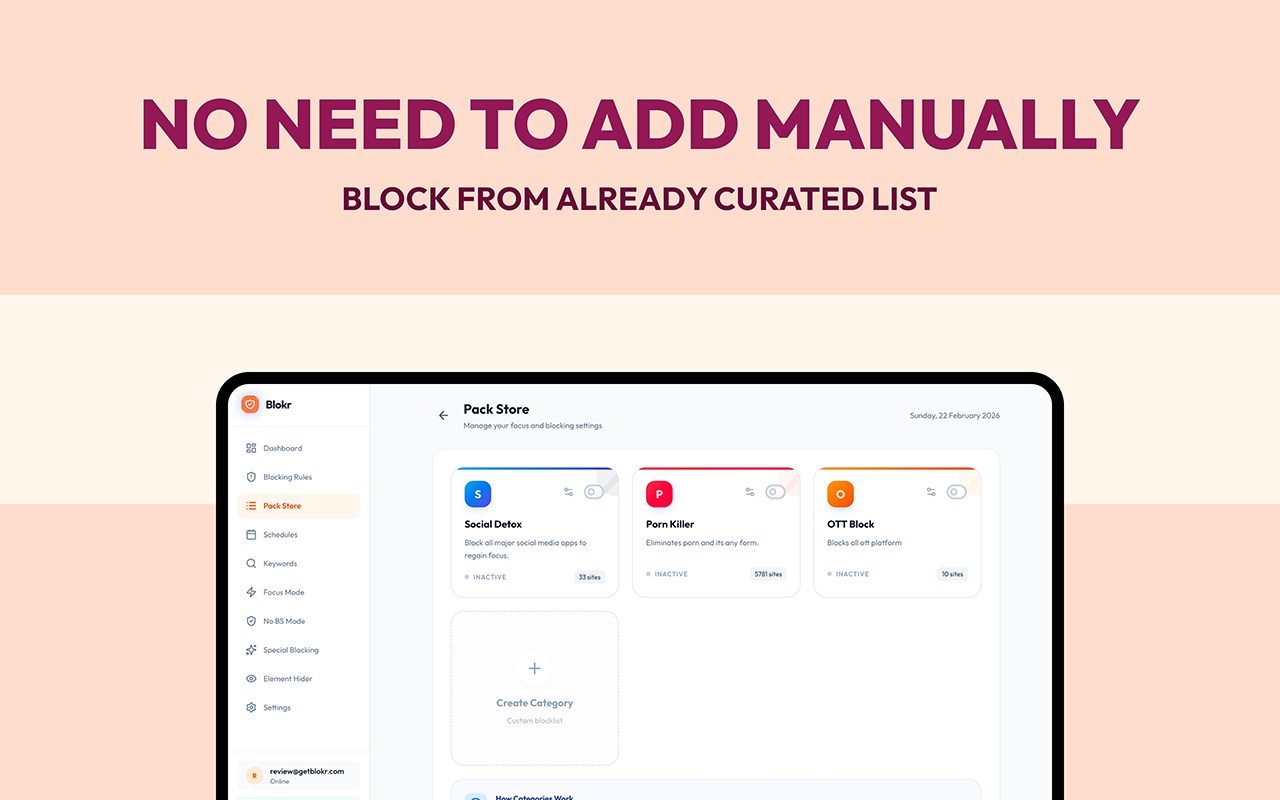
Organize your block list into categories like Social Media, Entertainment, News, Gaming, and more. Block an entire category with a single toggle — no need to list every site individually.
Want to go further? Keyword blocking means you don't even need to know every distraction site in advance. Block the pattern, not just the page.
⏱️ Built-In Focus Timer (Pomodoro & More)
Start a timed focus session with one click. Pre-built templates include:
🍅 Pomodoro — 25 minutes
🧠 Deep Work — 60 minutes
⚡ Quick Focus — 15 minutes
🎛️ Custom — anywhere from 1 minute to 3 hours
During a session, a beautiful full-screen Zen Mode overlay displays your countdown — keeping you anchored and distraction-free.
⏰ Automated Blocking Schedules
Set Blokr to work automatically. Block social media Monday–Friday from 9am–5pm without touching a single setting. Stack multiple schedules simultaneously for complete flexibility.
⏳ Daily Time Limits
Allow yourself some YouTube — just not unlimited YouTube. Set per-site or per-category time limits (e.g., 30 minutes on social media per day). Once you hit your limit, the site is blocked for the rest of the day. Automatically. No willpower required.
📊 Real-Time Productivity Dashboard
Blokr doesn't just block — it shows you exactly where your time goes:
Time Reclaimed — How much time blocking saved you today
Distractions Blocked — Your daily block count
Productivity Score — A 0–100 rating based on your browsing behavior
Top Distractions — Bar chart of the sites you visit most
Category Breakdown — Donut chart of time by category
Active Schedules — See what's running right now
Data becomes motivation. Once you see the numbers, everything changes.
🛡️ Strict Mode — No Cheating Allowed
Enable Strict Mode and your blocking rules are locked in for the duration of your focus session. No toggling off "just for a second." No loopholes. Pure, enforced focus.
💎 Go Pro — Unlock the Full Arsenal
Blokr Pro takes productivity to the next level:
🛡️ No BS Mode — Block the entire internet except the sites you explicitly whitelist. The nuclear option for exam season or crunch time.
🎯 Special Blocking — Don't want to lose access to YouTube entirely? Blokr can surgically remove the addictive parts (Shorts, Reels, TikTok feeds) while leaving the rest functional.
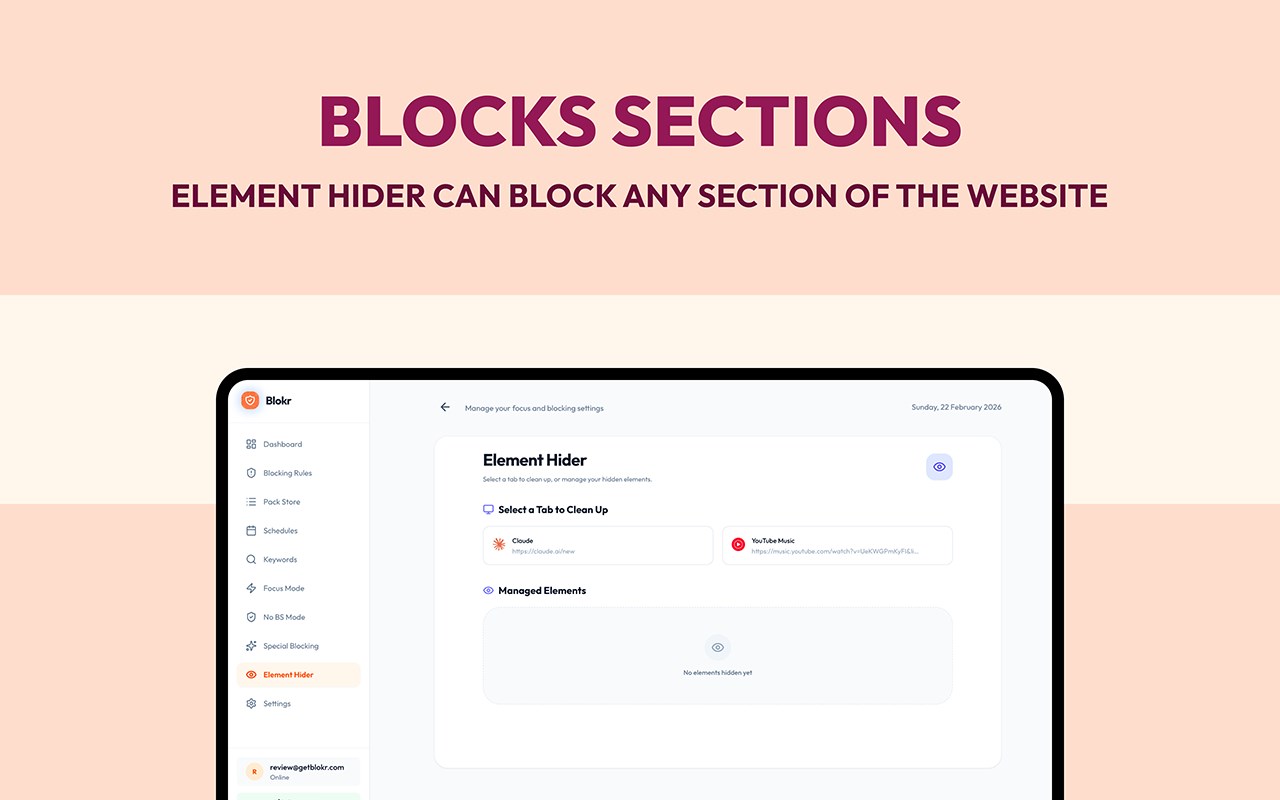
👁️ Element Hider — Point and click to hide any element on any page. Kill the comment section. Remove the recommendations sidebar. Eliminate notification badges. Keep what's useful, hide what's toxic.
🔑 PIN Protection — Lock your settings behind a PIN so your future impulsive self can't undo your past disciplined self.
☁️ Cloud Sync — Sign in with Google and sync your block lists, schedules, and settings across every device you use.
📅 Stats History — See your productivity trends over time, not just today.
✅ Try Pro Free — 7 Days, No Credit Card Required
All Pro features are unlocked for 7 days, completely free. No payment details needed to start.
🔐 Built for Security & Privacy
Your data stays yours. Blokr uses AES-encrypted local storage to protect your settings. Premium status is validated in real-time — no tampering, no bypassing. Cloud sync data is encrypted end-to-end in Firebase.
🌐 Works on All Chromium Browsers
Built with Manifest V3 — the latest and most secure Chrome extension standard.
✅ Google Chrome · Microsoft Edge · Brave · Opera · Vivaldi
⭐ Perfect For:
Students & exam-takers
Remote workers & freelancers
Developers seeking deep work
Writers battling distraction
Anyone trying to break a doomscrolling habit
Professionals with deadline pressure
🚀 Get Started in 30 Seconds
Click Add to Chrome
Click the Blokr icon in your toolbar
Add your first distraction site
Hit Focus — and get things done
Blokr — Because your time is worth protecting.
Blokr - Focus & Website Blocker 是做什么的
Blokr - Focus & Website Blocker 是一款面向 Edge 的效率工具类扩展,主要用来管住注意力、屏蔽干扰站点、记录时间。官方对它的介绍是:Block distracting websites, track time, and stay focused.在微软 Edge 加载项商店上,它当前版本 1.0.0,约 12 名用户。
适合什么人用
从功能定位看,Blokr - Focus & Website Blocker 更适合想专注工作学习、减少无效刷网页的用户。如果你平时只是偶尔遇到相关需求,用浏览器自带功能也能凑合;但如果这件事每天都发生,装一个专门处理它的扩展通常比手动操作省事得多。需要注意的是它作用于所有网站,装上后建议先观察一两天,确认不影响常用站点的正常使用。
怎么安装 Blokr - Focus & Website Blocker
- 打开微软 Edge 加载项商店上的官方页面;
- 点「添加到浏览器」并确认权限提示;
- 装好后在扩展列表里固定图标,方便随时开关。
本站只做索引与介绍,安装包来自官方商店。如果商店页面提示当前地区不可用,说明该扩展未在你所在区域上架。
常见问题
Blokr - Focus & Website Blocker 是免费的吗?
Blokr - Focus & Website Blocker 在微软 Edge 加载项商店免费提供下载。它是浏览器扩展,装上就能直接用,不需要注册账号。
Blokr - Focus & Website Blocker 安全吗?
它只申请了 0 项权限,范围比较克制,没有申请「读取所有网站数据」这种大权限。
Blokr - Focus & Website Blocker 支持哪些浏览器?
当前收录的版本来自微软 Edge 加载项商店,适用于 Edge。同一个扩展在其他商店可能有对应版本,但功能与版本号不一定相同。
怎么卸载 Blokr - Focus & Website Blocker?
在扩展管理页找到 Blokr - Focus & Website Blocker,点移除即可。它在本地保存的设置会一起清掉,不会残留数据。
权限清单 来自 manifest.json 原文
站点访问(可选) 1
<all_urls>
接口权限 5
alarmsscriptingstoragetabswebNavigation