
BlockSite:阻止网站并保持专注
Blocksite · EEdge MV3
使用我们的主要功能保持专注并提高生产力:自定义阻止列表、计划的站点阻止和密码保护
<all_urls>),意味着它可以读取你在任意站点的页面内容,包括已登录的页面。这是许多扩展正常工作的必要条件,但也值得你确认来源可信。
截图

简介
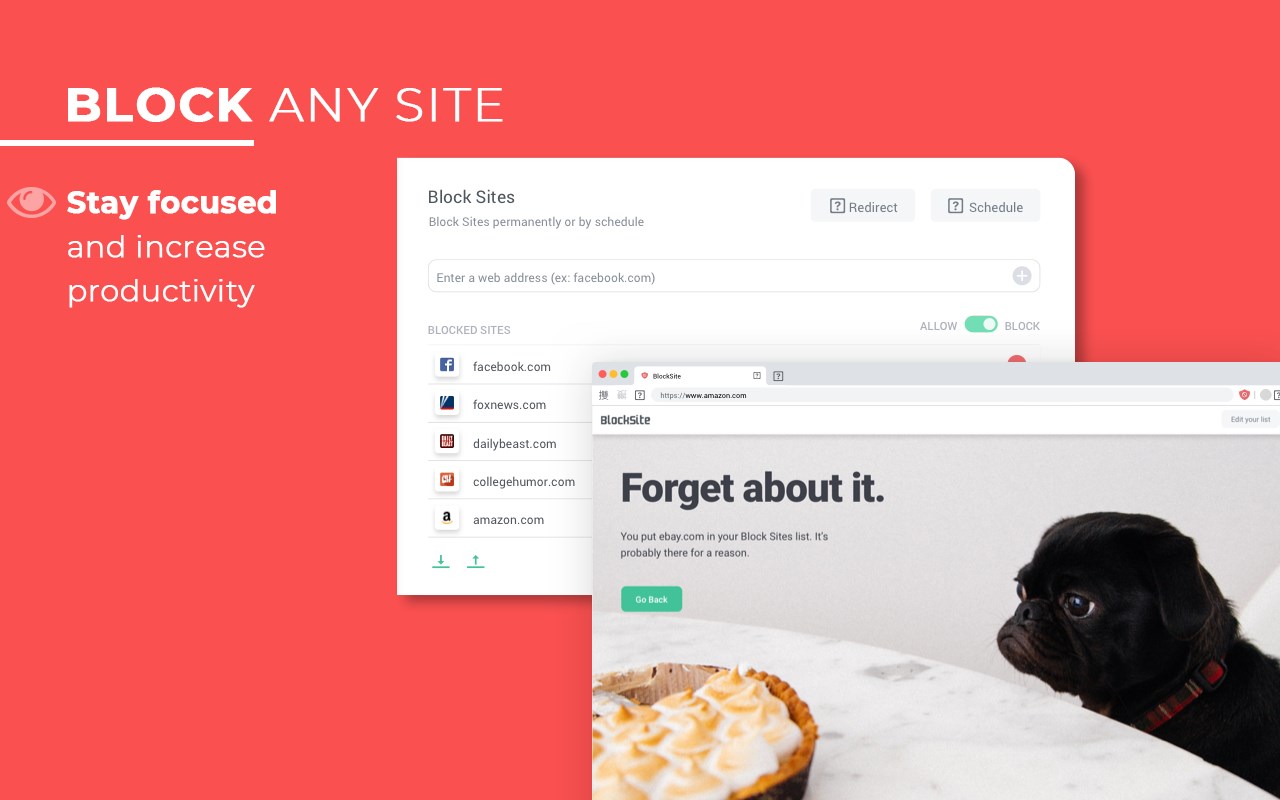
Stay focused and improve productivity. Easily block any distracting or harmful website. Stop procrastination once and for all!
Make productivity your priority with BlockSite, the No.1 website blocker that helps you stay focused and helps to remove distractions from your life in just a few clicks!
BlockSite is considered an awesome self control app to regain time control as it enables you to control your browsing content by blocking apps and sites when you need to keep focused.
All it takes is a few simple clicks once downloaded and you’ll be able to avoid procrastination, increase concentration and stop wasting time. What more could you want?
⭐️Features⭐️
Want to know how to block a website? We’ve got you covered! Just add websites to your block list on and we’ll do the rest, we’ll even throw in some really funny images if you try and go on the sites while they’re blocked 💩
⏰Stay Focused Extension
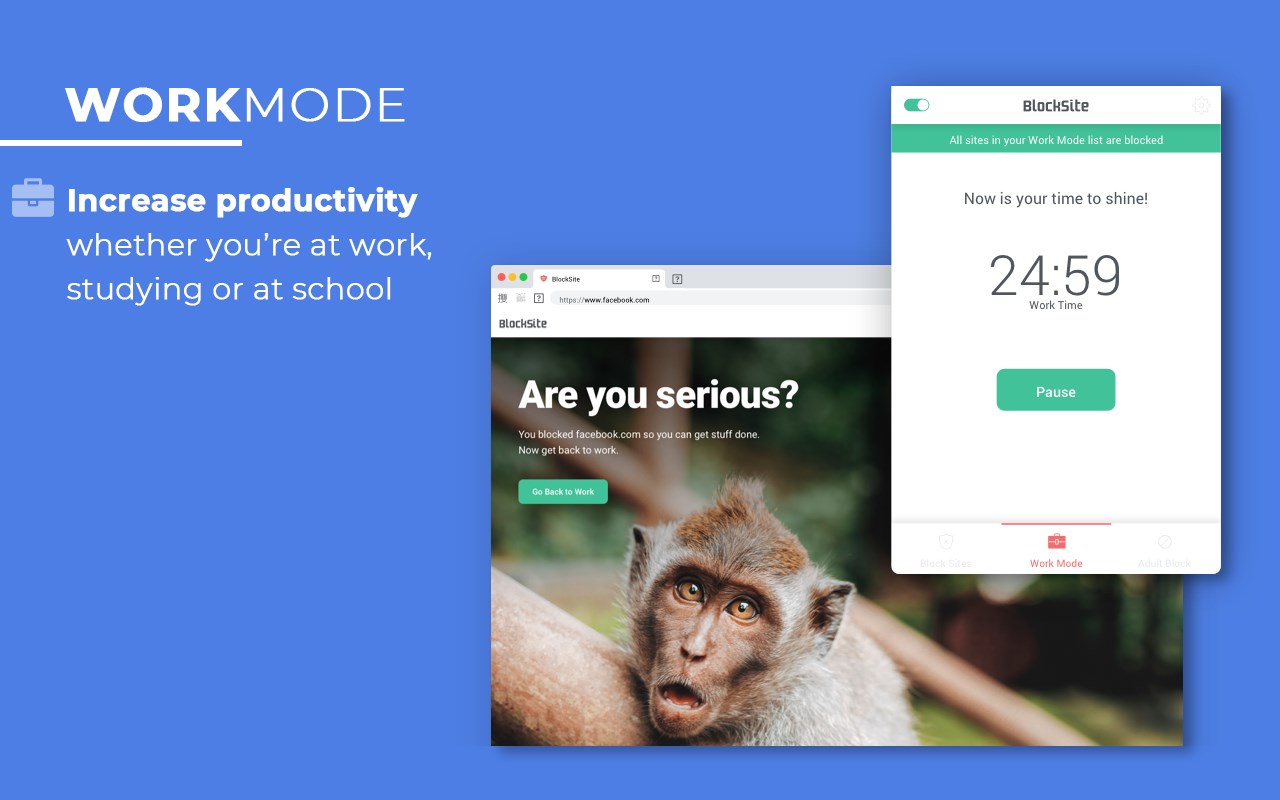
BlockSite allows you to remove all distracting and harmful websites from your life by blocking them for you while you need to stay focused and productive. You can even set yourself a focus timer and make sure you stay on track throughout the day while at work or school.
👨🏼💻Work Mode
The work mode timer feature enables you to control your time via the Pomodoro technique timer. Break down your work into intervals, traditionally 25 minutes followed by a short break. With ‘Work Mode’ you can set times when to block websites and when to browse freely - no willpower necessary.
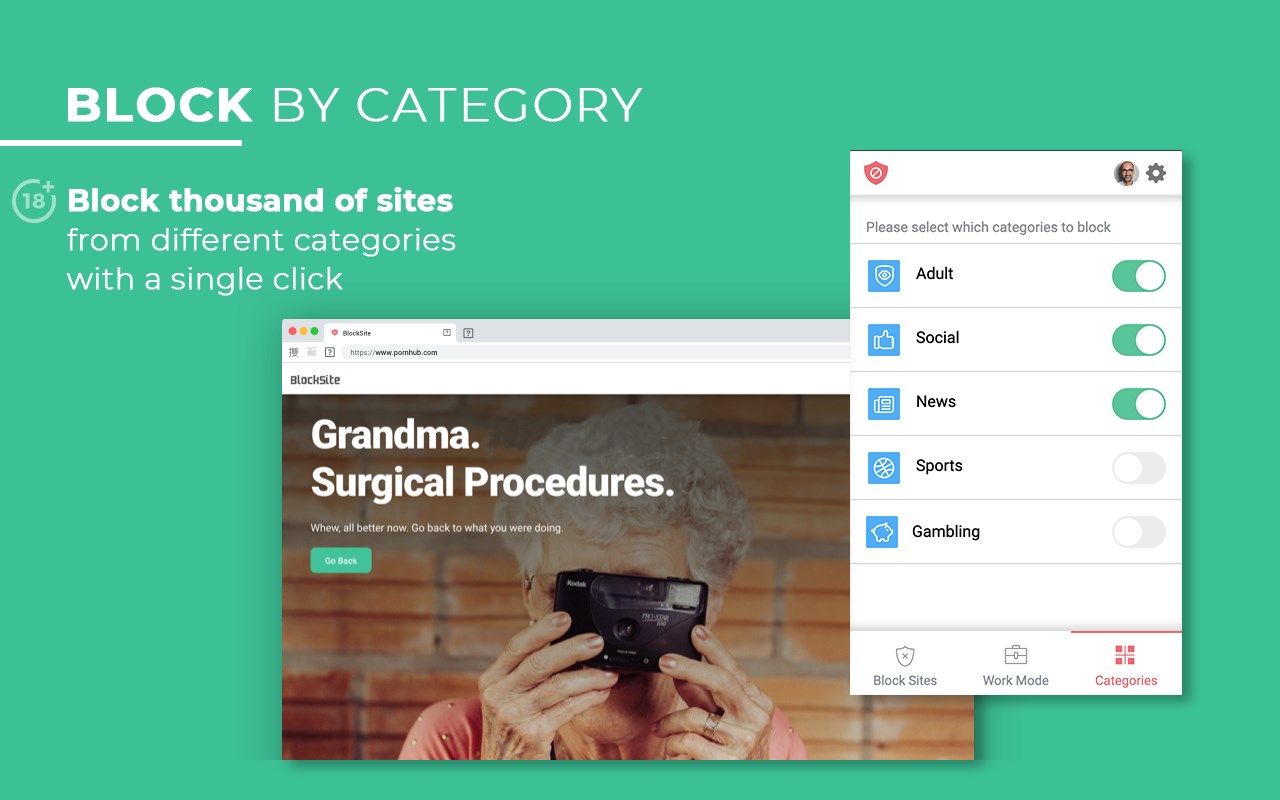
💻Block by Category
In the latest update, you can now block tens of thousands of websites in bulk! Yes, that’s right in just one click you can block websites that come under the same category instead of blocking them individually - making you more efficient than ever before!
🔞Block Adult Content
Ever wondered how to block adult content on your device? Well now you can...easily! With the built in porn blocker that blocks all known adult sites by default making sure that you don’t see any inappropriate content.
📅Scheduling
Set up your own daily schedules and daily routines when you need to stay on track with the ‘Scheduling’ feature that enables you to set days and times when you can access certain sites and apps. It’s the best time management planner you could ever wish for, we promise!
⏳Time Management
There are loads of time management tips available but with the various features on BlockSite your time management schedule will never look better. You’ll be able to get all your work done and still have time to browse your favorite sites and apps in between.
📱Password Protection
If you’ve blocked an app or a website you can unlock it with a passcode of your choosing, making it that bit harder to waste time. You can also password protect the options page to keep you from easily removing sites from your list.
🏙Customized Blocked Page
Get creative with BlockSite! You can now make your own blocked page by choosing your own image and text to design customized blocked pages and make them unique to you. You can also check out the changes on the screen in real time before saving to make sure it’s just as you want it to be.
🚫Uninstall Prevention
With the uninstall prevention feature, nobody can remove the app from your device without you knowing, meaning you’ll have to stay super productive, all the time 😁
🌎Site Redirect
You can choose the website you want to be redirected to instead of the funny image presented.
📱💻Sync
BlockSite is a cross-browser website/URL and app blocker that helps you to control your website usage and manage distractions and addictions. It is also available on the Google Play Store and can be synced between your desktop and mobile so you stay productive and have total control over your time wherever you are.
As it is one of the best productivity tools available, you can start procrastinating less, become more productive and reach your life goals. You’ll never have to worry again about how to stay focused at work. So what are you waiting for? Download now and start taking control of your time...today!
BlockSite:阻止网站并保持专注 是做什么的
BlockSite:阻止网站并保持专注 是一款面向 Edge 的效率工具类扩展,主要用来管住注意力、屏蔽干扰站点、记录时间。官方对它的介绍是:使用我们的主要功能保持专注并提高生产力:自定义阻止列表、计划的站点阻止和密码保护在微软 Edge 加载项商店上,它当前版本 7.1.1,评分 3.3(84 人评价),约 314,709 名用户。
适合什么人用
从功能定位看,BlockSite:阻止网站并保持专注 更适合想专注工作学习、减少无效刷网页的用户。如果你平时只是偶尔遇到相关需求,用浏览器自带功能也能凑合;但如果这件事每天都发生,装一个专门处理它的扩展通常比手动操作省事得多。需要注意的是它作用于所有网站,装上后建议先观察一两天,确认不影响常用站点的正常使用。
怎么安装 BlockSite:阻止网站并保持专注
- 打开微软 Edge 加载项商店上的官方页面;
- 点「添加到浏览器」并确认权限提示;
- 装好后在扩展列表里固定图标,方便随时开关。
本站只做索引与介绍,安装包来自官方商店。如果商店页面提示当前地区不可用,说明该扩展未在你所在区域上架。
常见问题
BlockSite:阻止网站并保持专注 是免费的吗?
BlockSite:阻止网站并保持专注 在微软 Edge 加载项商店免费提供下载。它是浏览器扩展,装上就能直接用,不需要注册账号。
BlockSite:阻止网站并保持专注 安全吗?
它只申请了 0 项权限,范围比较克制,没有申请「读取所有网站数据」这种大权限。
BlockSite:阻止网站并保持专注 支持哪些浏览器?
当前收录的版本来自微软 Edge 加载项商店,适用于 Edge。同一个扩展在其他商店可能有对应版本,但功能与版本号不一定相同。
怎么卸载 BlockSite:阻止网站并保持专注?
在扩展管理页找到 BlockSite:阻止网站并保持专注,点移除即可。它在本地保存的设置会一起清掉,不会残留数据。
权限清单 来自 manifest.json 原文
站点访问(可选) 1
<all_urls>
接口权限 12
alarmscontextMenuscookiesdeclarativeNetRequestidlenotificationsscriptingstoragetabsunlimitedStoragewebNavigationwebRequest