AutoZoom - Sidebar Width Compensator
零号观众 · EEdge MV3
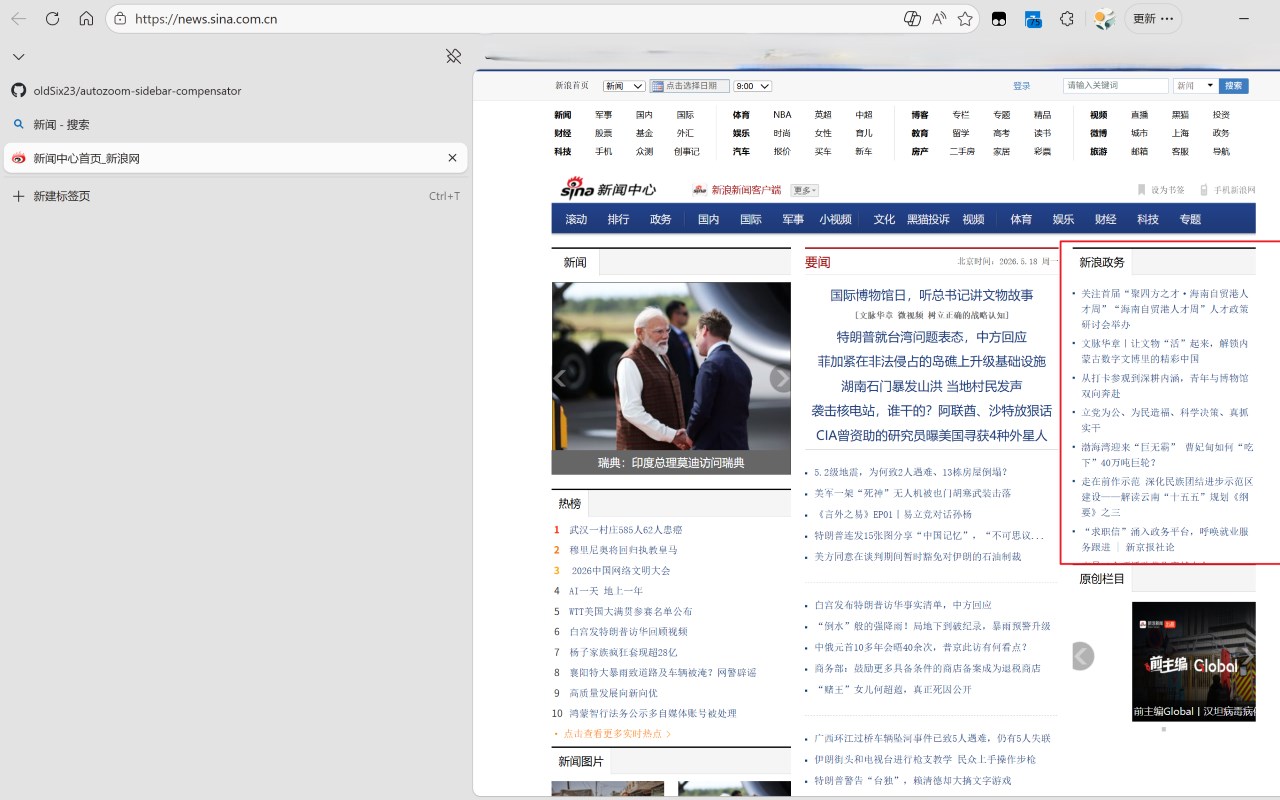
Auto-scale pages to compensate for sidebar/vertical tabs width. Works with Edge, Chrome, Brave sidebars.
截图


简介
● Tired of websites being cut off by your browser's vertical tabs or sidebar?
AutoZoom automatically detects the sidebar width and scales the page to fit your actual viewport — no manual adjustment needed.
Features:
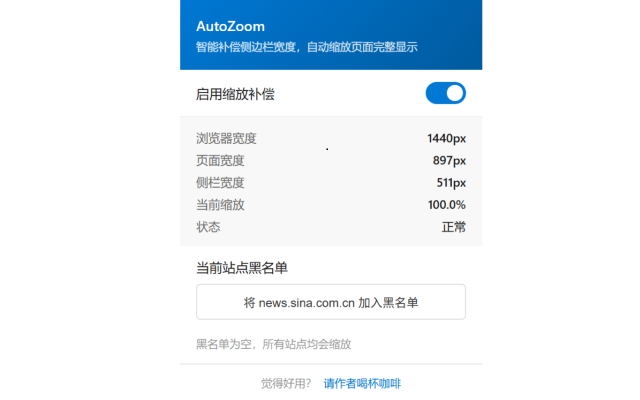
- Auto-detect sidebar/vertical tabs width and compensate with smart zoom
- Real-time adjustment when resizing sidebar or window
- Per-site blacklist for sites you don't want to zoom
- Manual zoom detection — pauses auto-zoom when you Ctrl+/- zoom
- Quick toggle with Alt+Z keyboard shortcut
- Badge indicator showing current zoom percentage
- Smooth zoom transition animation
- Bilingual UI (English/Chinese, auto-detected)
- Zero configuration, works out of the box
Works with:
Edge vertical tabs, Edge sidebar, Chrome side panel, Brave sidebar, Opera sidebar, and any browser feature that reduces your viewport width.
中文介绍:
● 使用垂直标签页或侧边栏时,网页显示不全?AutoZoom 自动检测侧边栏宽度,智能缩放页面,让内容完整显示,无需手动调整。
功能特点:
- 自动检测侧边栏/垂直标签页宽度,智能计算缩放比例
- 拖动侧边栏或调整窗口大小时实时响应
- 支持按站点设置黑名单,不想缩放的站点一键排除
- 智能识别手动缩放,避免与 Ctrl+/- 冲突
- Alt+Z 快捷键一键开关
- 角标显示当前缩放比例
- 平滑过渡动画
- 中英文自动切换
- 开箱即用,无需配置
适用场景:
Edge 垂直标签页、Edge 侧边栏、Chrome 侧面板、Brave 侧边栏、Opera 侧边栏等所有占用页面宽度的浏览器功能。
AutoZoom - Sidebar Width Compensator 是做什么的
AutoZoom - Sidebar Width Compensator 是一款面向 Edge 的效率工具类扩展,主要用来管住注意力、屏蔽干扰站点、记录时间。官方对它的介绍是:Auto-scale pages to compensate for sidebar/vertical tabs width. Works with Edge, Chrome, Brave sidebars.在微软 Edge 加载项商店上,它当前版本 1.1.1,约 7 名用户。
适合什么人用
从功能定位看,AutoZoom - Sidebar Width Compensator 更适合想专注工作学习、减少无效刷网页的用户。如果你平时只是偶尔遇到相关需求,用浏览器自带功能也能凑合;但如果这件事每天都发生,装一个专门处理它的扩展通常比手动操作省事得多。
怎么安装 AutoZoom - Sidebar Width Compensator
- 打开微软 Edge 加载项商店上的官方页面;
- 点「添加到浏览器」并确认权限提示;
- 装好后在扩展列表里固定图标,方便随时开关。
本站只做索引与介绍,安装包来自官方商店。如果商店页面提示当前地区不可用,说明该扩展未在你所在区域上架。
常见问题
AutoZoom - Sidebar Width Compensator 是免费的吗?
AutoZoom - Sidebar Width Compensator 在微软 Edge 加载项商店免费提供下载。它是浏览器扩展,装上就能直接用,不需要注册账号。
AutoZoom - Sidebar Width Compensator 安全吗?
它只申请了 0 项权限,范围比较克制,没有申请「读取所有网站数据」这种大权限。
AutoZoom - Sidebar Width Compensator 支持哪些浏览器?
当前收录的版本来自微软 Edge 加载项商店,适用于 Edge。同一个扩展在其他商店可能有对应版本,但功能与版本号不一定相同。
怎么卸载 AutoZoom - Sidebar Width Compensator?
在扩展管理页找到 AutoZoom - Sidebar Width Compensator,点移除即可。它在本地保存的设置会一起清掉,不会残留数据。
权限清单 来自 manifest.json 原文
接口权限 3
activeTabscriptingstorage