
AutoWDS - 自动化网页数据采集器 - Auto Web Data Scraper
洛飞软件工作室 · EEdge MV3
自动爬虫数据采集插件
<all_urls>),意味着它可以读取你在任意站点的页面内容,包括已登录的页面。这是许多扩展正常工作的必要条件,但也值得你确认来源可信。
截图
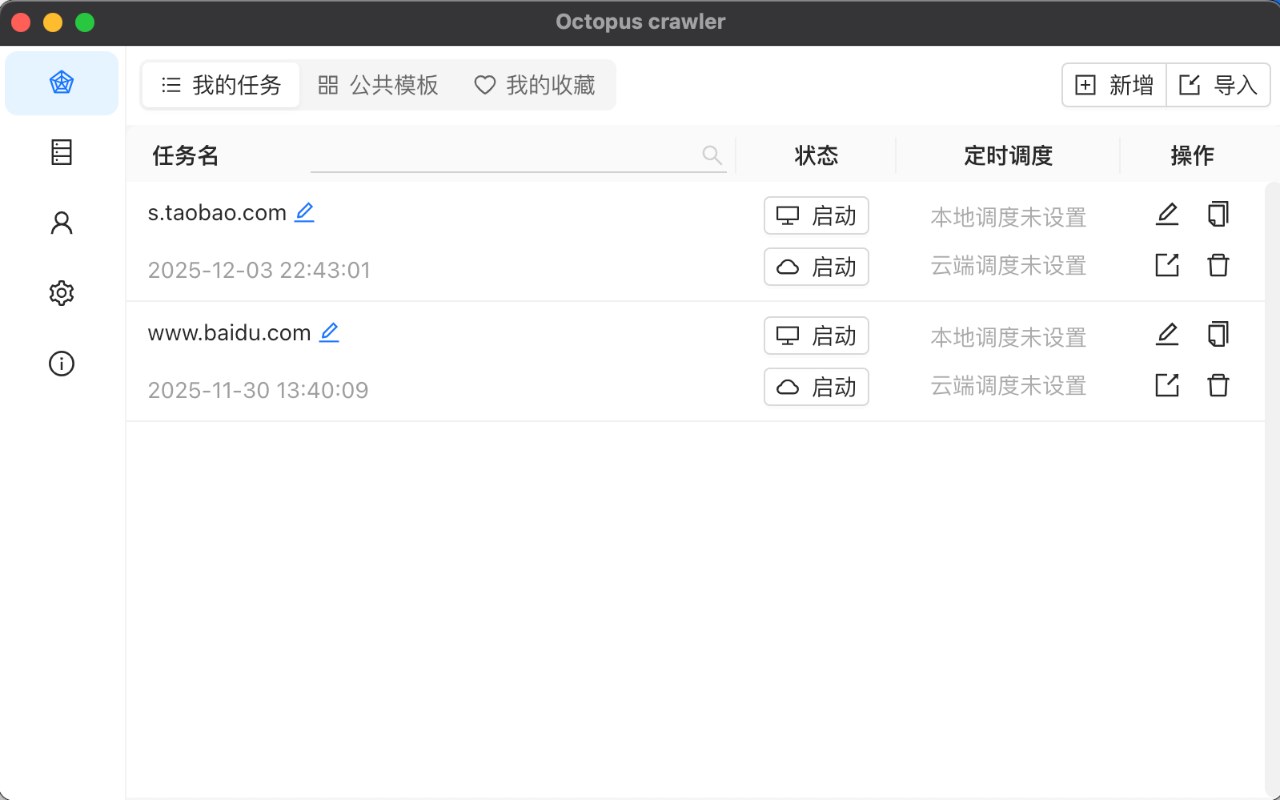
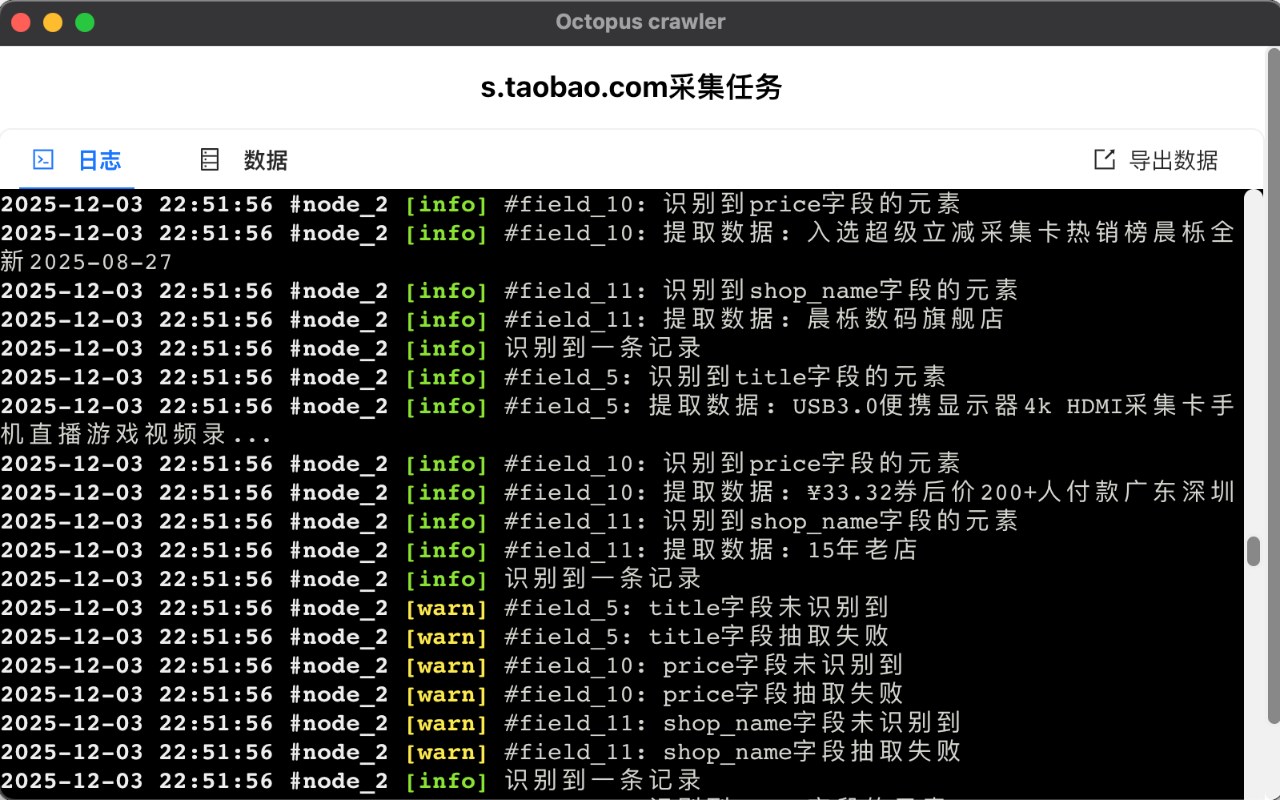
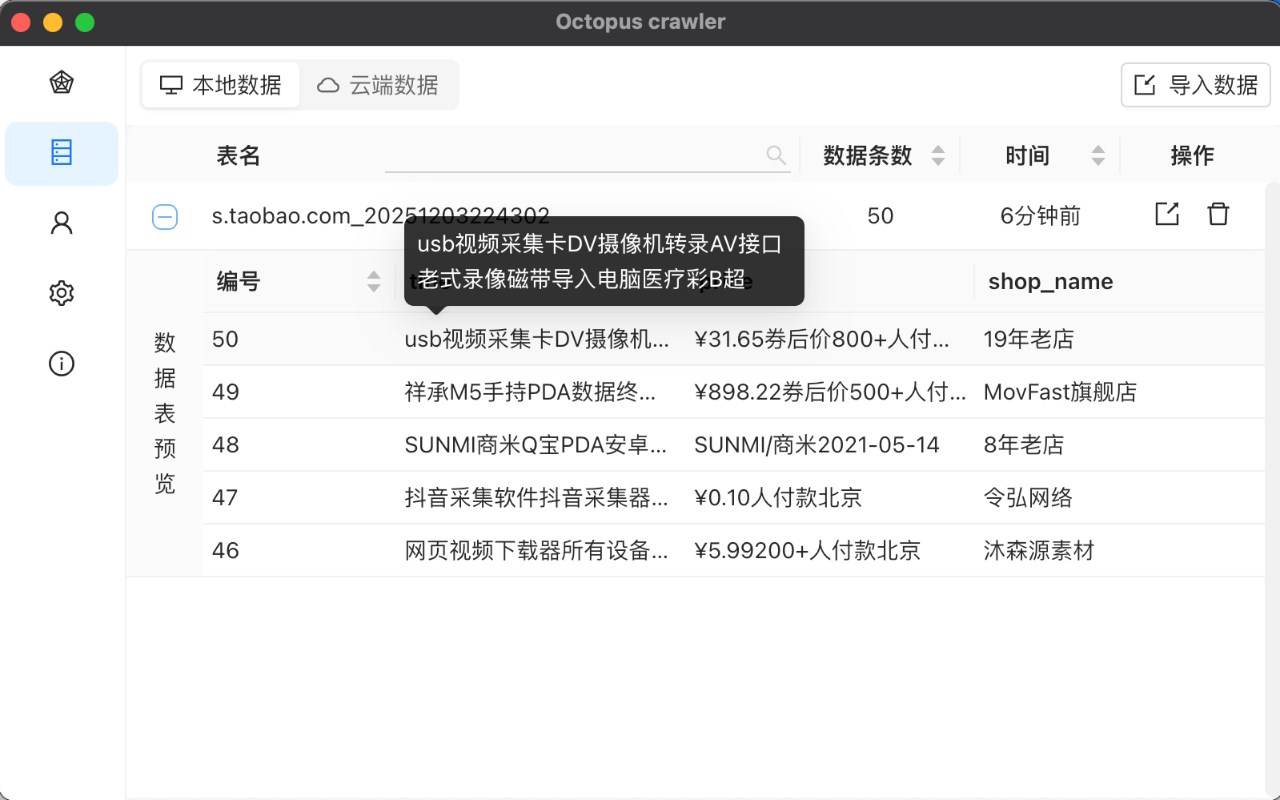
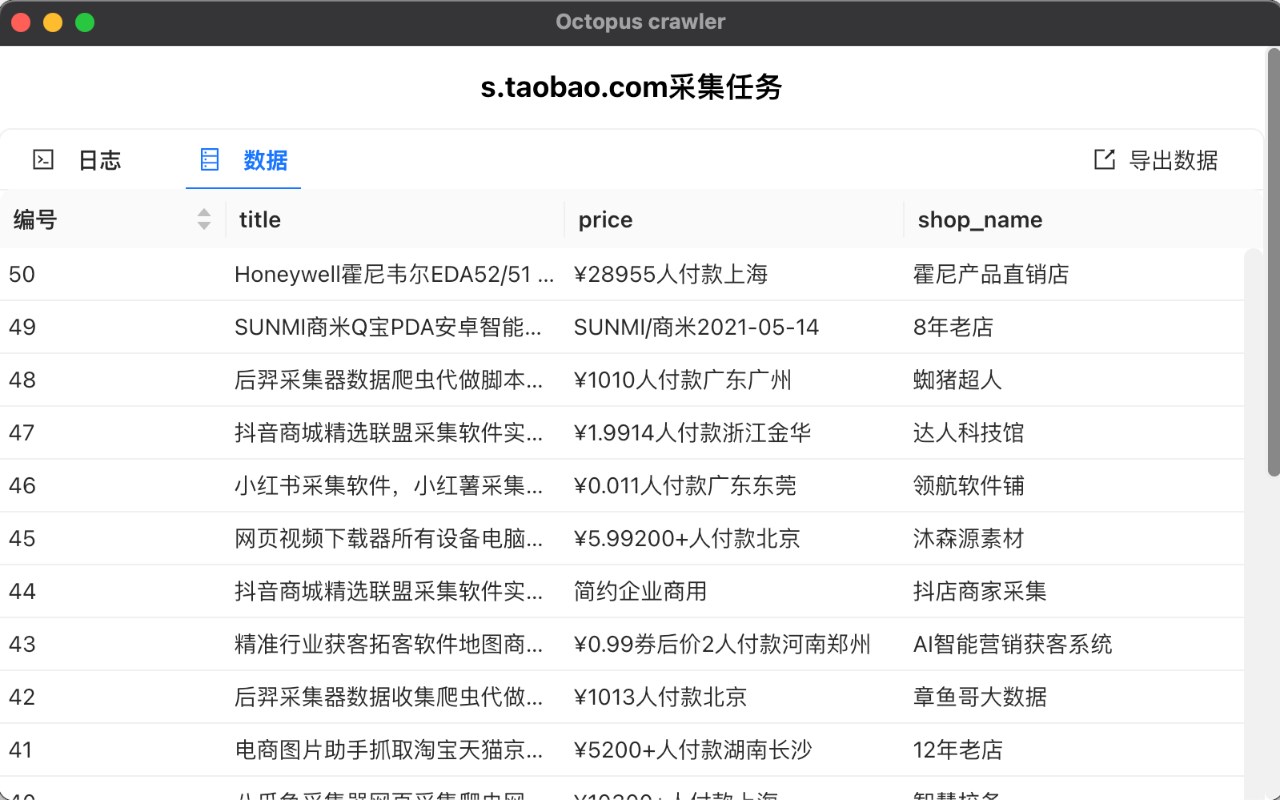
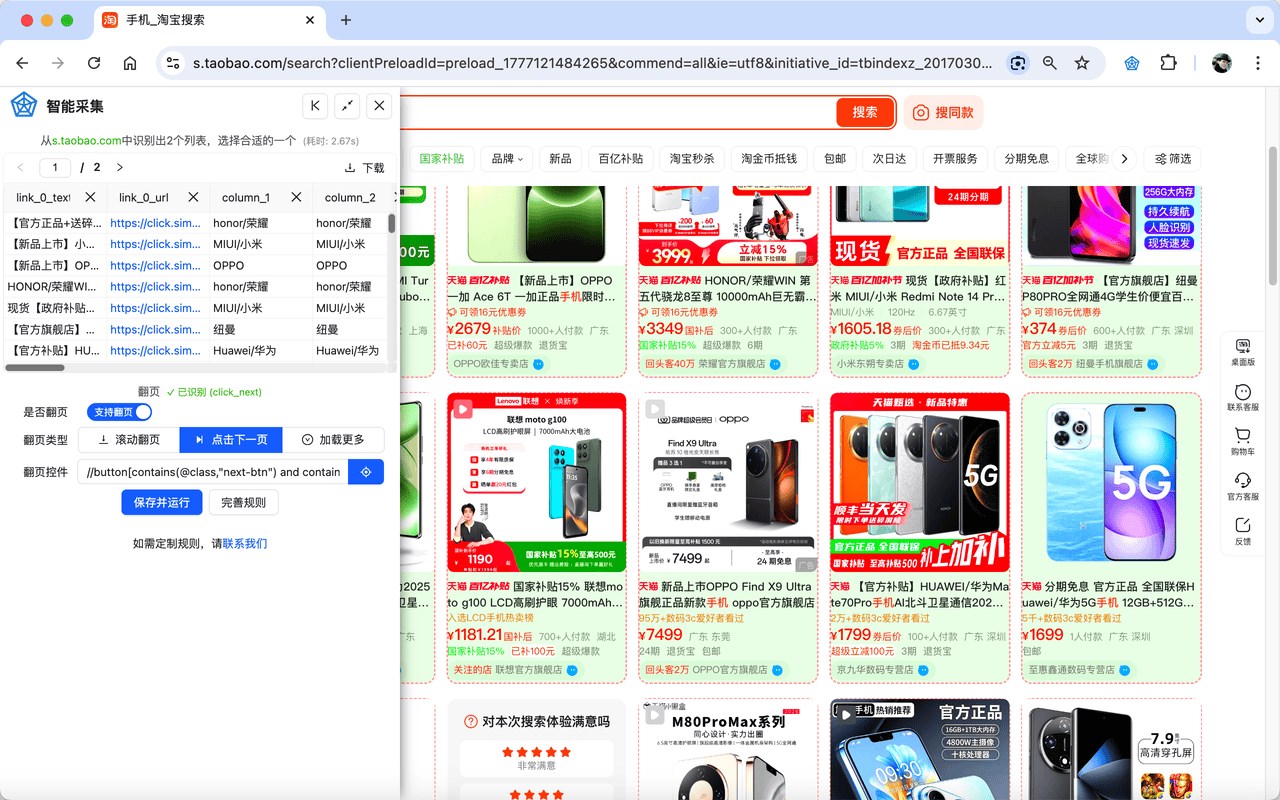
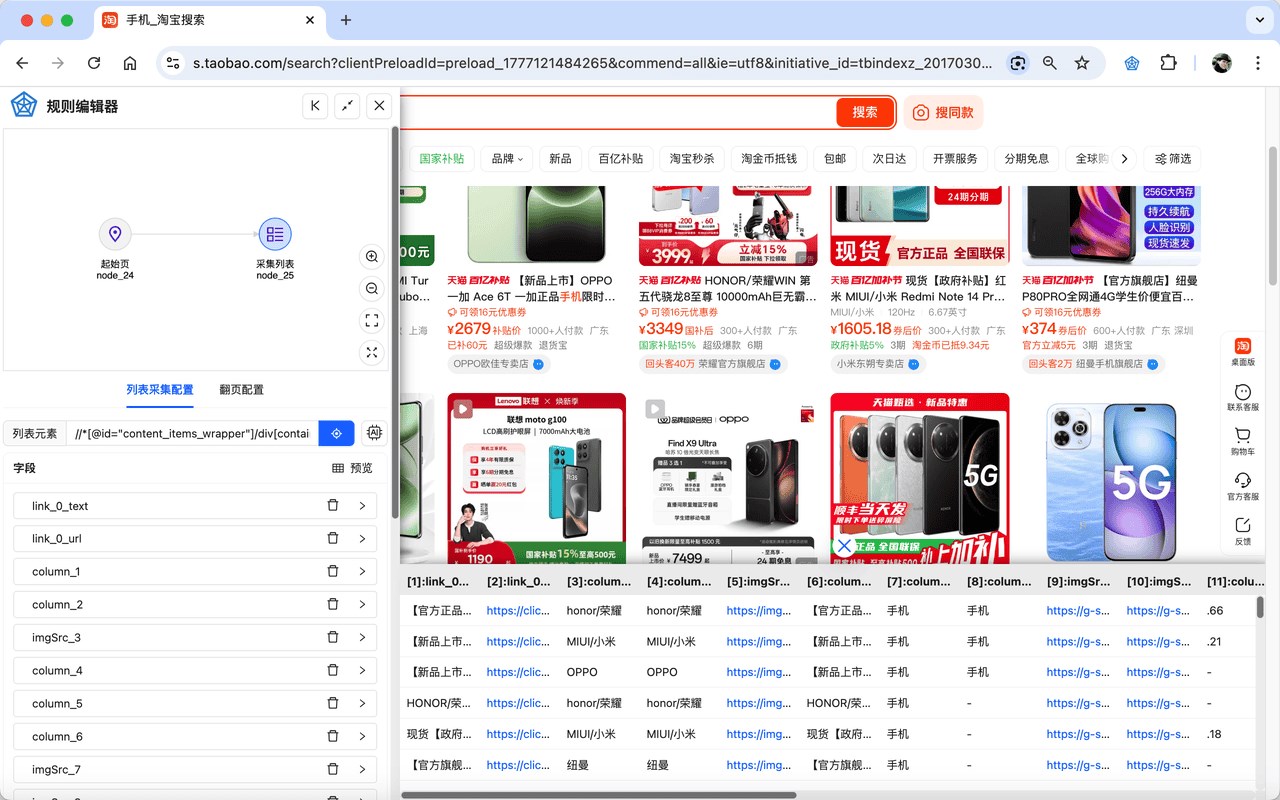
简介
AutoWDS – Advanced Browser Extension for Powerful Web Data Extraction and Automation
AutoWDS is a robust and versatile browser extension designed to meet the needs of users who require efficient, intelligent web data extraction and automated crawling. Whether you are a researcher, analyst, or business professional looking to collect structured data from websites quickly and accurately, Octopus Crawler offers a comprehensive solution that transforms your browsing experience. This extension facilitates effortless data harvesting through both manual and automated modes, supporting complex scraping workflows with an intuitive, visual rule editor — no coding required.
The extension is engineered with modern web technologies and leverages Extension’s Manifest V3, ensuring high performance, enhanced security, and seamless integration within the browser environment. Octopus Crawler lets you configure and control custom extraction rules visually, enabling precise targeting of tables, lists, text blocks, and other structured elements on any webpage. The user-friendly graphical interface makes it easy to define and adjust extraction parameters dynamically, adapting to a wide range of web layouts and data formats without needing complex scripts.
One of the key strengths of Octopus Crawler is its built-in task management system, which supports scheduled runs (similar to Cron jobs), so you can automate repetitive scraping tasks to run in the background at specified intervals. The extension also supports running multiple crawling sessions simultaneously across tabs, allowing parallel data collection from different web sources. Progress notifications and status updates are delivered directly through browser notifications and interface panels, keeping you informed without interrupting your workflow.
Extracted data is displayed instantly within the extension panel, and can be exported in several common formats such as Excel (.xlsx), CSV, and JSON, making it straightforward to analyze or integrate with other applications. Data management features include local storage of scrape results, history browsing, and merging capabilities, which ensure your collected information is organized and accessible over time.
Octopus Crawler is ideal for data analysts and professionals dealing with content monitoring, market research, competitor analysis, and any scenario that requires systematic data extraction with automation. Its clean, attractive interface combined with strong functionality makes it one of the most effective tools for web scraping in a browser extension form factor.
Key Features:
- Intelligent Visual Rule Editor: Create, edit, and manage extraction rules through a graphical interface without writing code, streamlining workflow setup and customization.
- Automated Scheduling & Background Crawling: Use built-in scheduling to automatically execute scraping tasks on a set timetable, enabling continuous data updates without manual intervention.
- Multi-Tab & Session Management: Run multiple crawling sessions concurrently in separate tabs, facilitating large-scale data collection and comparative analysis.
- Flexible Data Export Options: Export scraped data instantly into Excel, CSV, JSON, TXT, and other formats for easy integration and further processing.
- Browser Context Menu Integration: Right-click on page elements to trigger immediate extractions or invoke custom crawling tasks directly from the browser context menu.
- Real-Time Notifications & Progress Tracking: Stay informed with browser alerts on task status, errors, and completion, ensuring effective monitoring of scraping operations.
- Local Data Storage & History Management: Safeguard your extracted data locally in the browser, review past sessions, and merge results for comprehensive dataset building.
- Advanced Customization & Scripting Support: Modify headers, incorporate scripting actions, and tweak advanced automation parameters to tailor the extension perfectly to your use case.
How It Works:
1. Install Octopus Crawler from the Extensionn Web Store to add it seamlessly to your browser.
2. Activate the extension by clicking its toolbar icon to access the popup menu or side panel interface.
3. Select an extraction template or create a new custom rule using the visual editor to specify which data to collect.
4. Initiate either manual single-page extraction or automated multi-page crawling, with optional scheduling for automated recurrent tasks.
5. Monitor progress live through notifications or the dedicated panel, observing data as it is gathered.
6. View extracted data within the extension interface and export it into your preferred file format for external use.
7. Adjust extraction rules, set up task schedules, or fine-tune advanced settings to optimize your data collection workflow across various websites.
Privacy: - No personal data collected. All web scraping activities and harvested data remain stored locally within your browser unless you explicitly export them. Octopus Crawler prioritizes your privacy and security, ensuring your browsing data and identity are never compromised during operation.
AutoWDS - 自动化网页数据采集器 - Auto Web Data Scraper 是做什么的
AutoWDS - 自动化网页数据采集器 - Auto Web Data Scraper 是一款面向 Edge 的实用工具类扩展,主要用来解决浏览器里某类具体的小问题。官方对它的介绍是:自动爬虫数据采集插件在微软 Edge 加载项商店上,它当前版本 1.7.4,约 16 名用户。
适合什么人用
从功能定位看,AutoWDS - 自动化网页数据采集器 - Auto Web Data Scraper 更适合想补上浏览器原生缺失功能的用户。如果你平时只是偶尔遇到相关需求,用浏览器自带功能也能凑合;但如果这件事每天都发生,装一个专门处理它的扩展通常比手动操作省事得多。需要注意的是它作用于所有网站,装上后建议先观察一两天,确认不影响常用站点的正常使用。
怎么安装 AutoWDS - 自动化网页数据采集器 - Auto Web Data Scraper
- 打开微软 Edge 加载项商店上的官方页面;
- 点「添加到浏览器」并确认权限提示;
- 装好后在扩展列表里固定图标,方便随时开关。
本站只做索引与介绍,安装包来自官方商店。如果商店页面提示当前地区不可用,说明该扩展未在你所在区域上架。
常见问题
AutoWDS - 自动化网页数据采集器 - Auto Web Data Scraper 是免费的吗?
AutoWDS - 自动化网页数据采集器 - Auto Web Data Scraper 在微软 Edge 加载项商店免费提供下载。它是浏览器扩展,装上就能直接用,不需要注册账号。
AutoWDS - 自动化网页数据采集器 - Auto Web Data Scraper 安全吗?
它只申请了 0 项权限,范围比较克制,没有申请「读取所有网站数据」这种大权限。
AutoWDS - 自动化网页数据采集器 - Auto Web Data Scraper 支持哪些浏览器?
当前收录的版本来自微软 Edge 加载项商店,适用于 Edge。同一个扩展在其他商店可能有对应版本,但功能与版本号不一定相同。
怎么卸载 AutoWDS - 自动化网页数据采集器 - Auto Web Data Scraper?
在扩展管理页找到 AutoWDS - 自动化网页数据采集器 - Auto Web Data Scraper,点移除即可。它在本地保存的设置会一起清掉,不会残留数据。
权限清单 来自 manifest.json 原文
站点访问(可选) 1
*://*/*
接口权限 11
activeTabalarmscontextMenusdeclarativeNetRequestdownloadsnotificationsscriptingstoragetabsunlimitedStorageuserScripts