
AutoForm AI EN
AutoForm AI · EEdge MV3
Fill job applications and forms faster with intelligent AI auto-fill.
<all_urls>),意味着它可以读取你在任意站点的页面内容,包括已登录的页面。这是许多扩展正常工作的必要条件,但也值得你确认来源可信。
截图
简介
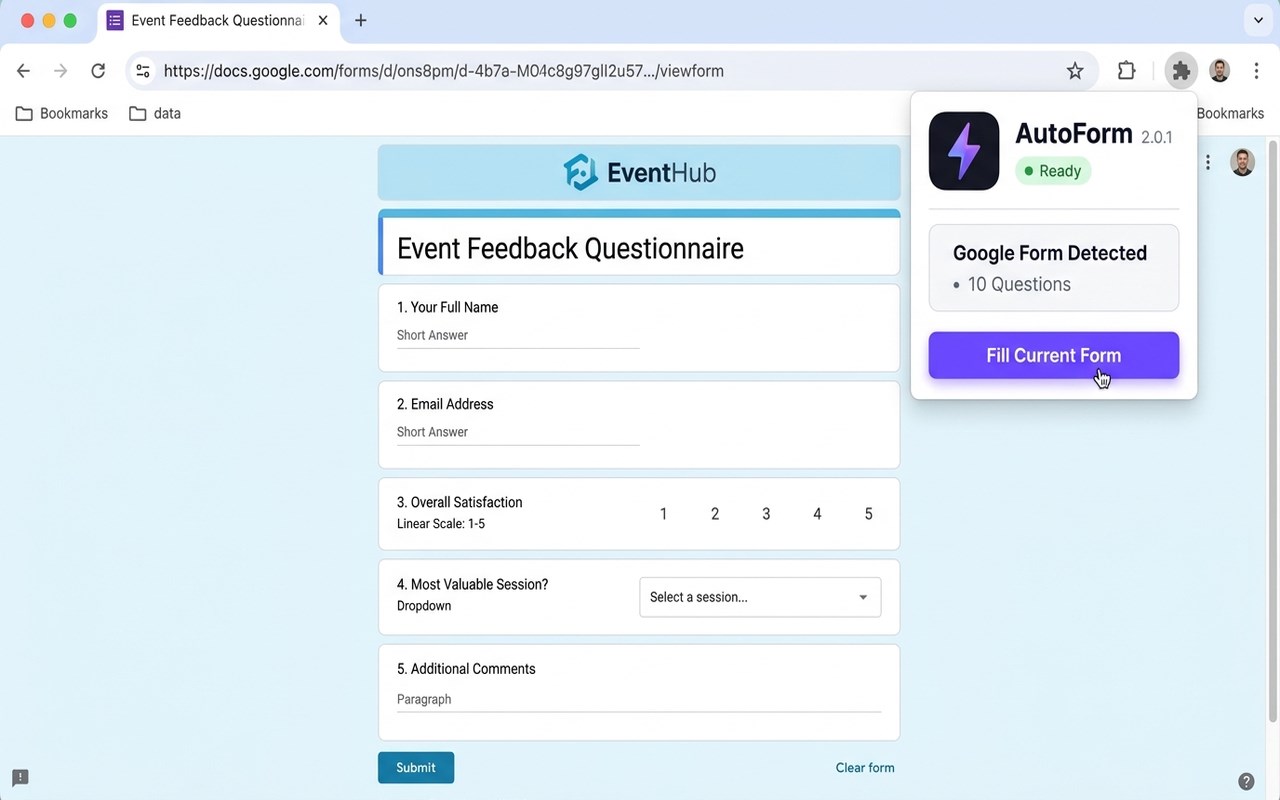
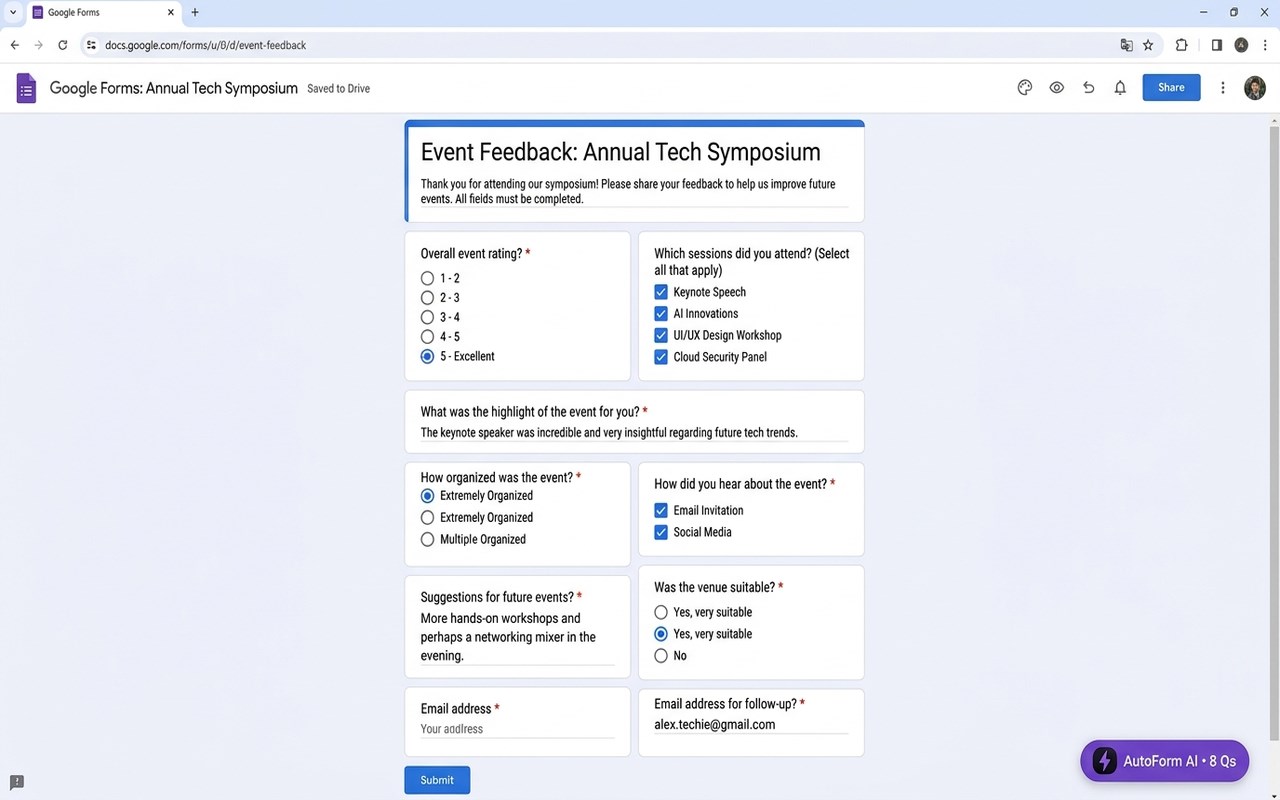
AutoForm AI is a browser extension built to make repetitive online form completion faster and more organized, especially for job applications, profile-driven forms, and structured questionnaires. Based on the extension package, it combines AI-assisted answering, reusable profile memory, resume handling, and direct field automation in a single workflow. It scans supported pages, detects form fields or questions, and helps fill them using information stored in the user’s local profile, imported memory, and resume data. The package indicates dedicated support for Google Forms and common hiring platforms such as Greenhouse, Lever, Ashby, Workday, and BambooHR, while also providing a generic adapter for broader web form support.
A central part of the extension is its Memory Vault and Profile system. Users can maintain identity details, contact information, social links, education history, and reusable snippets covering work experience, projects, skills, perspectives, and additional background. The options interface is organized around these areas, with sections for instant import, profile details, memory cards, server settings, and account management. The package also shows a structured import flow that allows users to paste a formatted memory export created with external AI assistants such as ChatGPT, Gemini, or Claude. That imported text is parsed into reusable local memory so future form-filling can be more personalized and consistent.
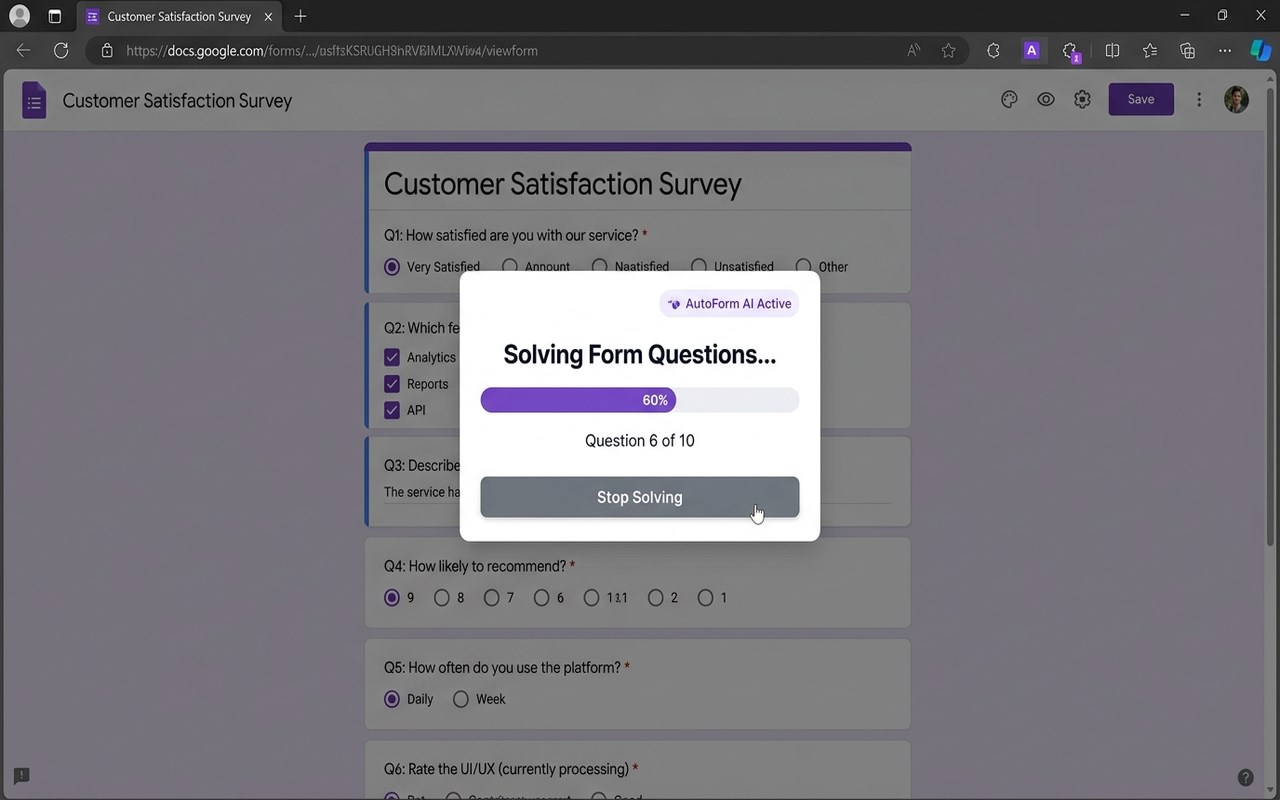
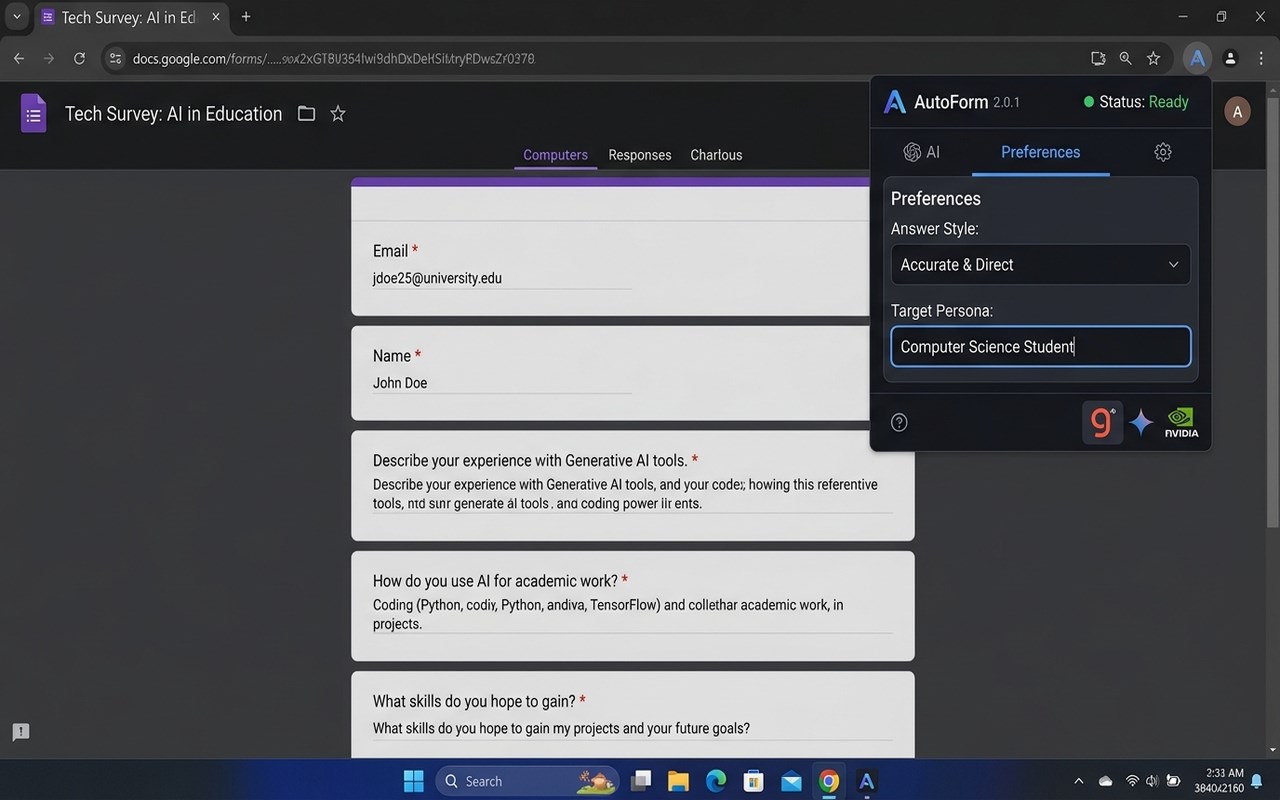
AutoForm AI also includes a Resume Vault with auto-attach functionality. The package shows handling for PDF, DOCX, and TXT resume content, along with browser-side file utilities that can help insert stored files back into upload fields. This supports repetitive hiring workflows where forms require both typed answers and resume uploads. In addition to AI-assisted completion, the extension offers an Instant Profile Fill option for verified personal and contact fields without using AI quota. Users can also adjust fill pacing, choose an answer style such as accurate, concise, or detailed, set an optional target persona, and use a Preview Before Fill option to review generated answers before they are applied. During the fill process, the popup shows live progress with completion updates as questions are processed.
The extension can be launched from the popup, through a floating AI button, or by keyboard shortcut. The manifest defines Alt+Shift+F as a command to start solving the active form. The popup also includes controls to disable AutoForm detection on specific domains. The package further indicates a client-side memory retrieval engine that classifies form intent and retrieves the most relevant saved snippets, helping the extension match stored context to the questions being asked.
Key Features:
- AI-assisted form filling for Google Forms, job application systems, and general web forms.
- Dedicated support for platforms including Greenhouse, Lever, Ashby, Workday, and BambooHR.
- Memory Vault for storing profile details, education, social links, reusable background snippets, and imported AI-generated memory exports.
- Resume Vault with support for PDF, DOCX, and TXT files, plus auto-attach assistance for upload fields.
- Instant Profile Fill for verified personal and contact information without using AI quota.
- Adjustable filling behavior with options for preview before fill, pacing speed, answer style, and optional target persona.
- Quick access through the popup, floating AI button, keyboard shortcut support, and per-site disable controls.
How It Works:
1. Open the extension and let it scan the active tab to detect whether the current page contains a supported form or job application.
2. Set up your Memory Vault by entering profile details manually or importing a structured memory export from a supported external AI assistant.
3. Optionally add a resume to the Resume Vault so the extension can help with supported file upload fields.
4. Choose your preferences, such as preview before fill, pacing speed, answer style, and optional target persona.
5. Start the process from the popup, the floating AI button, or the Alt+Shift+F keyboard shortcut.
6. The extension analyzes the form, retrieves relevant local memory, and fills answers while showing progress updates.
7. Review the generated responses, make any needed edits, and submit the form manually when ready.
Privacy: - This extension stores profile memory locally in the browser, and the options interface indicates that memory remains in local storage rather than being uploaded as stored profile data. The package also includes Google sign-in, account status, quota tracking, backend communication, and remote configuration features, so account-related and service-related data may be processed for authentication, service operation, and AI-powered form filling.
AutoForm AI 是做什么的
AutoForm AI 是一款面向 Edge 的效率工具类扩展,主要用来管住注意力、屏蔽干扰站点、记录时间。官方对它的介绍是:Fill job applications and forms faster with intelligent AI auto-fill.在微软 Edge 加载项商店上,它当前版本 2.0.6,评分 5(3 人评价),约 91 名用户。
适合什么人用
从功能定位看,AutoForm AI 更适合想专注工作学习、减少无效刷网页的用户。如果你平时只是偶尔遇到相关需求,用浏览器自带功能也能凑合;但如果这件事每天都发生,装一个专门处理它的扩展通常比手动操作省事得多。需要注意的是它作用于所有网站,装上后建议先观察一两天,确认不影响常用站点的正常使用。
怎么安装 AutoForm AI
- 打开微软 Edge 加载项商店上的官方页面;
- 点「添加到浏览器」并确认权限提示;
- 装好后在扩展列表里固定图标,方便随时开关。
本站只做索引与介绍,安装包来自官方商店。如果商店页面提示当前地区不可用,说明该扩展未在你所在区域上架。
常见问题
AutoForm AI 是免费的吗?
AutoForm AI 在微软 Edge 加载项商店免费提供下载。它是浏览器扩展,装上就能直接用,不需要注册账号。
AutoForm AI 安全吗?
它只申请了 0 项权限,范围比较克制,没有申请「读取所有网站数据」这种大权限。
AutoForm AI 支持哪些浏览器?
当前收录的版本来自微软 Edge 加载项商店,适用于 Edge。同一个扩展在其他商店可能有对应版本,但功能与版本号不一定相同。
怎么卸载 AutoForm AI?
在扩展管理页找到 AutoForm AI,点移除即可。它在本地保存的设置会一起清掉,不会残留数据。
权限清单 来自 manifest.json 原文
站点访问(可选) 1
https://*/*
接口权限 5
activeTabidentityscriptingstorageunlimitedStorage