
Auto Text Replacer: Replace Words & Phrases on Websites EN
Sakibul Islam · EEdge MV3
Automatically replace words and phrases as you browse and type. Set your rules once; they apply on their own.
截图
简介
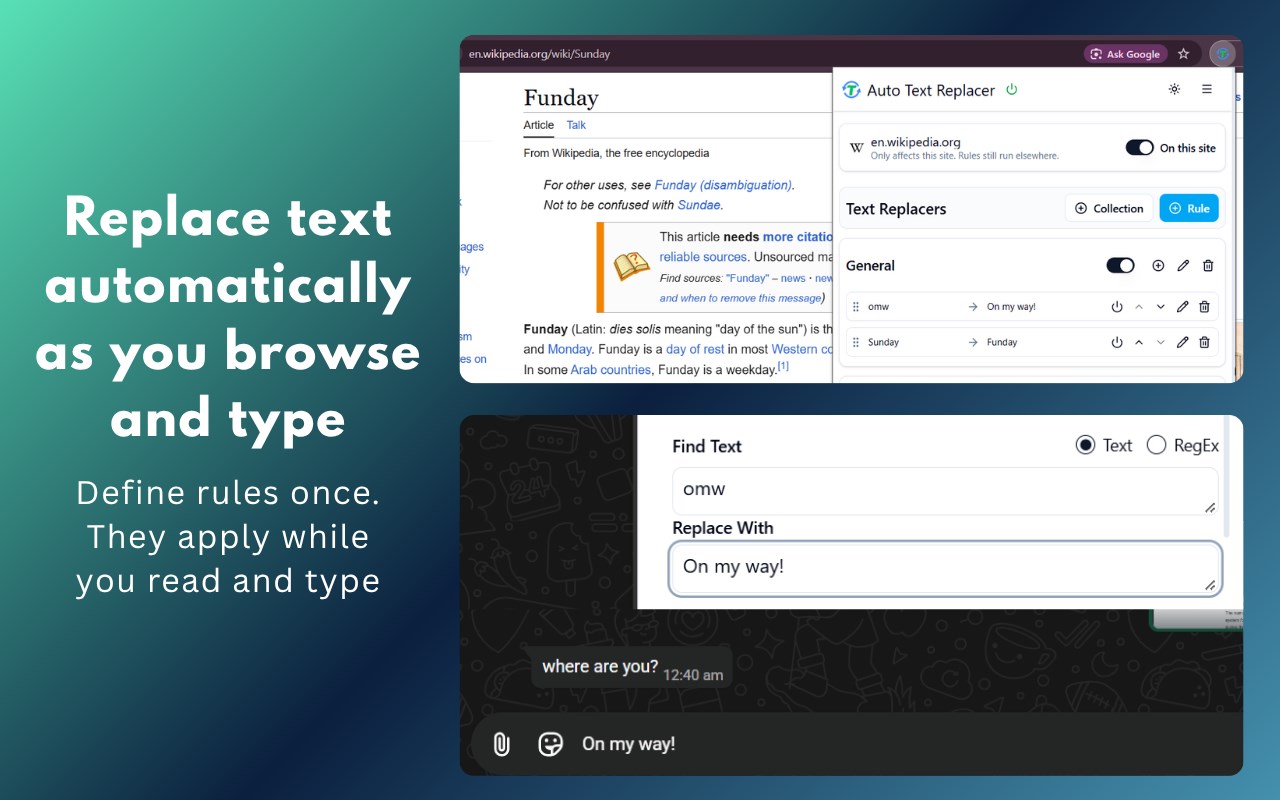
Replace text automatically as you browse and type.
Auto Text Replacer applies your own find-and-replace rules on websites, in the text you read and in the text you type. Set a rule once, like teh → the or omw → On my way!, and it runs on its own. No copy-paste, no clicking.
WHAT YOU CAN DO
- Fix typos and standardize terms as you type or read
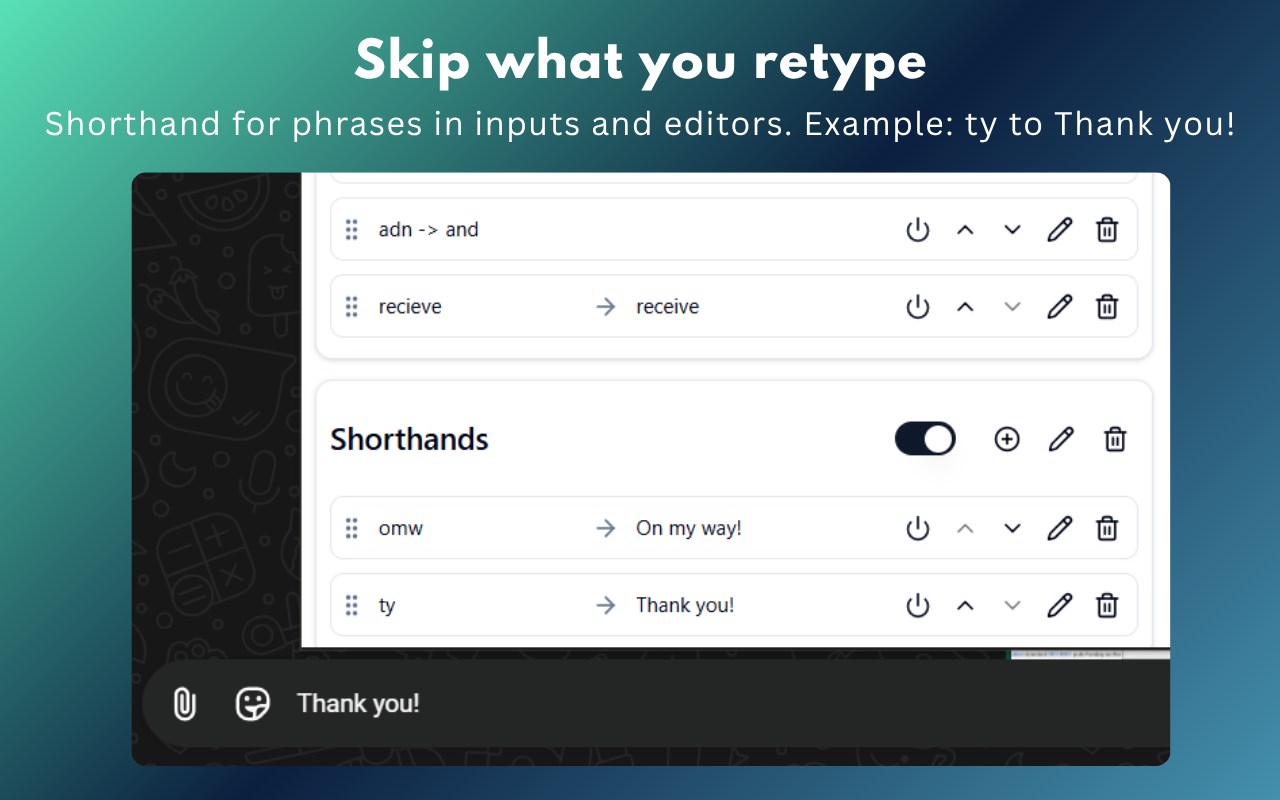
- Expand shorthand into full phrases in inputs, textareas, and rich-text editors
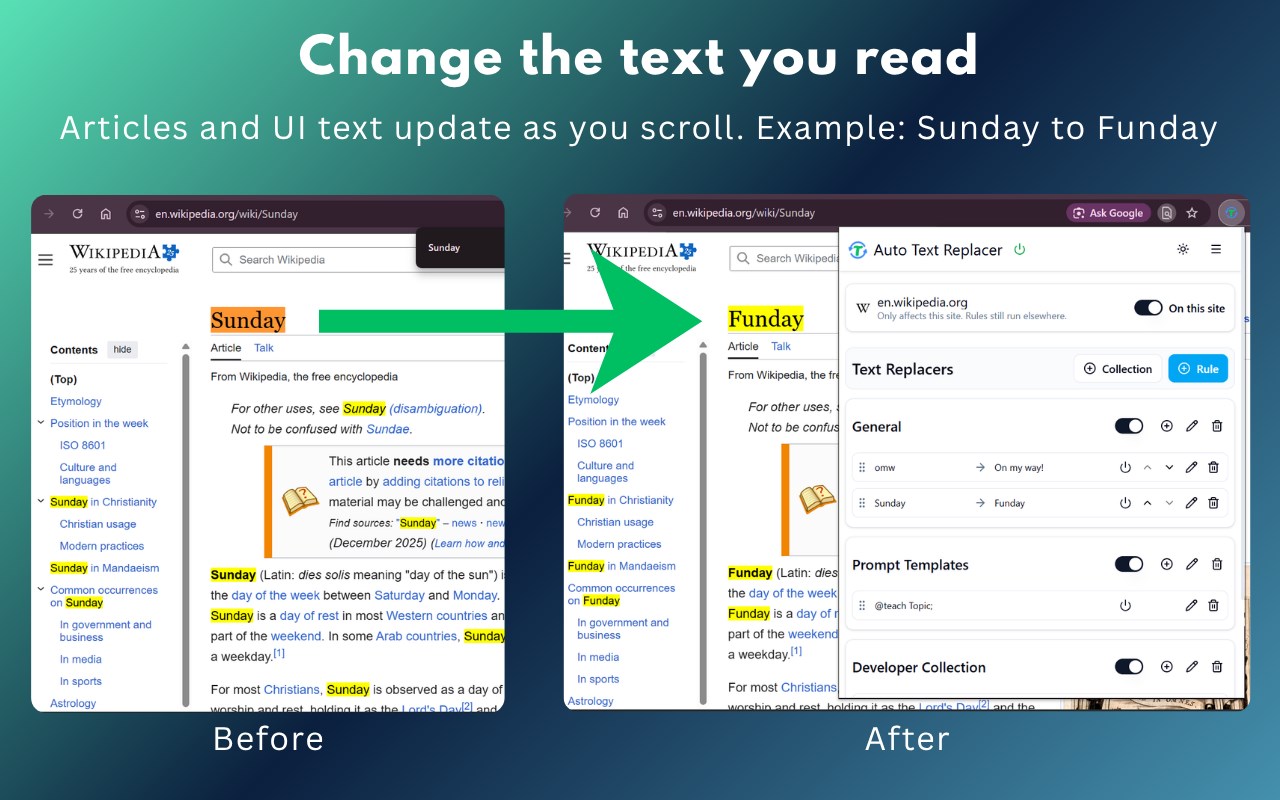
- Personalize page text: swap words, names, or terms (Sunday → Funday is set up as an example)
- Change or mask on-screen text, such as numbers, on pages you view
HOW IT WORKS
1. Add the extension and open its popup.
2. Create a rule: what to find, what to replace it with, plain text or RegEx.
3. Check it in the live test preview before it touches a real page.
4. Browse and type. Your rules apply automatically, including to content that loads as you scroll.
FEATURES
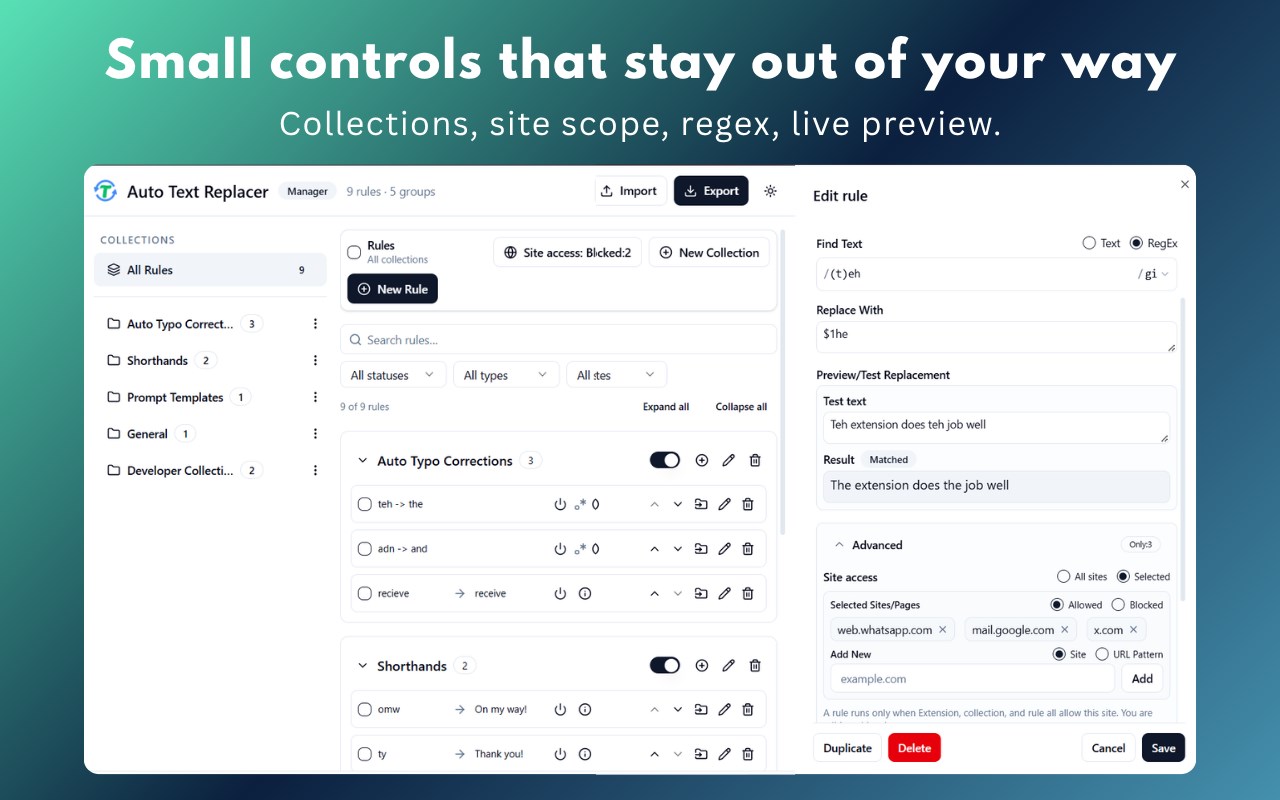
- Plain text or RegEx rules, with capture groups ($1) and flags
- Whole-word matching with RegEx word boundaries (for example \bcolour\b)
- Rules run top to bottom, and each rule sees the previous rule's output
- Collections to organize rules by project, site, or purpose
- Site control: a global on/off switch, a per-site switch, and allow/block site lists for collections and individual rules
- Element filters to keep a rule out of chosen inputs or page areas
- Live test preview with a Matched / No match indicator
- "Why isn't this rule working?" diagnostics for any rule
- 13 starter templates: typos, writing, developer, productivity, and phrases
- Full-page manager with search, filters, and bulk enable, disable, move, and delete
- Import and export rules as JSON
- Light, dark, and system themes
WORKS WITH
Read: articles, docs, and feeds, including pages that update without reloading; content inside frames; open shadow DOM components.
Type: inputs, textareas, and placeholders; rich-text editors.
GOOD TO KNOW
- Browser-reserved pages (chrome://, edge://, the Chrome Web Store) don't allow extensions to run.
- file:// pages need "Allow access to file URLs" turned on in chrome://extensions.
- Closed shadow DOM and text drawn on a canvas or inside images can't be replaced.
- Plain-text rules also match inside longer words. Use RegEx word boundaries (\b) for whole-word matches.
- Some rich editors, such as chat boxes, may need a site scope or element filter.
PRIVACY
- No account needed.
- Your rules are stored in your browser, and replacement runs on your device.
- Page text, typed text, your rules, and URLs are not sent for analytics or error reports. The extension sends only anonymous counts and error categories.
- Permissions: storage and activeTab only.
Add it to Edge, open the popup, and create your first rule.
Auto Text Replacer: Replace Words & Phrases on Websites 是做什么的
Auto Text Replacer: Replace Words & Phrases on Websites 是一款面向 Edge 的效率工具类扩展,主要用来管住注意力、屏蔽干扰站点、记录时间。官方对它的介绍是:Automatically replace words and phrases as you browse and type. Set your rules once; they apply on their own.在微软 Edge 加载项商店上,它当前版本 3.0.2,评分 2.3(6 人评价),约 3,865 名用户。
适合什么人用
从功能定位看,Auto Text Replacer: Replace Words & Phrases on Websites 更适合想专注工作学习、减少无效刷网页的用户。如果你平时只是偶尔遇到相关需求,用浏览器自带功能也能凑合;但如果这件事每天都发生,装一个专门处理它的扩展通常比手动操作省事得多。
怎么安装 Auto Text Replacer: Replace Words & Phrases on Websites
- 打开微软 Edge 加载项商店上的官方页面;
- 点「添加到浏览器」并确认权限提示;
- 装好后在扩展列表里固定图标,方便随时开关。
本站只做索引与介绍,安装包来自官方商店。如果商店页面提示当前地区不可用,说明该扩展未在你所在区域上架。
常见问题
Auto Text Replacer: Replace Words & Phrases on Websites 是免费的吗?
Auto Text Replacer: Replace Words & Phrases on Websites 在微软 Edge 加载项商店免费提供下载。它是浏览器扩展,装上就能直接用,不需要注册账号。
Auto Text Replacer: Replace Words & Phrases on Websites 安全吗?
它只申请了 0 项权限,范围比较克制,没有申请「读取所有网站数据」这种大权限。
Auto Text Replacer: Replace Words & Phrases on Websites 支持哪些浏览器?
当前收录的版本来自微软 Edge 加载项商店,适用于 Edge。同一个扩展在其他商店可能有对应版本,但功能与版本号不一定相同。
怎么卸载 Auto Text Replacer: Replace Words & Phrases on Websites?
在扩展管理页找到 Auto Text Replacer: Replace Words & Phrases on Websites,点移除即可。它在本地保存的设置会一起清掉,不会残留数据。
权限清单 来自 manifest.json 原文
接口权限 2
activeTabstorage