
Auto Refresh & Page Monitor — Refresh Pilot EN
RefreshPilot · EEdge MV3
Auto refresh any page, keep tabs awake, monitor changes, and get instant Slack, Discord, webhook or desktop alerts.
<all_urls>),意味着它可以读取你在任意站点的页面内容,包括已登录的页面。这是许多扩展正常工作的必要条件,但也值得你确认来源可信。
截图
简介
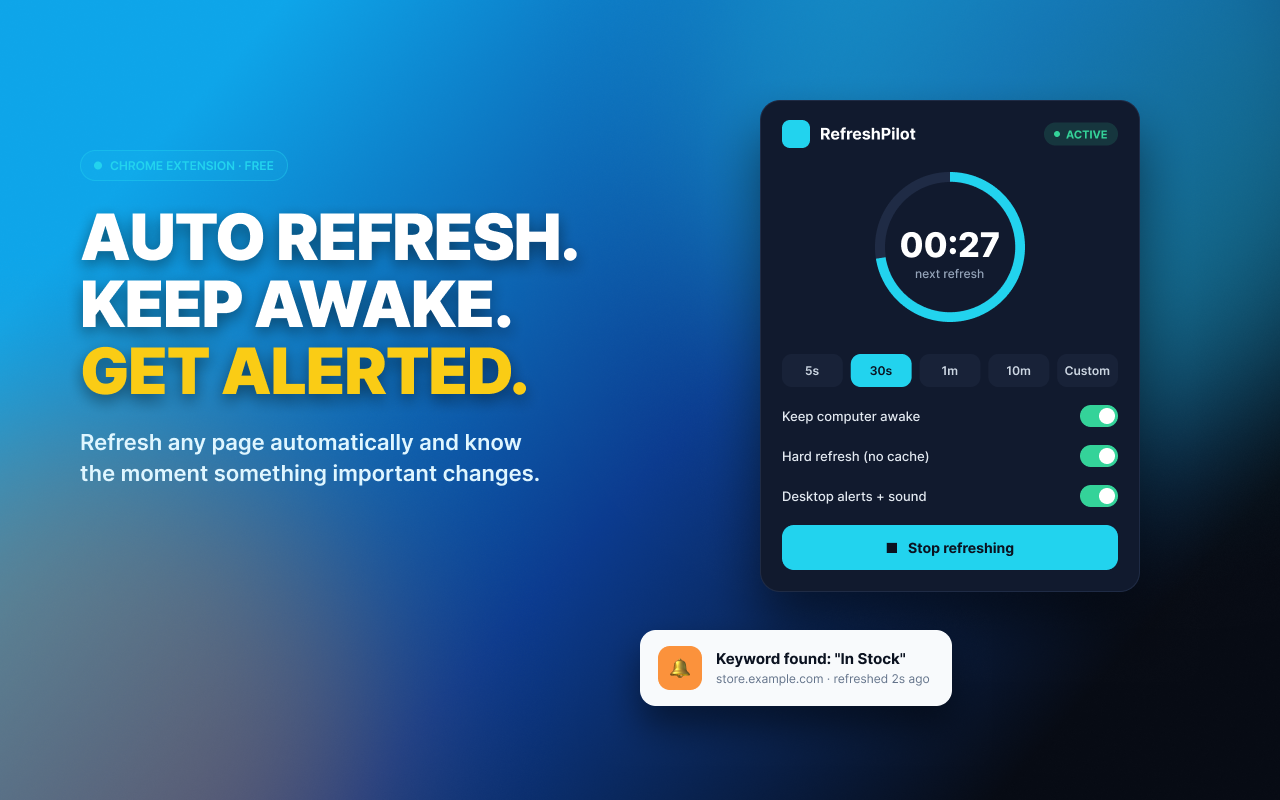
Refresh Pilot is an auto refresh extension that automatically refreshes any web page on the schedule you choose. Keep tabs awake, monitor pages for important changes, and get an alert the moment something you care about appears.
Unlike a basic auto refresh tool that only reloads a page, Refresh Pilot can watch what changes after each refresh and notify you through Slack, Discord, Telegram, ntfy, email, or a desktop notification.
AUTO REFRESH ANY PAGE
• Refresh pages automatically at any interval you choose
• One-click intervals from 5 seconds to 10 minutes
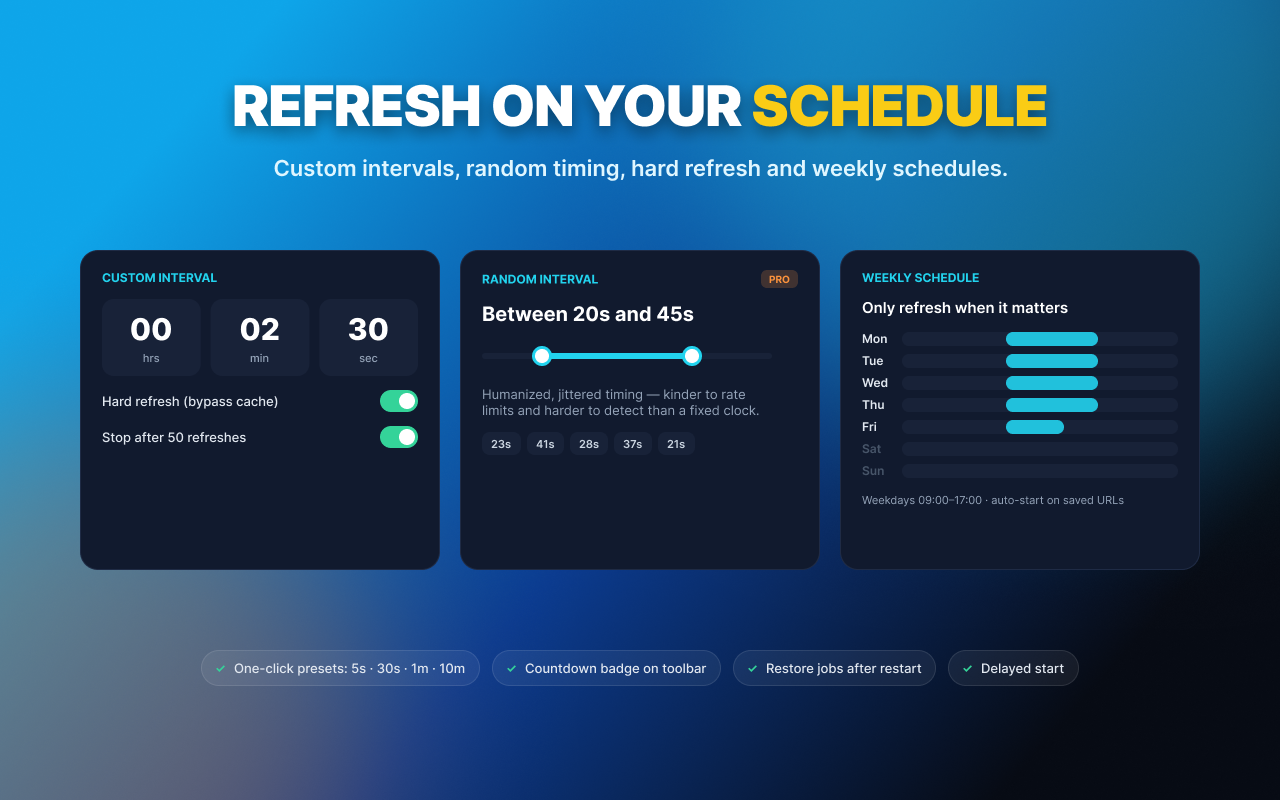
• Set any custom refresh interval
• Random refresh intervals
• Hard refresh to bypass cached content
• Automatically handle "confirm form resubmission" prompts
• Weekly schedules to run automatic refresh only when you need it
• Countdown overlay shows exactly when the next refresh happens
Whether you need a simple page refresher or a powerful auto refresh extension, Refresh Pilot gives you control over exactly when pages reload.
KEEP TABS AWAKE
• Keep dashboards, admin panels and monitoring pages from going idle
• Keep long-running browser sessions active
• Prevent pages from becoming inactive while you're away
• See the countdown to the next automatic refresh
MONITOR PAGE CHANGES
Refreshing is only half the job. Refresh Pilot can check the page after every refresh and look for the change that matters.
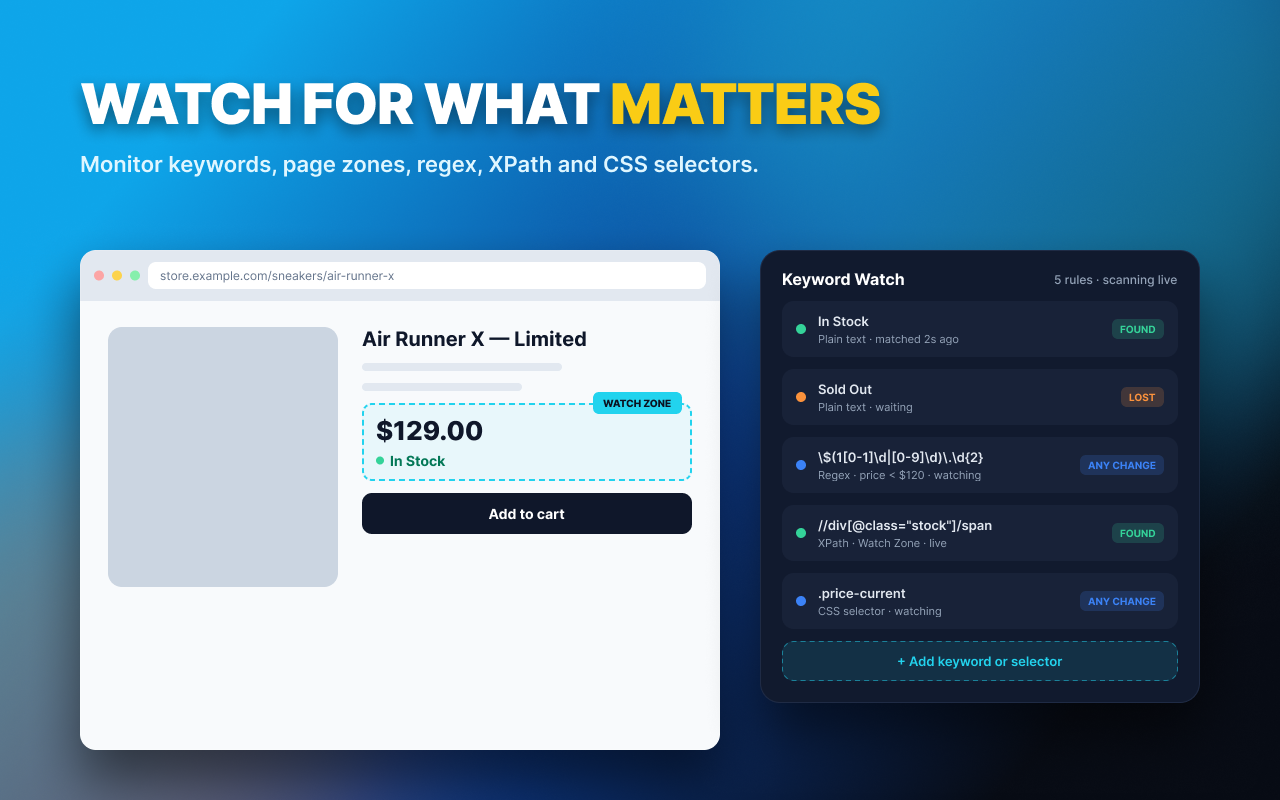
• Monitor for specific keywords
• Watch only a specific part of a page
• Use regex for advanced matching
• Target content with XPath or CSS selectors
• Detect meaningful changes instead of ordinary page noise
• Check page content after every automatic refresh
GET REAL ALERTS
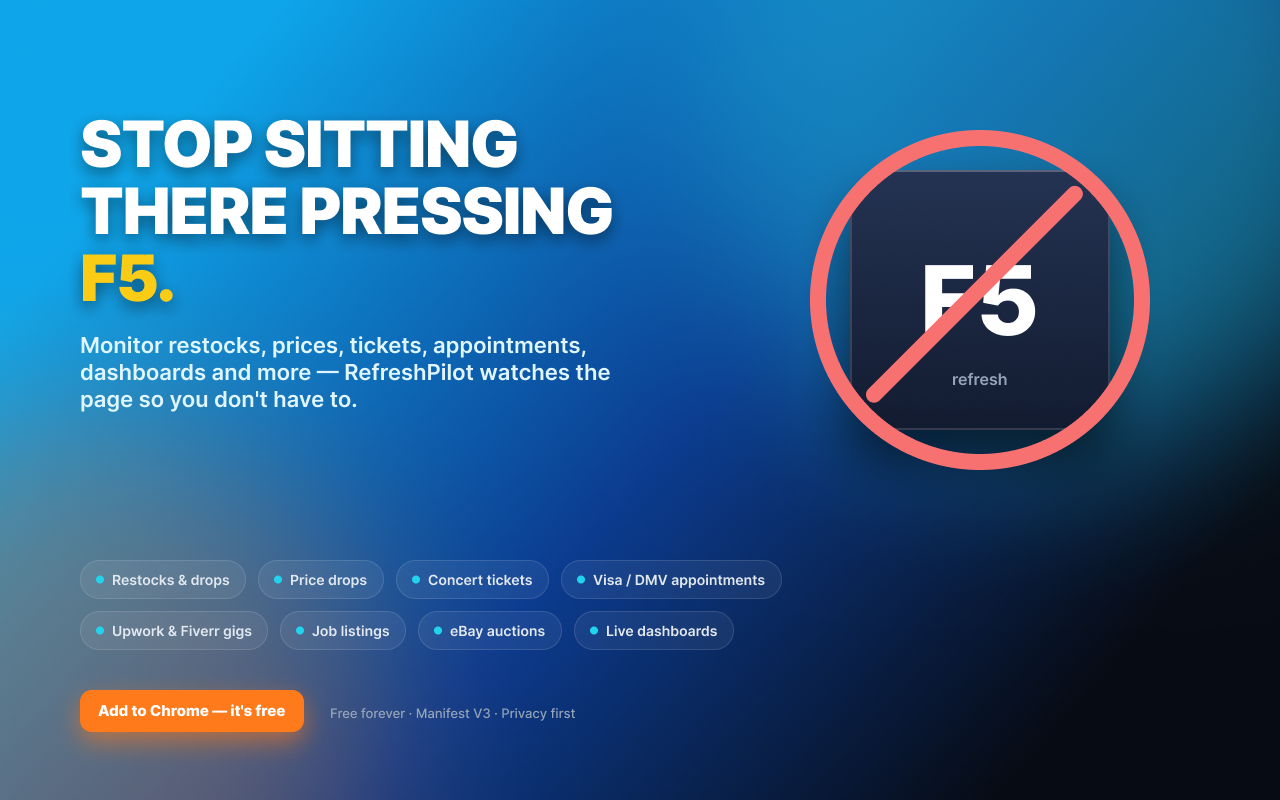
Don't sit there watching a tab and pressing F5.
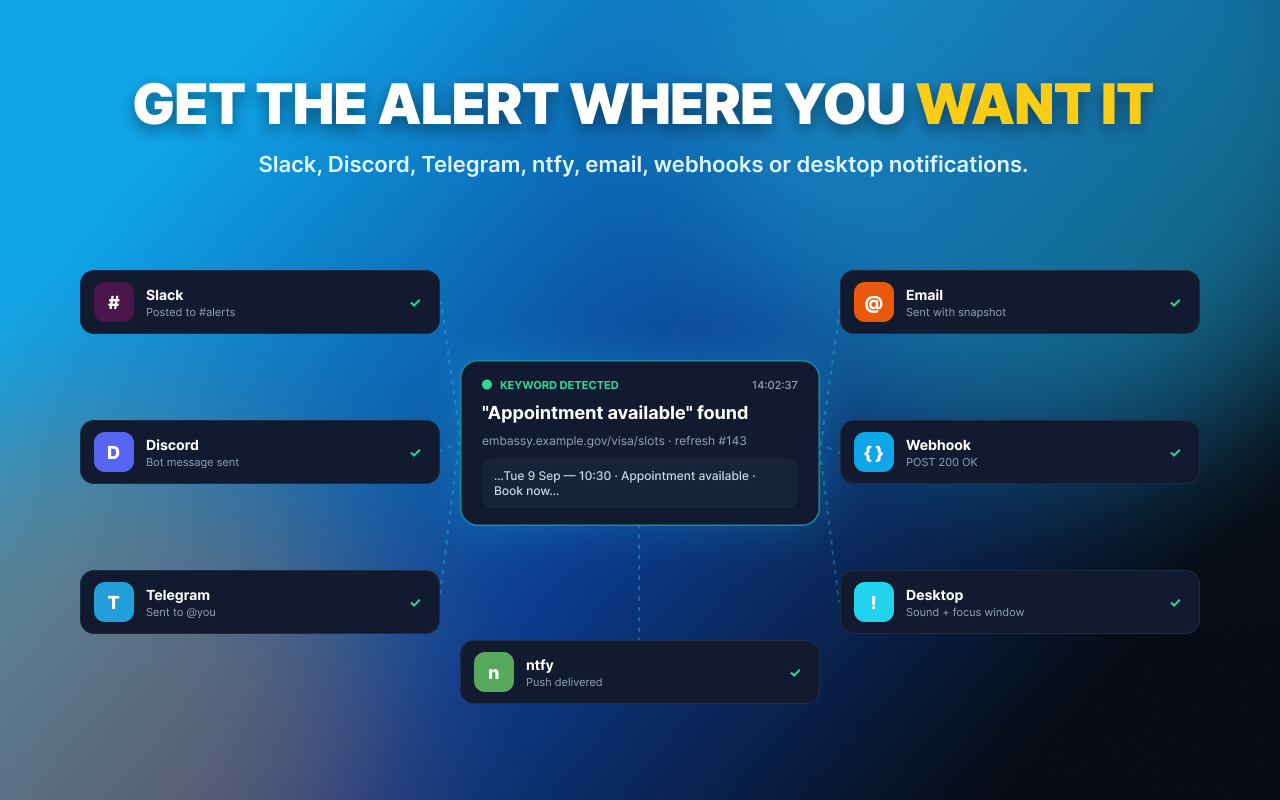
When Refresh Pilot detects the content you're looking for, it can notify you through:
• Slack
• Discord
• Telegram
• ntfy
• Webhooks
• Email
• Desktop notifications with sound
Use alerts to know when a product is restocked, a price changes, tickets become available, an appointment opens, a job is posted, or a monitored dashboard changes.
AUTOMATE ACTIONS
When a match is detected, Refresh Pilot can go beyond notifications.
• Automatically click an element
• Run an action when monitored content appears
• Use your own script for advanced workflows
GREAT FOR
• Product restocks
• Price changes
• Ticket availability
• Appointment availability
• Job boards
• Auctions and listings
• Build and deployment dashboards
• Status pages
• Admin panels
• Website monitoring
• Content-change monitoring
• Anything you would otherwise keep refreshing manually
FREE, FOREVER
The free version includes:
• Unlimited fixed-interval auto refresh
• Hard refresh
• Keep tabs awake
• Countdown overlay
• Single-keyword monitoring
• No account required
• No trial
PRO — $2.99/YEAR
Upgrade to Pro for:
• Unlimited keywords
• Advanced keyword matching
• Random refresh intervals
• Weekly schedules
• Watch zones
• Webhook alerts
• Email alerts
• Auto-click actions
One coffee. Once a year.
PRIVACY
No ads. No tracking. No data collection.
Auto Refresh & Page Monitor — Refresh Pilot 是做什么的
Auto Refresh & Page Monitor — Refresh Pilot 是一款面向 Edge 的效率工具类扩展,主要用来管住注意力、屏蔽干扰站点、记录时间。官方对它的介绍是:Auto refresh any page, keep tabs awake, monitor changes, and get instant Slack, Discord, webhook or desktop alerts.在微软 Edge 加载项商店上,它当前版本 2.3.2,约 5 名用户。
适合什么人用
从功能定位看,Auto Refresh & Page Monitor — Refresh Pilot 更适合想专注工作学习、减少无效刷网页的用户。如果你平时只是偶尔遇到相关需求,用浏览器自带功能也能凑合;但如果这件事每天都发生,装一个专门处理它的扩展通常比手动操作省事得多。需要注意的是它作用于所有网站,装上后建议先观察一两天,确认不影响常用站点的正常使用。
怎么安装 Auto Refresh & Page Monitor — Refresh Pilot
- 打开微软 Edge 加载项商店上的官方页面;
- 点「添加到浏览器」并确认权限提示;
- 装好后在扩展列表里固定图标,方便随时开关。
本站只做索引与介绍,安装包来自官方商店。如果商店页面提示当前地区不可用,说明该扩展未在你所在区域上架。
常见问题
Auto Refresh & Page Monitor — Refresh Pilot 是免费的吗?
Auto Refresh & Page Monitor — Refresh Pilot 在微软 Edge 加载项商店免费提供下载。它是浏览器扩展,装上就能直接用,不需要注册账号。
Auto Refresh & Page Monitor — Refresh Pilot 安全吗?
它只申请了 0 项权限,范围比较克制,没有申请「读取所有网站数据」这种大权限。
Auto Refresh & Page Monitor — Refresh Pilot 支持哪些浏览器?
当前收录的版本来自微软 Edge 加载项商店,适用于 Edge。同一个扩展在其他商店可能有对应版本,但功能与版本号不一定相同。
怎么卸载 Auto Refresh & Page Monitor — Refresh Pilot?
在扩展管理页找到 Auto Refresh & Page Monitor — Refresh Pilot,点移除即可。它在本地保存的设置会一起清掉,不会残留数据。
权限清单 来自 manifest.json 原文
站点访问(可选) 1
<all_urls>
接口权限 10
alarmscontextMenusnotificationsoffscreenpowerscriptingsidePanelstoragetabsuserScripts