
Auto Flow - Flow Automation & Bulk Video for Google Veo, Nano Banana EN
Karla Ribeiro Conde · EEdge MV3
Batch prompt processing for Google Flow (labs.google): prompt queue, generation, automatic download, next prompt.
截图
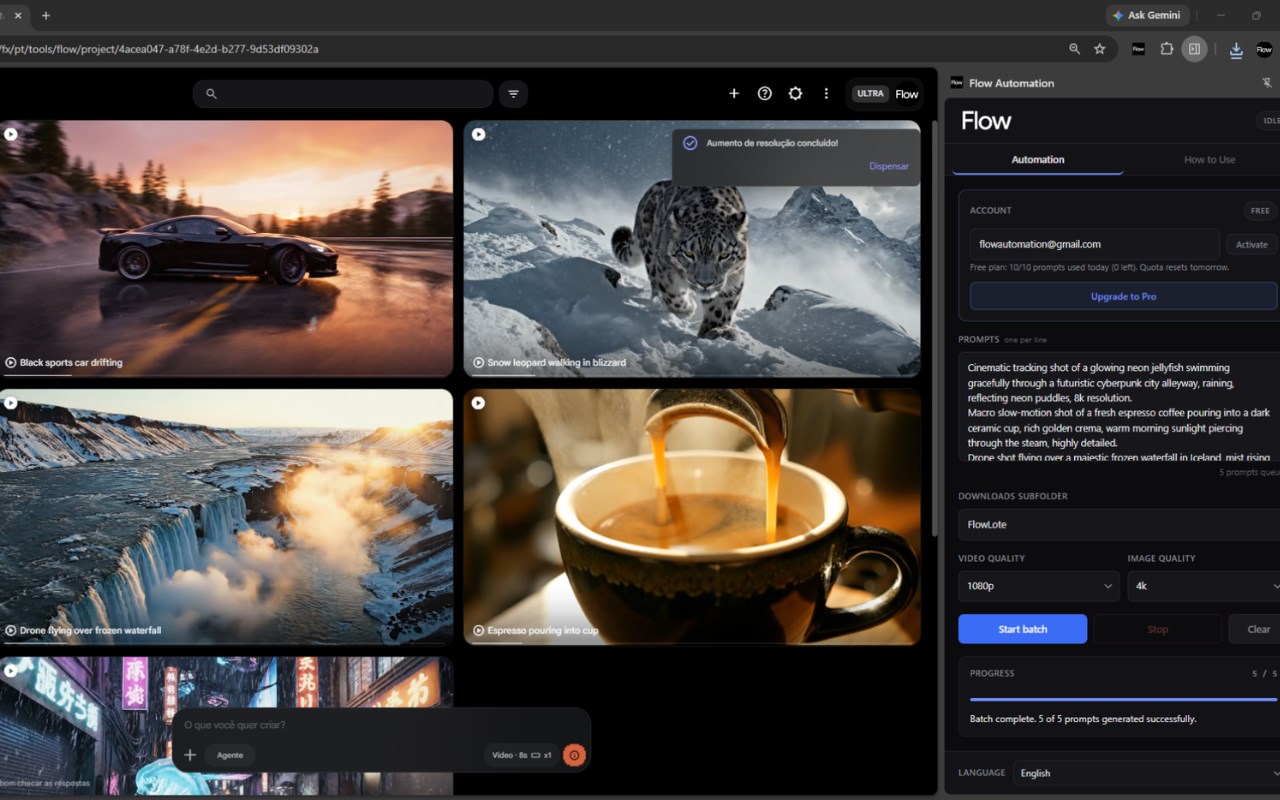
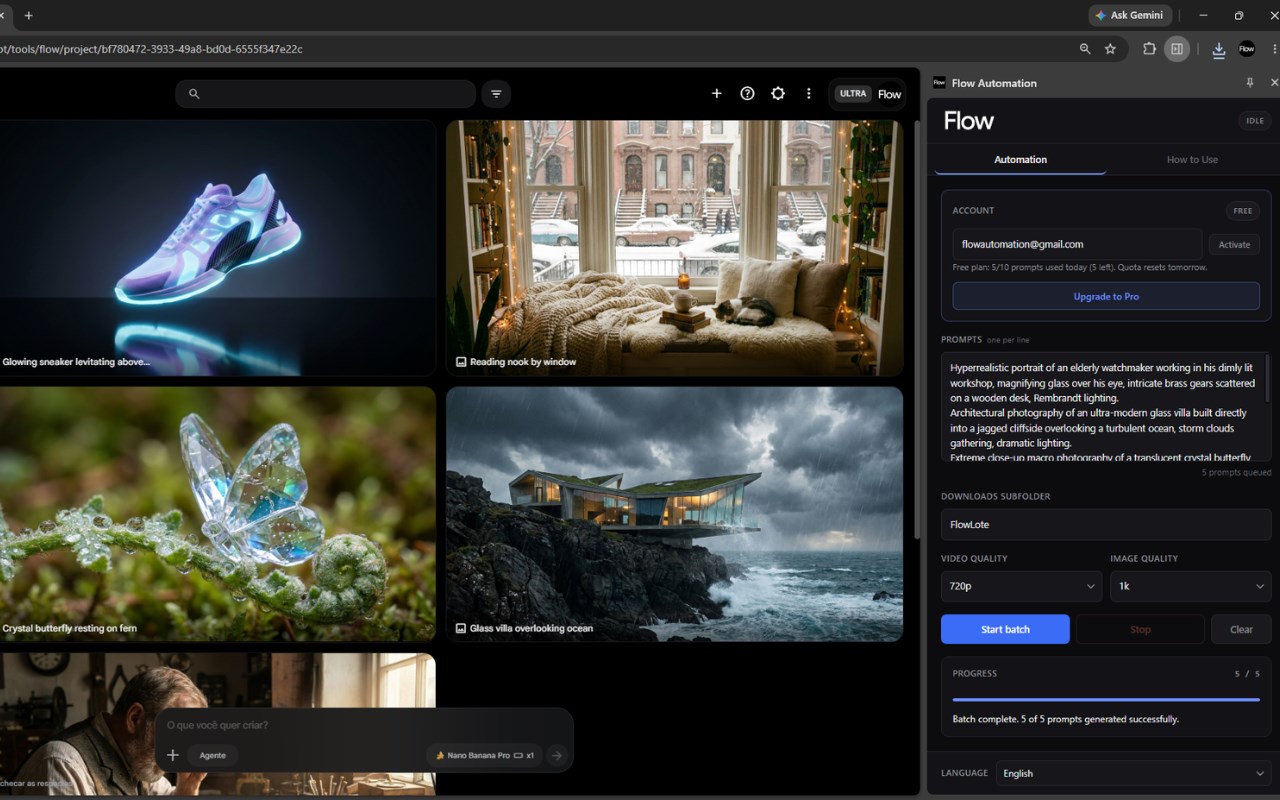
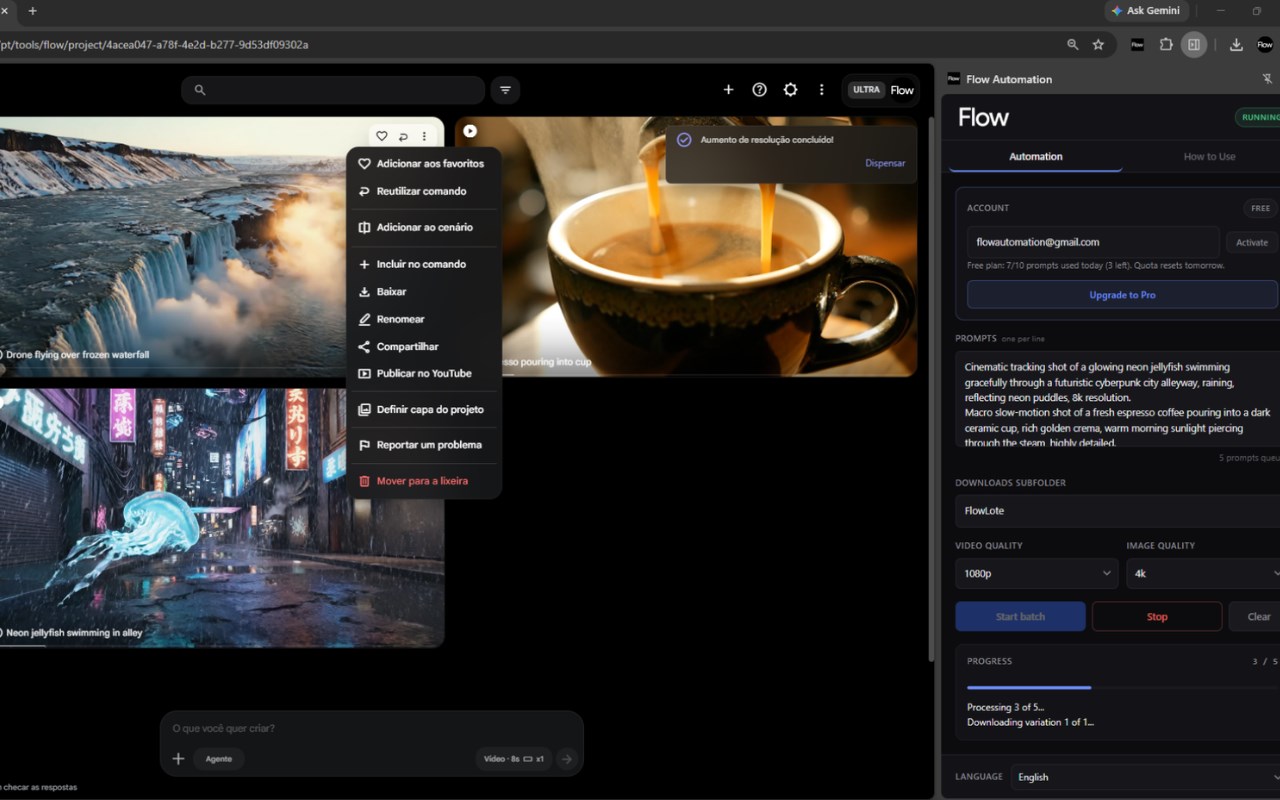
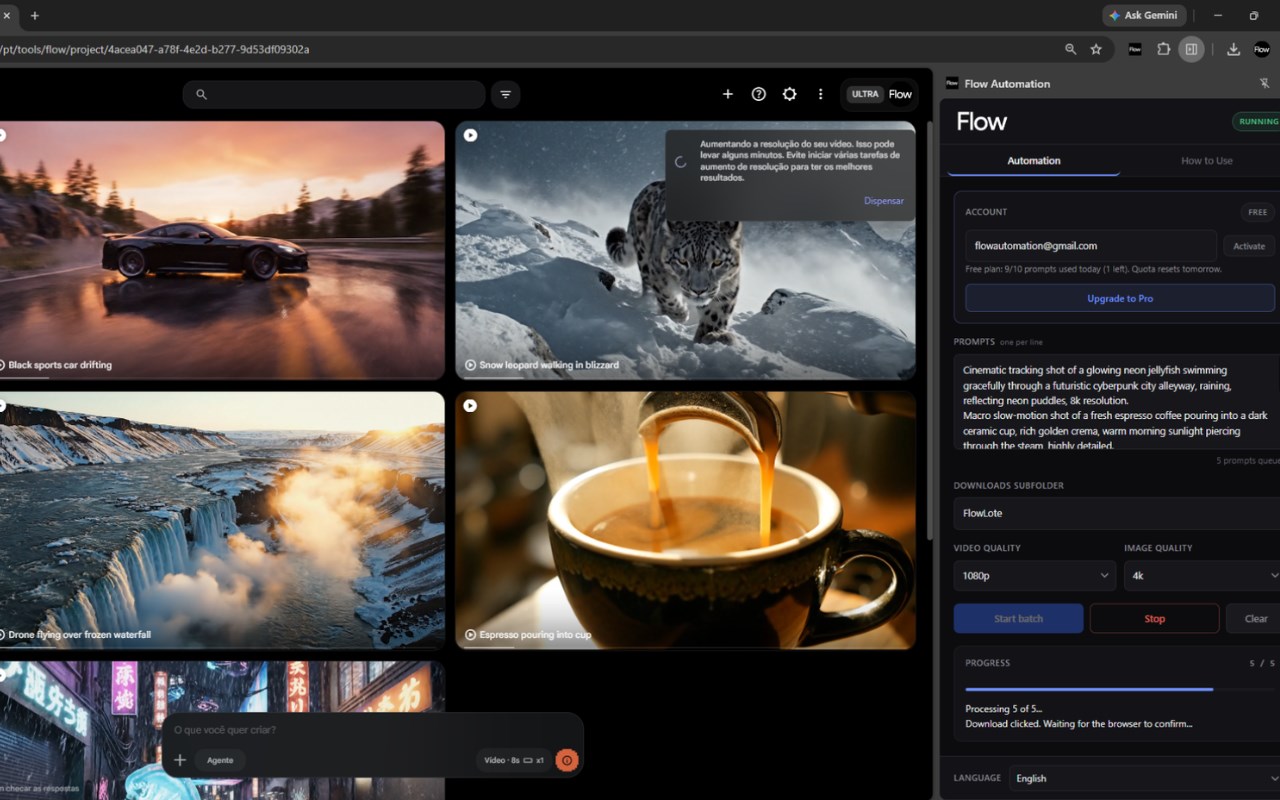
简介
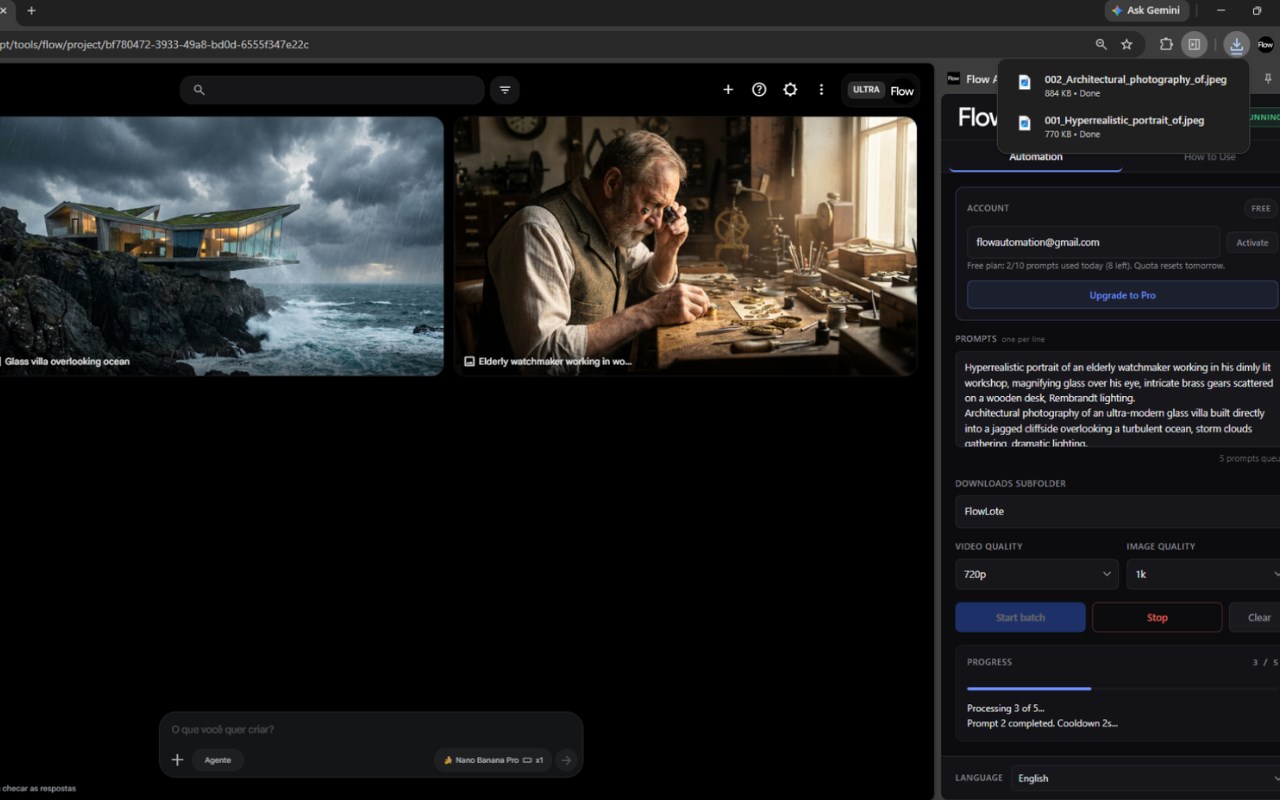
Automate Google Flow at scale. Queue hundreds of prompts, generate, and auto-download high-quality AI media completely unattended.
Flow Automation: The Ultimate Bulk Automation Engine for Google Flow
Stop wasting hours generating AI videos and images one by one. Flow Automation is a powerful productivity extension that transforms your browser into an automated, high-volume production pipeline for Google Flow (labs.google).
Whether you are a faceless channel creator, an AI filmmaker, or a social media manager, Flow Automation allows you to paste hundreds of prompts at once and let your computer do the heavy lifting while you sleep or focus on other tasks.
🚀 CORE FEATURES:
• Bulk Prompt Queue: Paste a massive list of text prompts (one per line). The extension will automatically type them, submit, wait for the generation, and seamlessly move to the next.
• Smart 5x Retry Engine: Cloud servers fail, but your queue won’t. Our tool detects native server rejections, rate limits, or timeouts, and automatically retries failed prompts up to 5 times before gracefully moving on.
• Direct Auto-Download: Automatically intercepts and saves your finished media straight to your designated local folder immediately after generation. No manual clicking required.
• Highest Quality Selection: Dynamically interacts with the UI menus to ensure your media is downloaded at the exact resolution you selected (e.g., 1080p, 4K, or 2K upscaled) natively bypassing React blocks.
• Failed Prompts Log: If a prompt permanently fails after all retries, the tool saves it in a neat log on your dashboard so you never lose an idea.
⚡ HOW IT WORKS:
Pin the extension and open the Google Flow platform.
Enter your email to securely activate your session.
Paste your list of prompts into the Flow Automation panel.
Select your desired video/image download quality.
Click "Start Batch" and watch the automation take over your tab. (Note: Do not minimize the window, as browsers may suspend background tasks).
💎 FREEMIUM MODEL:
Start for free! Every user gets a daily quota of 10 free automated prompts to test the power of the engine. Need to scale your business? Upgrade to the Pro Plan for unlimited, unrestricted batch processing via our official website (autoflowfx.com).
🔒 PRIVACY & SECURITY FIRST:
Flow Automation operates 100% locally in your browser. We DO NOT collect, store, or sell your personal prompts or generated media. Your creative data stays on your machine. The only information securely verified by our servers is your email address solely for license activation and quota tracking purposes.
Disclaimer: Flow Automation is an independent productivity tool designed to enhance user workflows. We are not affiliated, associated, authorized, endorsed by, or in any way officially connected with Alphabet Inc., Google, or Google Flow.
Auto Flow - Flow Automation & Bulk Video for Google Veo, Nano Banana 是做什么的
Auto Flow - Flow Automation & Bulk Video for Google Veo, Nano Banana 是一款面向 Edge 的效率工具类扩展,主要用来管住注意力、屏蔽干扰站点、记录时间。官方对它的介绍是:Batch prompt processing for Google Flow (labs.google): prompt queue, generation, automatic download, next prompt.在微软 Edge 加载项商店上,它当前版本 6.1.2,约 304 名用户。
适合什么人用
从功能定位看,Auto Flow - Flow Automation & Bulk Video for Google Veo, Nano Banana 更适合想专注工作学习、减少无效刷网页的用户。如果你平时只是偶尔遇到相关需求,用浏览器自带功能也能凑合;但如果这件事每天都发生,装一个专门处理它的扩展通常比手动操作省事得多。
怎么安装 Auto Flow - Flow Automation & Bulk Video for Google Veo, Nano Banana
- 打开微软 Edge 加载项商店上的官方页面;
- 点「添加到浏览器」并确认权限提示;
- 装好后在扩展列表里固定图标,方便随时开关。
本站只做索引与介绍,安装包来自官方商店。如果商店页面提示当前地区不可用,说明该扩展未在你所在区域上架。
常见问题
Auto Flow - Flow Automation & Bulk Video for Google Veo, Nano Banana 是免费的吗?
Auto Flow - Flow Automation & Bulk Video for Google Veo, Nano Banana 在微软 Edge 加载项商店免费提供下载。它是浏览器扩展,装上就能直接用,不需要注册账号。
Auto Flow - Flow Automation & Bulk Video for Google Veo, Nano Banana 安全吗?
它只申请了 0 项权限,范围比较克制,没有申请「读取所有网站数据」这种大权限。
Auto Flow - Flow Automation & Bulk Video for Google Veo, Nano Banana 支持哪些浏览器?
当前收录的版本来自微软 Edge 加载项商店,适用于 Edge。同一个扩展在其他商店可能有对应版本,但功能与版本号不一定相同。
怎么卸载 Auto Flow - Flow Automation & Bulk Video for Google Veo, Nano Banana?
在扩展管理页找到 Auto Flow - Flow Automation & Bulk Video for Google Veo, Nano Banana,点移除即可。它在本地保存的设置会一起清掉,不会残留数据。
权限清单 来自 manifest.json 原文
接口权限 6
activeTabdebuggerdownloadsscriptingsidePanelstorage