
AQW WIKI IMAGE EN
Wiki Image · EEdge MV3
Wiki Image is a browser extension designed to make browsing the wiki faster, clearer, and more efficient.
截图
简介
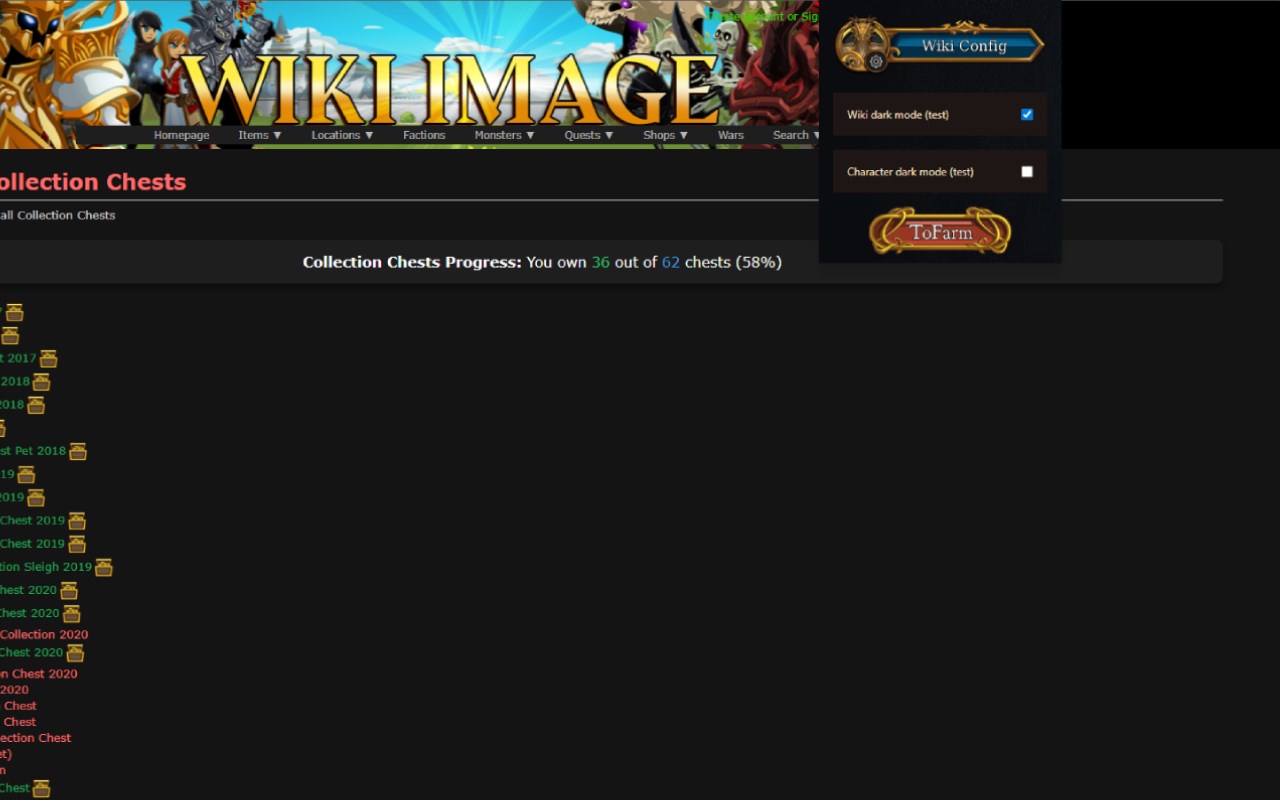
AQW WIKI IMAGE is an advanced browser extension specifically crafted for players of AdventureQuest Worlds (AQW) who want to elevate their gaming experience by making the official AQW Wiki and account management pages faster, clearer, and more efficient. Designed to save you valuable time and effort, this extension integrates deeply with the AQW Wiki and your game account to deliver instant access to crucial item details, quest requirements, and inventory tracking—all through a streamlined, user-friendly interface.
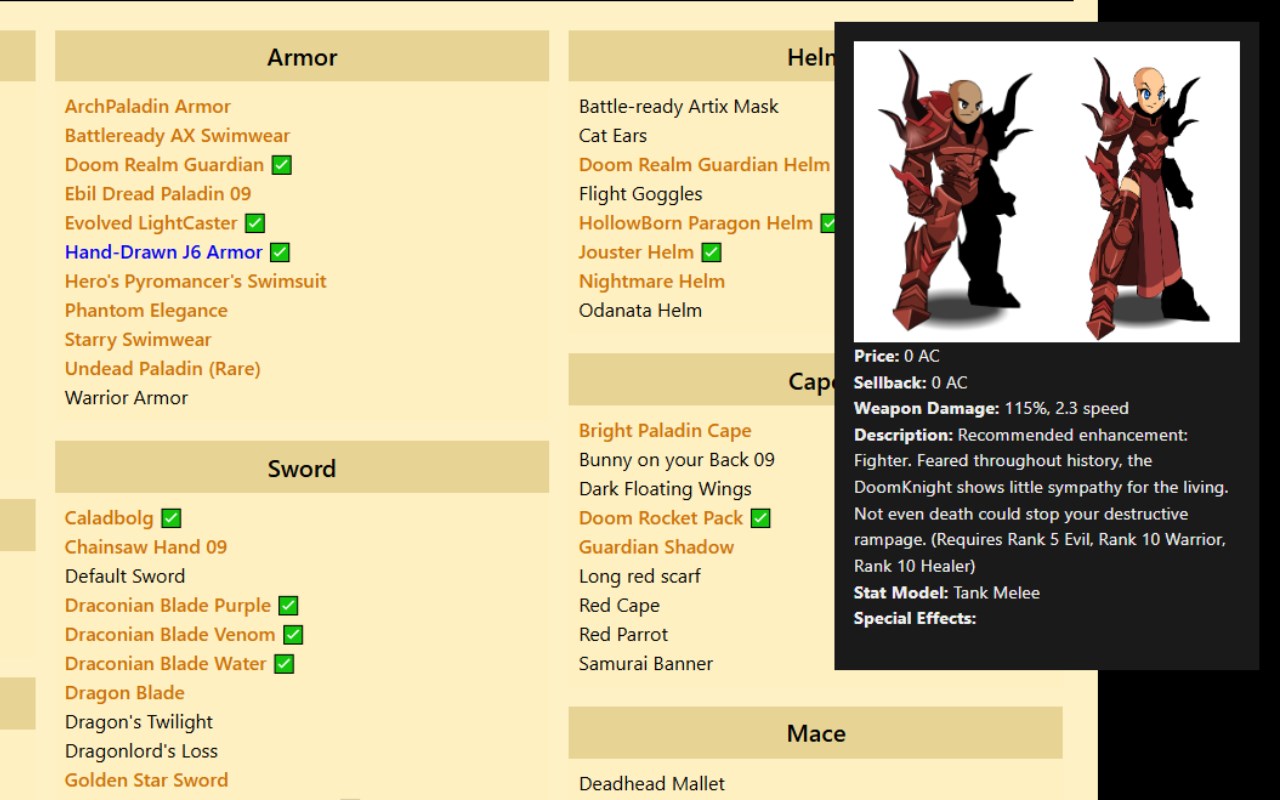
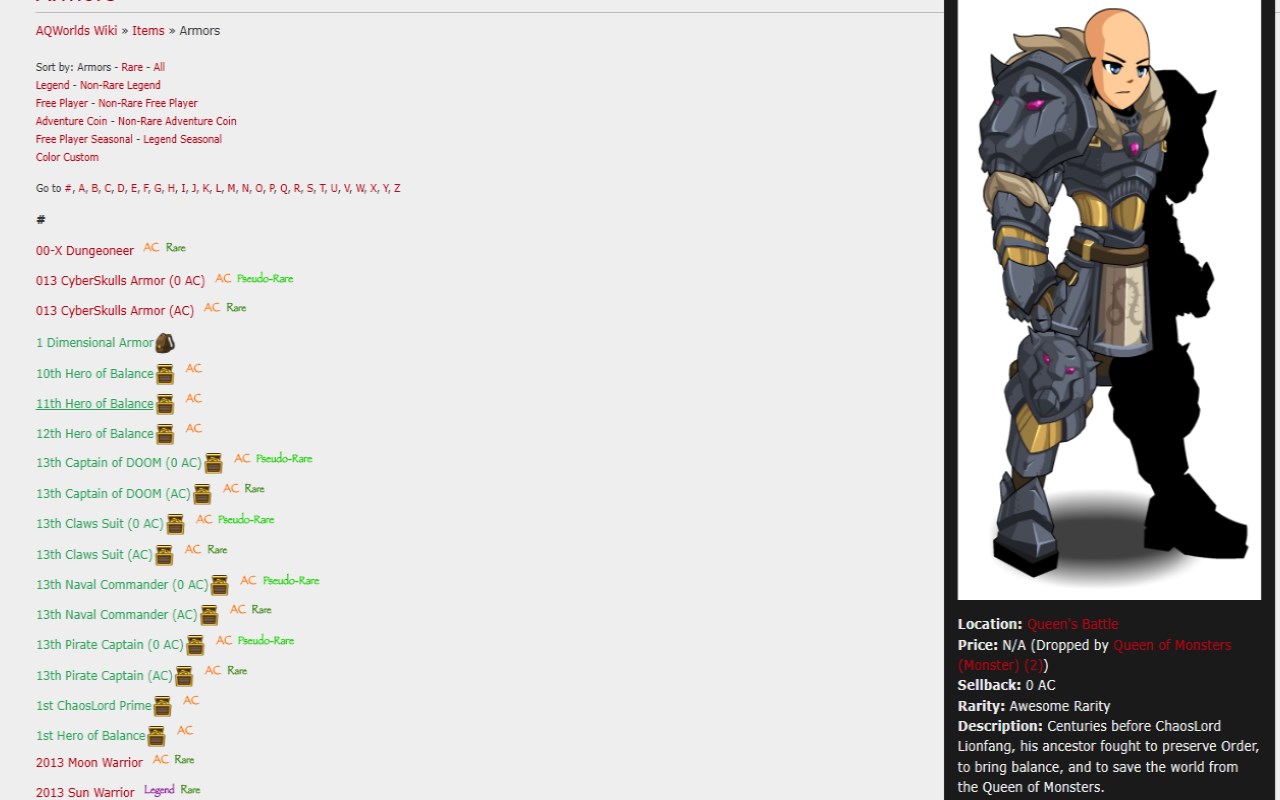
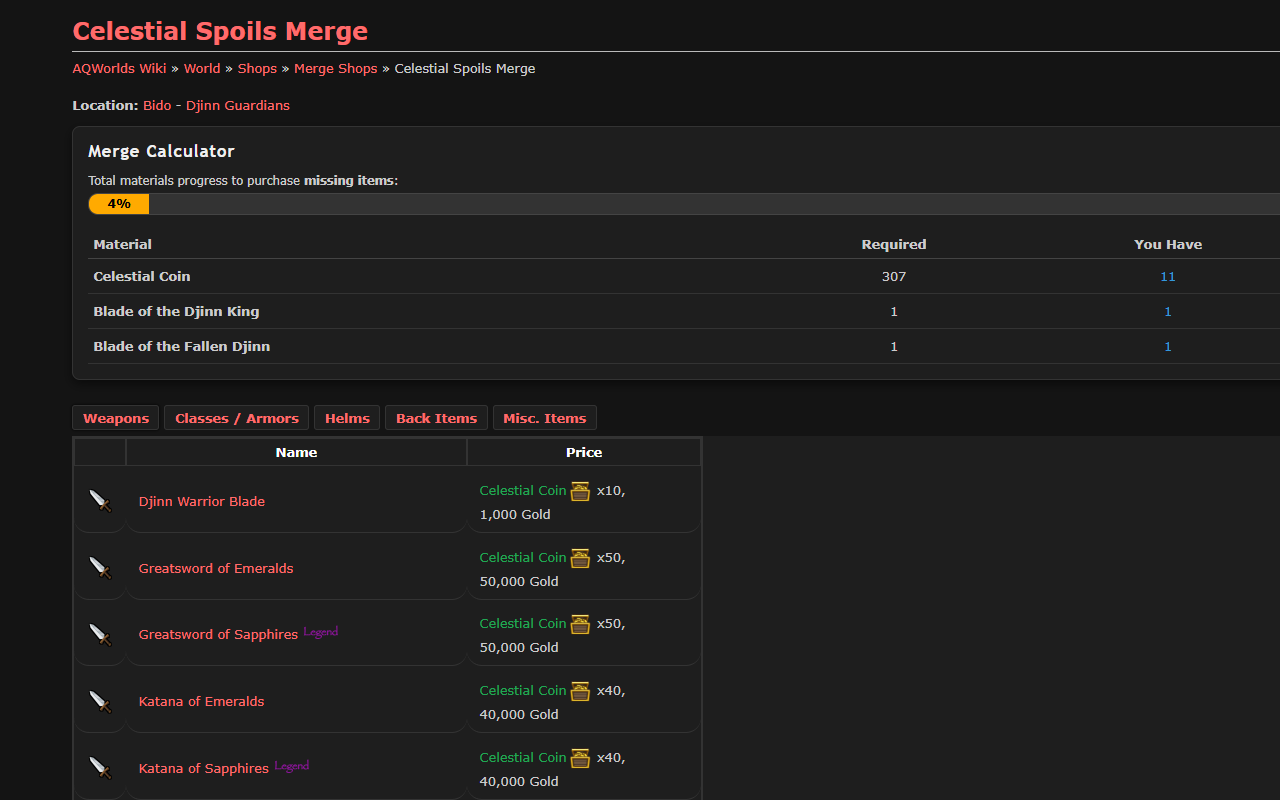
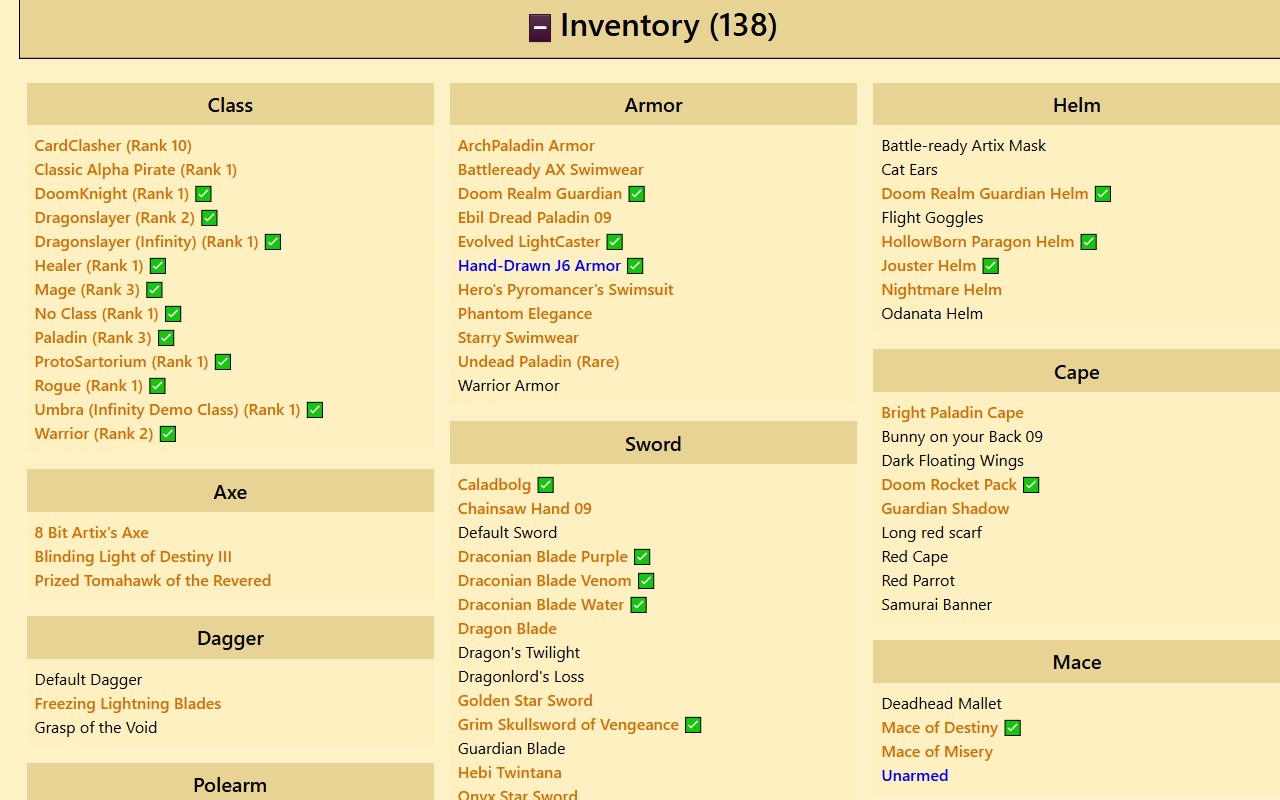
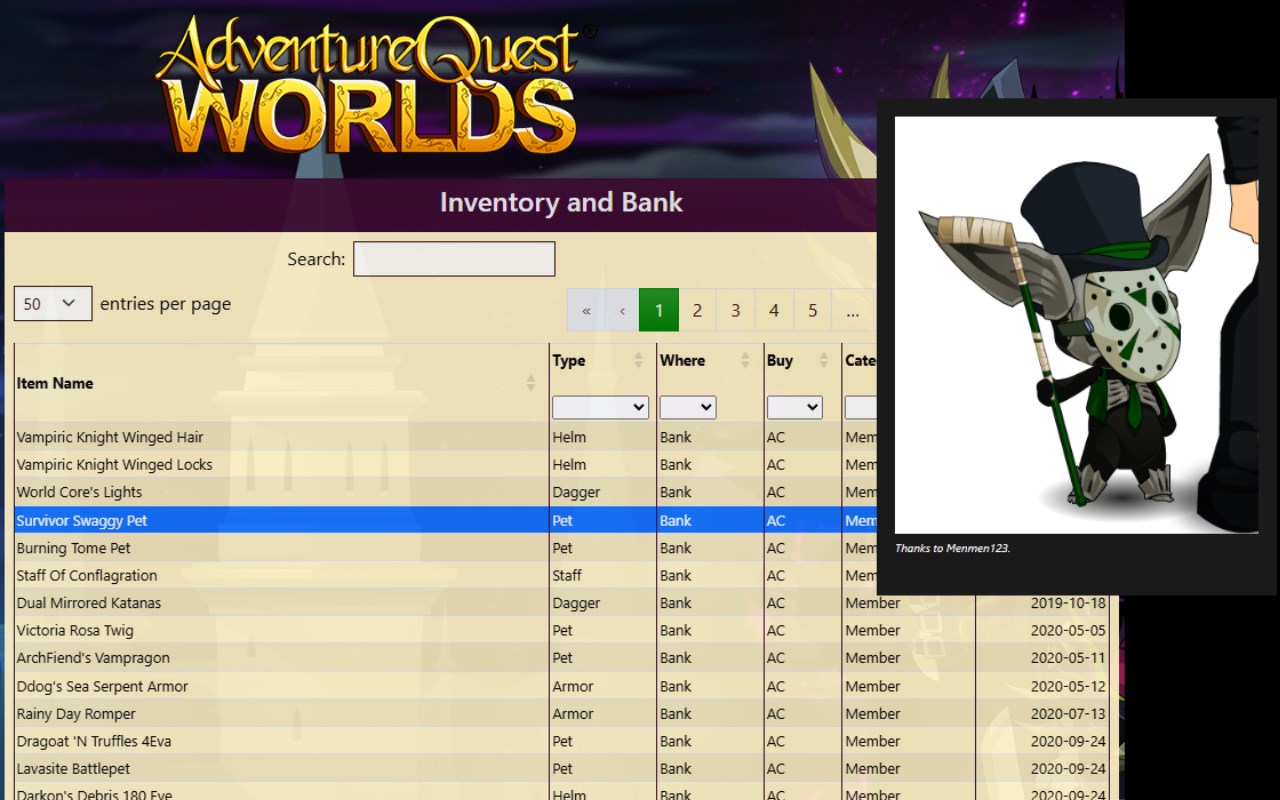
With AQW WIKI IMAGE, item images are displayed directly on wiki pages and account screens, allowing you to visually identify armor, weapons, classes, and farming materials immediately without switching tabs or conducting separate searches. The extension smartly calculates the requirements for quests and hard farming classes, identifying the necessary items and materials you need to collect. This feature is especially beneficial for players who focus on maximizing their farming efficiency or progressing through challenging content, providing quick, actionable insights to guide their gameplay.
One of the core strengths of AQW WIKI IMAGE lies in its seamless integration with your AQW account management page. By connecting to your inventory and bank, it tracks your owned items and cross-references them with the wiki's comprehensive database. This synchronized view helps you monitor what you have, what you need, and what farming targets to prioritize, minimizing redundant farming time and boosting your overall efficiency. Built-in tools also streamline access to hard farm guides and class information, empowering you to make informed decisions about your character build and progression strategy.
The extension enhances the visual clarity of wiki pages by injecting custom banners and icons, making information easier to spot and process at a glance. These visual improvements, combined with intelligent caching technologies, ensure a smooth, responsive browsing experience even during peak usage or with extensive inventories. AQW WIKI IMAGE supports toggling between light and dark modes, reducing eye strain during long gaming sessions, and all preferences along with inventory data are securely stored locally for privacy and fast retrieval.
Whether you're a casual player seeking to save time or a hardcore farmer aiming to optimize every step, AQW WIKI IMAGE transforms how you interact with AQW’s vast informational landscape. Regular updates and a user-centric design philosophy keep the extension current and tightly aligned with player needs, making it an essential companion for any dedicated AQW adventurer.
Key Features:
- Direct Item Image Display: View detailed item pictures on wiki and account pages instantly for quick identification.
- Quest and Hard Farm Calculations: Automatically determine quest requirements and the materials needed for hard farming classes.
- Inventory and Bank Integration: Synchronize your game inventory and bank with the wiki data to track possessions and farming progress.
- Custom Banner and Icon Injection: Enhances page clarity with visually appealing banners, enabling rapid spotting of key items.
- Fast Search and Smart Caching: Efficient caching ensures fast loading times and offline access to recently viewed data.
- Dark Mode Support: Switch between light and dark themes to suit your visual preference and reduce eye fatigue.
- Secure Local Storage: All data and settings are stored locally, ensuring user privacy and swift access without external tracking.
How It Works:
1. Install AQW WIKI IMAGE and grant permissions for AQW Wiki and account pages.
2. Navigate to AQW Wiki or your account management pages; the extension will automatically add item images and banners.
3. Access your Inventory page to synchronize your owned items with the wiki database.
4. View detailed quest requirements and farming materials overlaid on relevant wiki pages.
5. Use the popup interface to toggle dark mode and access quick inventory summaries.
6. Hover over item links anywhere on supported pages to see instant previews and farming advice.
7. Utilize integrated hard farm and class guide shortcuts to plan your gameplay more effectively.
Privacy: - No personal data collected. All inventory synchronization and preferences are stored locally for user privacy and performance.
AQW WIKI IMAGE 是做什么的
AQW WIKI IMAGE 是一款面向 Edge 的实用工具类扩展,主要用来解决浏览器里某类具体的小问题。官方对它的介绍是:Wiki Image is a browser extension designed to make browsing the wiki faster, clearer, and more efficient.在微软 Edge 加载项商店上,它当前版本 1.2.0,评分 5(1 人评价),约 267 名用户。
适合什么人用
从功能定位看,AQW WIKI IMAGE 更适合想补上浏览器原生缺失功能的用户。如果你平时只是偶尔遇到相关需求,用浏览器自带功能也能凑合;但如果这件事每天都发生,装一个专门处理它的扩展通常比手动操作省事得多。
怎么安装 AQW WIKI IMAGE
- 打开微软 Edge 加载项商店上的官方页面;
- 点「添加到浏览器」并确认权限提示;
- 装好后在扩展列表里固定图标,方便随时开关。
本站只做索引与介绍,安装包来自官方商店。如果商店页面提示当前地区不可用,说明该扩展未在你所在区域上架。
常见问题
AQW WIKI IMAGE 是免费的吗?
AQW WIKI IMAGE 在微软 Edge 加载项商店免费提供下载。它是浏览器扩展,装上就能直接用,不需要注册账号。
AQW WIKI IMAGE 安全吗?
它只申请了 0 项权限,范围比较克制,没有申请「读取所有网站数据」这种大权限。
AQW WIKI IMAGE 支持哪些浏览器?
当前收录的版本来自微软 Edge 加载项商店,适用于 Edge。同一个扩展在其他商店可能有对应版本,但功能与版本号不一定相同。
怎么卸载 AQW WIKI IMAGE?
在扩展管理页找到 AQW WIKI IMAGE,点移除即可。它在本地保存的设置会一起清掉,不会残留数据。
权限清单 来自 manifest.json 原文
接口权限 2
activeTabstorage