
AP QR Code Generator EN
Aarush Pal · EEdge MV3
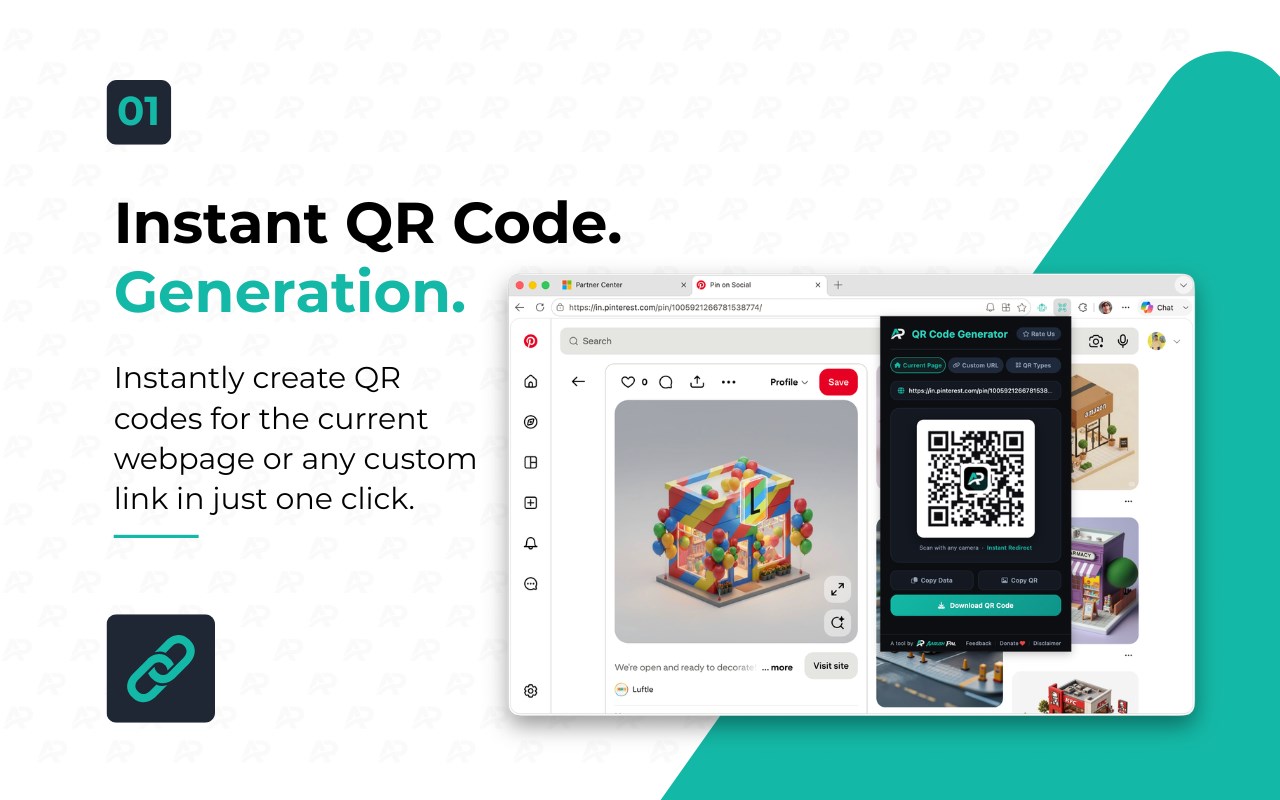
Instant QR code generator for the current page URL. One click — copy, share, or download.
<all_urls>),意味着它可以读取你在任意站点的页面内容,包括已登录的页面。这是许多扩展正常工作的必要条件,但也值得你确认来源可信。
截图


简介
AP QR Generator is a fast, lightweight, and privacy-focused browser extension designed to make QR code creation effortless and efficient. Whether you want to instantly generate a QR code for the webpage you are currently browsing or create customized QR codes for a wide variety of content types, AP QR Generator delivers a seamless experience tailored to professionals, marketers, educators, developers, and anyone who values speed and privacy in information sharing.
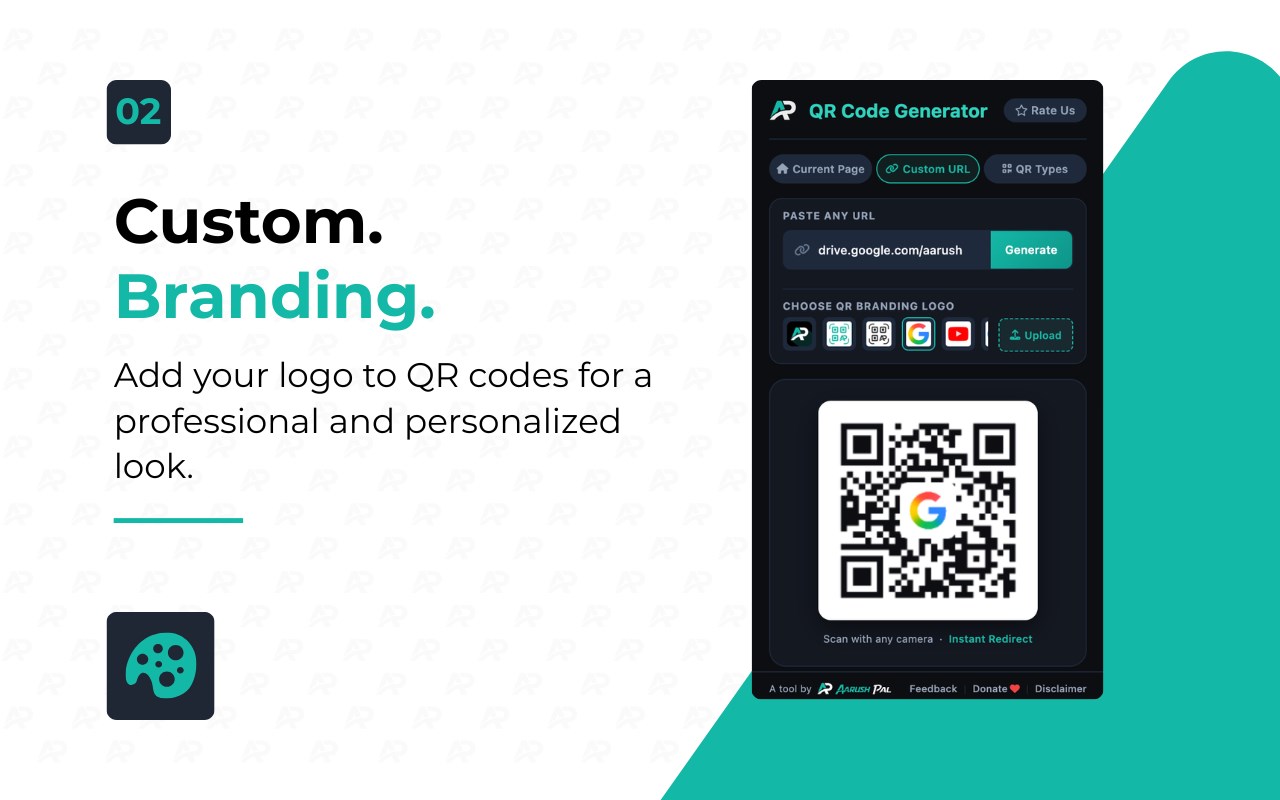
This extension offers a clean, modern, and intuitive user interface featuring a sleek dark-themed popup optimized for clarity and ease of use. With a single click, the extension fetches the current tab’s URL and generates a QR code instantly, ready to be copied, downloaded, or shared. Beyond simple URL encoding, AP QR Generator supports multiple QR code types-ranging from emails, SMS messages, WhatsApp chats, phone calls, WiFi networks, to well-structured vCard contact cards-providing advanced features for all your communication and networking needs. Custom branding and logo support add an extra layer of professionalism to your QR codes, ideal for businesses and content creators looking to maintain a consistent visual identity.
The extension uses a robust JavaScript QR generation engine capable of handling complex data structures with built-in validation to ensure each QR code complies with relevant standards, guaranteeing flawless scanning across various devices and platforms. The interface is organized into responsive tabs including “Current” for instantly generated webpage codes, “Custom” for manually inputting any URL or text, and “Services” for specialized QR code generation like emails, SMS, and vCards through user-friendly, form-based workflows. The thoughtful design uses real-time toast notifications to confirm every action, such as copying to clipboard or downloading QR images, making the entire process transparent and straightforward.
Privacy is a core principle of AP QR Generator. All QR code processing occurs locally on your device; no data - URLs, personal information, or generated QR codes - is ever uploaded or shared with external servers. The extension requests only minimal permissions: access to the current tab’s URL for QR code creation, clipboard writing to support quick copy functionality, and download permission to export QR codes as high-quality PNG images. This strong privacy stance ensures your data remains secure and confidential while enjoying full functionality.
AP QR Generator is perfect for businesses, marketers, event organizers, students, developers, and anyone needing fast, reliable QR code generation without compromising privacy. By combining speed, versatility, and an elegant user experience, it transforms cumbersome sharing tasks into easy one-click actions you can perform directly from your browser.
Key Features:
- Instant QR code generation for the current webpage URL with a single click.
- Create custom QR codes for any URL or text, offering rich flexibility.
- Support for multiple QR content types: email, SMS, WhatsApp chat, phone calls, WiFi network access, and vCard contacts.
- Custom branding and logo embedding for professional, personalized QR codes.
- Copy QR codes directly to the clipboard or download them as high-quality PNG images.
- Modern, user-friendly dark-themed popup UI with tabs and real-time toast notifications for clear user feedback.
- Local processing ensures full privacy - no data leaves your device; minimal permissions applied.
How It Works:
1. Install AP QR Generator from your browser’s extension store.
2. Click the extension icon on any webpage to open the popup.
3. In the “Current” tab, view the automatically generated QR code for the open tab’s URL.
4. Switch to the “Custom” tab to enter any URL or freeform text and create a tailored QR code.
5. Use the “Services” tab to generate specialized QR codes for emails, SMS, WhatsApp, calls, WiFi access, or vCards via dedicated input forms.
6. Copy the QR code image or URL directly to your clipboard using one-click buttons, or download the QR code as a high-resolution PNG file.
7. Receive instant confirmation through toast notifications to ensure your actions succeeded seamlessly.
Privacy: - No personal data collected. All QR code processing is performed locally within your browser. Required permissions are limited to accessing the current tab URL, clipboard writing, and downloading files, ensuring your data stays safe and private. See our privacy policy for full details.
AP QR Code Generator 是做什么的
AP QR Code Generator 是一款面向 Edge 的效率工具类扩展,主要用来管住注意力、屏蔽干扰站点、记录时间。官方对它的介绍是:Instant QR code generator for the current page URL. One click — copy, share, or download.在微软 Edge 加载项商店上,它当前版本 1.0.0,约 1 名用户。
适合什么人用
从功能定位看,AP QR Code Generator 更适合想专注工作学习、减少无效刷网页的用户。如果你平时只是偶尔遇到相关需求,用浏览器自带功能也能凑合;但如果这件事每天都发生,装一个专门处理它的扩展通常比手动操作省事得多。需要注意的是它作用于所有网站,装上后建议先观察一两天,确认不影响常用站点的正常使用。
怎么安装 AP QR Code Generator
- 打开微软 Edge 加载项商店上的官方页面;
- 点「添加到浏览器」并确认权限提示;
- 装好后在扩展列表里固定图标,方便随时开关。
本站只做索引与介绍,安装包来自官方商店。如果商店页面提示当前地区不可用,说明该扩展未在你所在区域上架。
常见问题
AP QR Code Generator 是免费的吗?
AP QR Code Generator 在微软 Edge 加载项商店免费提供下载。它是浏览器扩展,装上就能直接用,不需要注册账号。
AP QR Code Generator 安全吗?
它只申请了 0 项权限,范围比较克制,没有申请「读取所有网站数据」这种大权限。
AP QR Code Generator 支持哪些浏览器?
当前收录的版本来自微软 Edge 加载项商店,适用于 Edge。同一个扩展在其他商店可能有对应版本,但功能与版本号不一定相同。
怎么卸载 AP QR Code Generator?
在扩展管理页找到 AP QR Code Generator,点移除即可。它在本地保存的设置会一起清掉,不会残留数据。
权限清单 来自 manifest.json 原文
站点访问(可选) 1
<all_urls>
接口权限 3
activeTabclipboardWritetabs