
Analytics & Ad Blocker: Open Source Privacy Firewall EN
Globemallow.io · EEdge MV3
An extension for privacy and security for the internet.
截图
简介
Analytics & Ad Blocker: The Ultimate Open-Source Privacy Firewall
Take total control of your browser. Block ads, disable scripts, and visualize your carbon footprint with a professional-grade, open-source toolkit.
Analytics & Ad Blocker is more than just a filter—it is a powerful network monitor and sustainability tool. Built for users who demand transparency, our extension gives you the "under-the-hood" control needed to strip away web bloat, stop invasive tracking, and browse with zero digital waste.
🛠 Total Granular Control (New Features)
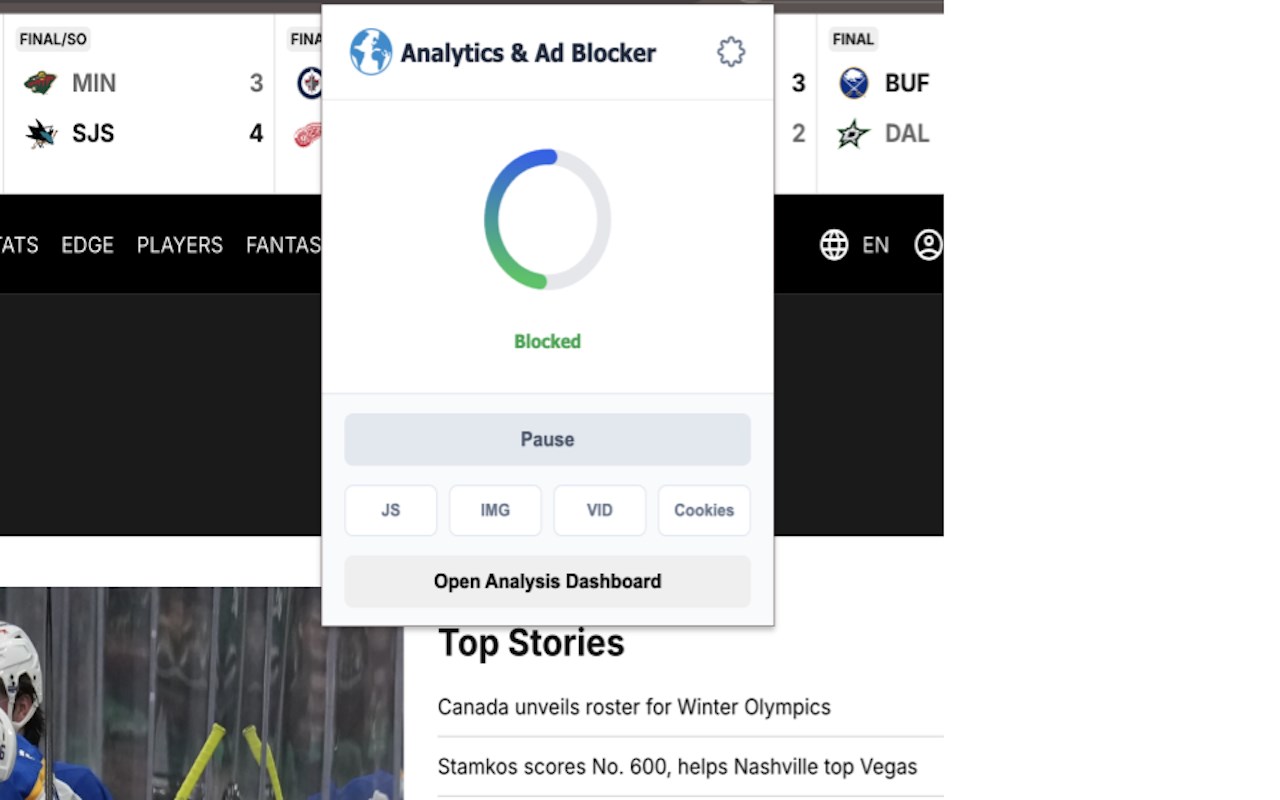
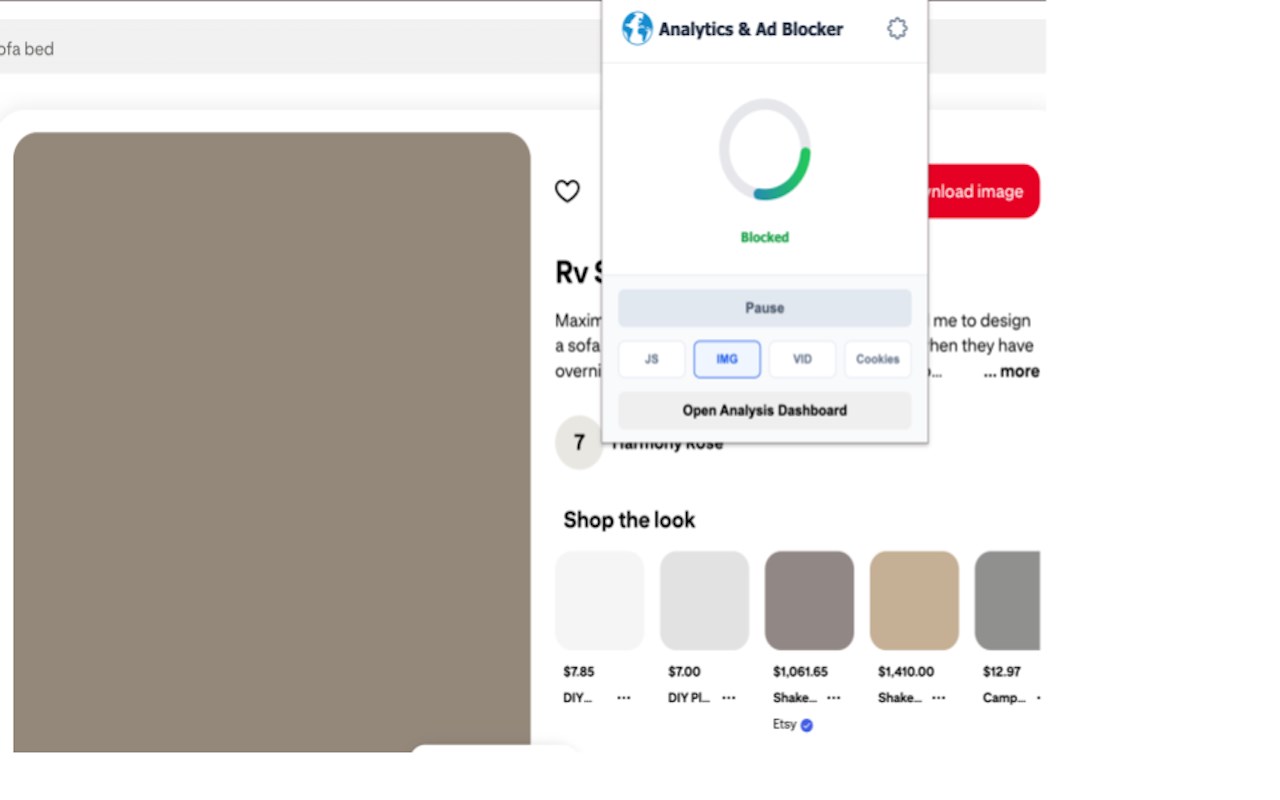
Go beyond basic ad blocking. Our advanced toolkit allows you to toggle specific web elements on the fly to maximize speed and minimize energy consumption:
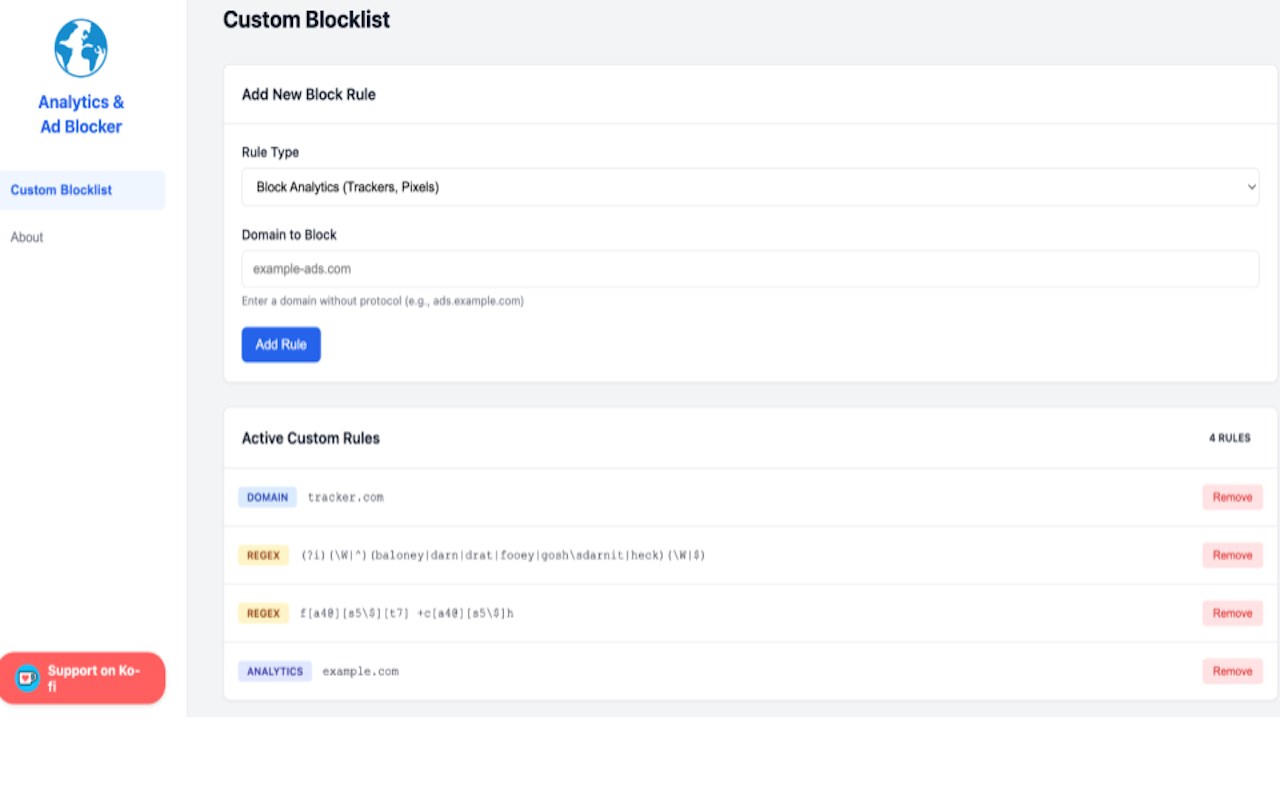
Block Custom Network Requests: Create your own rules to stop specific domains or scripts from ever connecting.
Toggle Content Types: Instantly disable JavaScript, Images, or Videos with a single click—perfect for "Ultra-Low Power" browsing and extreme speed.
Open-Source Integrity: 100% transparent. No "Acceptable Ads" programs, no paid whitelisting. Check our code on GitHub and contribute to the mission.
📊 The Live Tracker Dashboard
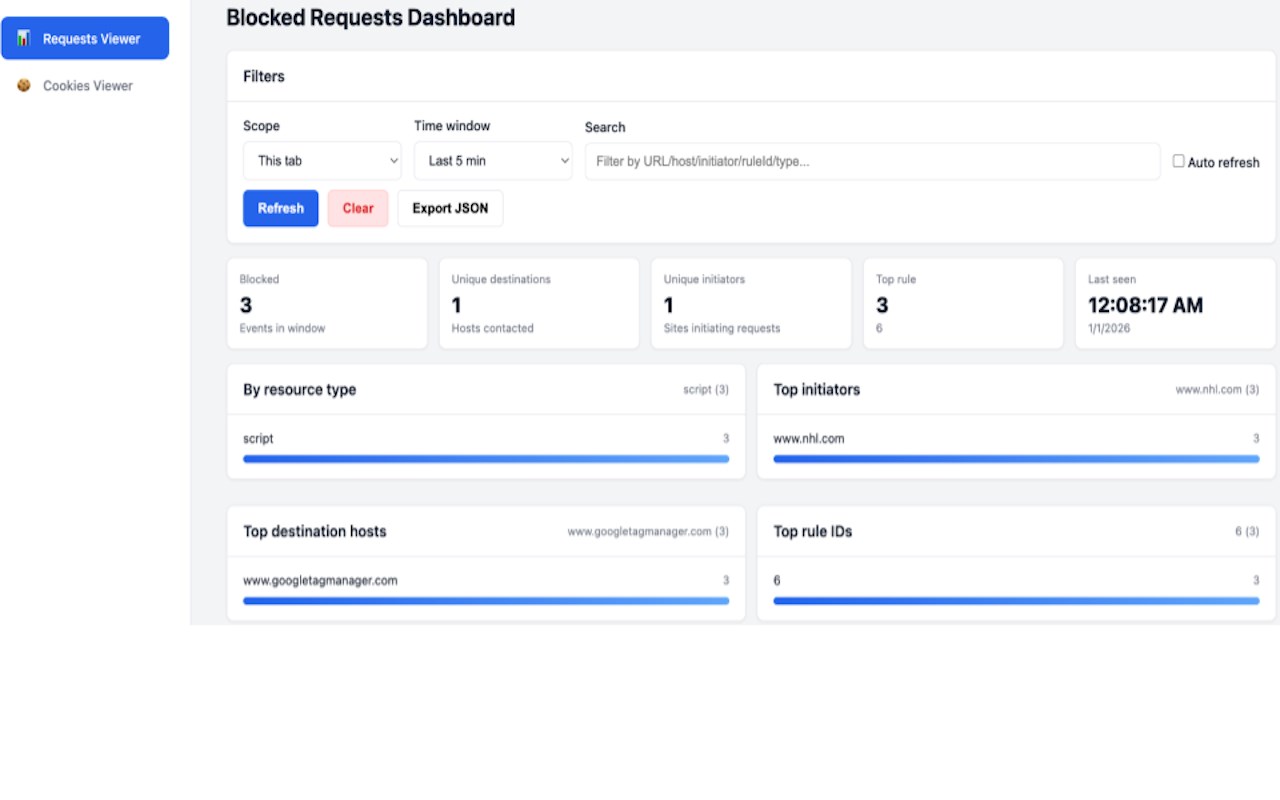
See exactly what’s happening behind the scenes. Our Custom Dashboard provides a real-time visualization of your privacy:
Live Tag Monitoring: Watch exactly how tracker tags (Google, Adobe, Yahoo) try to fire across all your open tabs.
Impact Metrics: See the direct correlation between blocked scripts and your reduced carbon footprint.
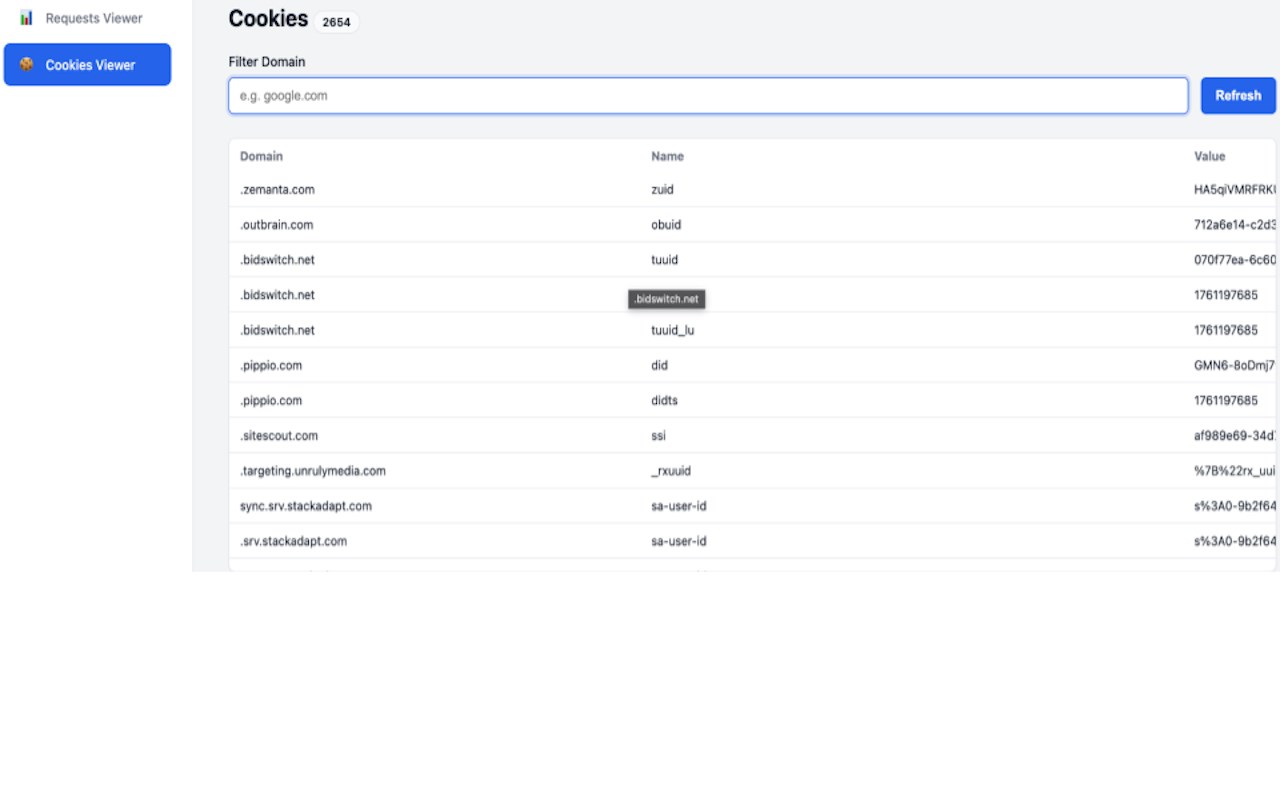
Data Audit: Identify which websites are the "hungriest" for your data and your device's energy.
🚀 Why We Outperform the Rest
By combining the light footprint of uBlock Origin with the deep insights of Ghostery, we offer a unique "Sustainability Suite":
Ad-Free Experience: No banners, no video interruptions, no nonsense.
A greener internet: By blocking JavaScript and heavy media, you drastically reduce CPU/RAM usage, extending your laptop’s battery life and lowering CO2 emissions.
Privacy-First Architecture: We never collect your data. All request blocking and dashboard analytics are processed locally on your device.
🌍 A Greener Internet Starts with You
The internet consumes more electricity than many countries. A massive portion of that is wasted on tracking scripts you never asked for. Analytics & Ad Blocker lets you opt-out of the waste and join the Globemallow.io mission for a sustainable digital future.
Key Features at a Glance:
Advanced Blocking: YouTube Ads, Google Analytics, Social Pixels, and custom CSS/JS.
Performance: Drastically reduces page weight for 2x faster loading.
Transparency: Open-source license.
No Tracking: No accounts, no logs, no cloud-processing.
Stop being a passenger in your own browser. Switch to the open-source ad blocker that gives you the dashboard, the control, and the conscience to browse better.
Analytics & Ad Blocker: Open Source Privacy Firewall 是做什么的
Analytics & Ad Blocker: Open Source Privacy Firewall 是一款面向 Edge 的实用工具类扩展,主要用来解决浏览器里某类具体的小问题。官方对它的介绍是:An extension for privacy and security for the internet.在微软 Edge 加载项商店上,它当前版本 5.0.0,评分 5(2 人评价),约 366 名用户。
适合什么人用
从功能定位看,Analytics & Ad Blocker: Open Source Privacy Firewall 更适合想补上浏览器原生缺失功能的用户。如果你平时只是偶尔遇到相关需求,用浏览器自带功能也能凑合;但如果这件事每天都发生,装一个专门处理它的扩展通常比手动操作省事得多。
怎么安装 Analytics & Ad Blocker: Open Source Privacy Firewall
- 打开微软 Edge 加载项商店上的官方页面;
- 点「添加到浏览器」并确认权限提示;
- 装好后在扩展列表里固定图标,方便随时开关。
本站只做索引与介绍,安装包来自官方商店。如果商店页面提示当前地区不可用,说明该扩展未在你所在区域上架。
常见问题
Analytics & Ad Blocker: Open Source Privacy Firewall 是免费的吗?
Analytics & Ad Blocker: Open Source Privacy Firewall 在微软 Edge 加载项商店免费提供下载。它是浏览器扩展,装上就能直接用,不需要注册账号。
Analytics & Ad Blocker: Open Source Privacy Firewall 安全吗?
它只申请了 0 项权限,范围比较克制,没有申请「读取所有网站数据」这种大权限。
Analytics & Ad Blocker: Open Source Privacy Firewall 支持哪些浏览器?
当前收录的版本来自微软 Edge 加载项商店,适用于 Edge。同一个扩展在其他商店可能有对应版本,但功能与版本号不一定相同。
怎么卸载 Analytics & Ad Blocker: Open Source Privacy Firewall?
在扩展管理页找到 Analytics & Ad Blocker: Open Source Privacy Firewall,点移除即可。它在本地保存的设置会一起清掉,不会残留数据。
权限清单 来自 manifest.json 原文
接口权限 5
activeTabcookiesdeclarativeNetRequestdeclarativeNetRequestFeedbackstorage