
AmazVids – Product Video & Image Downloader for Amazon™ EN
AMAZVIDS · EEdge MV3
Download Amazon product, review and Live videos in HD, plus full-size product images. Not affiliated with Amazon. No Prime Video.
截图
简介
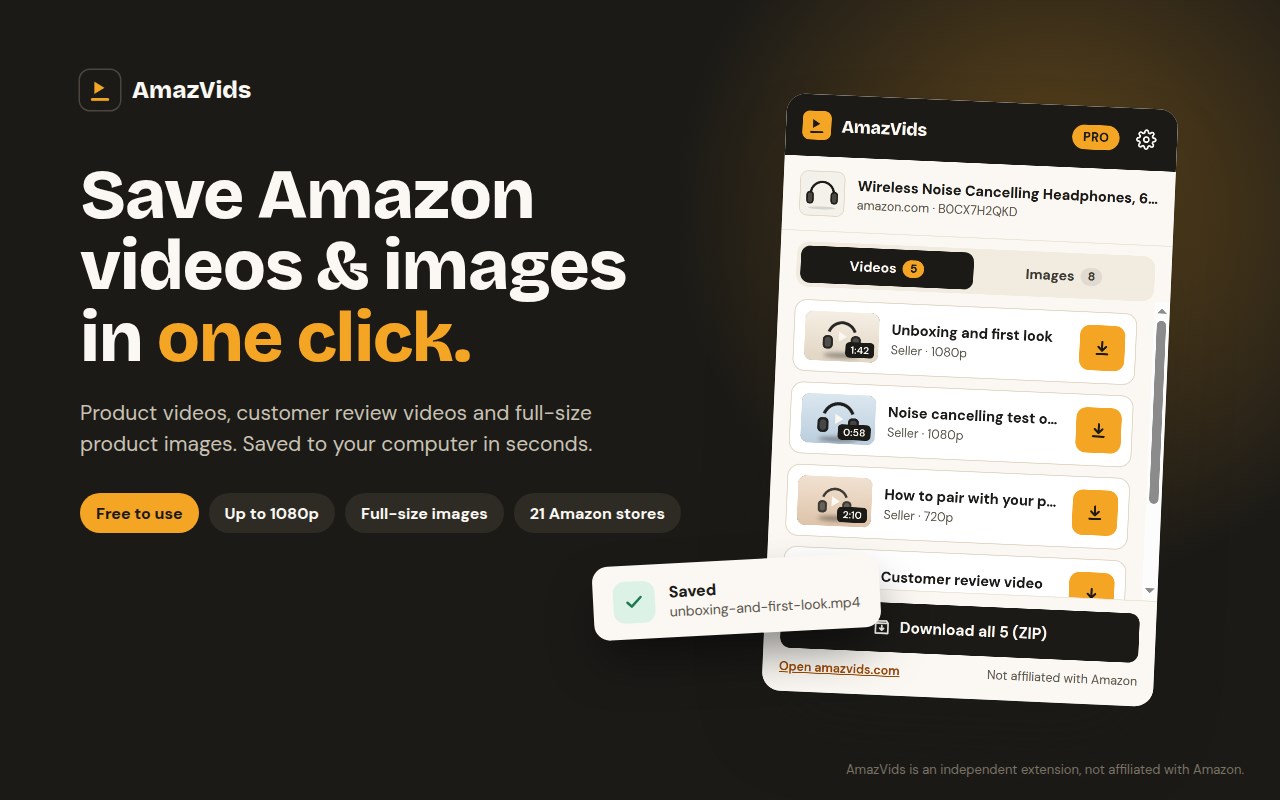
Save Amazon product videos and product images in one click. No screen recording, no copying links.
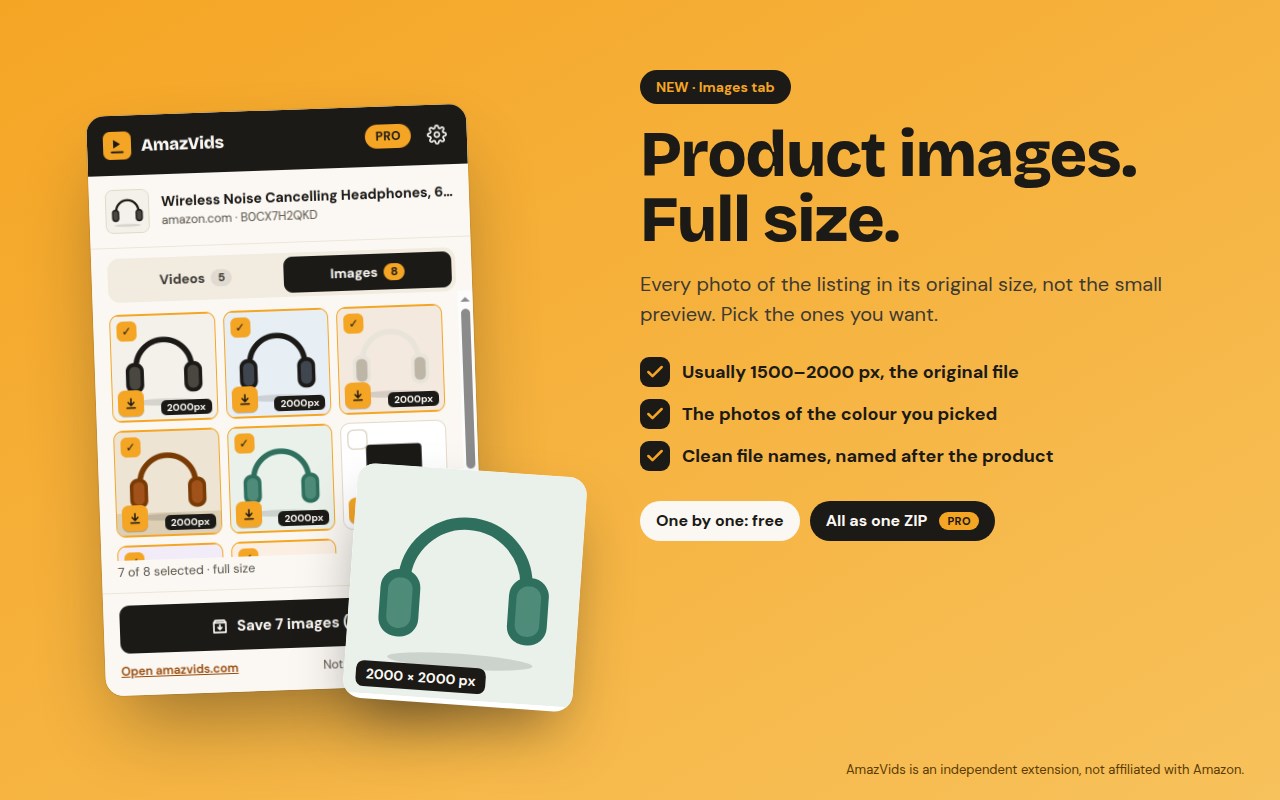
AmazVids finds every video on an Amazon product page — the seller's product videos, customer review videos and Live videos — and saves the original file to your computer as an HD MP4. The new Images tab saves every product photo at full size (often 1500–2000 pixels), not the small preview you get with a right-click.
⭐ WHAT YOU CAN DO
• Download Amazon product videos in HD (1080p, 720p) as MP4
• Save customer review videos as easily as the seller's videos
• NEW: save Amazon product images in full size, one by one or all at once
• See every video and image of the page in one simple popup
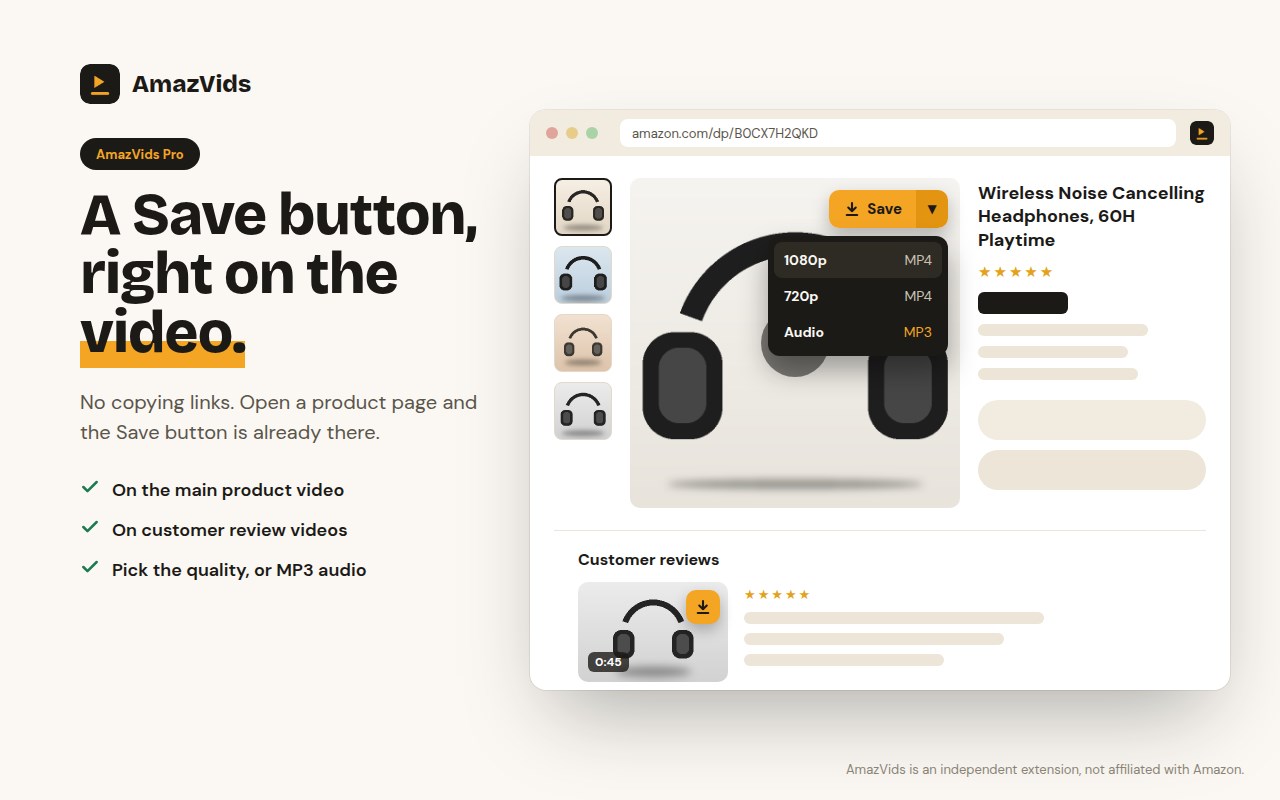
• Save buttons right on the Amazon page, on the product video and on review videos (Pro)
• Download all videos, or all images, as one ZIP file (Pro)
• Keep only the sound as MP3 (Pro)
• Choose the quality: best, 1080p or 720p (Pro)
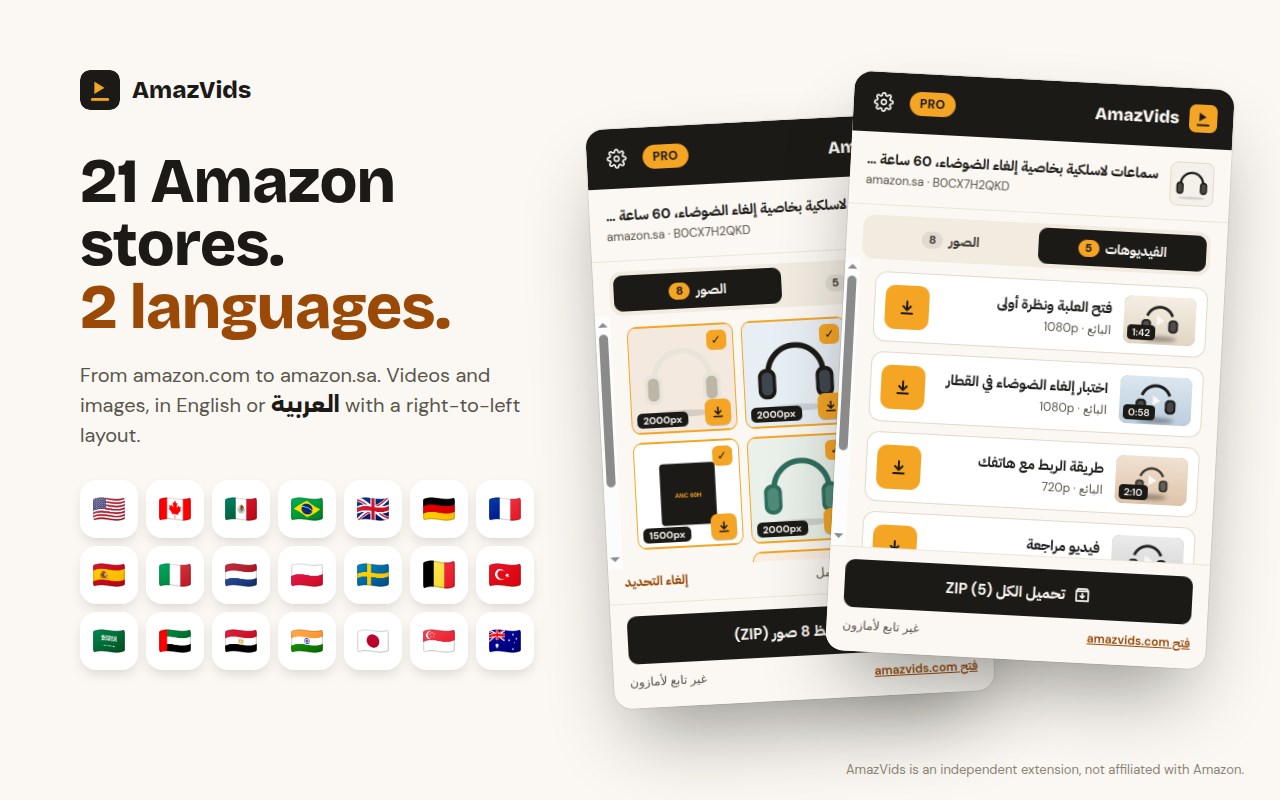
• English and Arabic, with a full right-to-left layout
🌍 WORKS ON 21 AMAZON STORES
Amazon stores in North America, Europe, the Middle East and Asia-Pacific, including the US, the UK, Germany, Saudi Arabia, the UAE and Egypt. A new store turns on by itself the first time you visit it.
👤 MADE FOR
• Amazon sellers and FBA brands: study the listings that sell and how they show the product in the first seconds
• Marketers, dropshippers and UGC creators: collect product videos and images as references for ads and briefs
• Shoppers: save review videos of the products you are comparing and watch them side by side, even offline
👉 HOW IT WORKS
Add AmazVids to Chrome and pin it next to the address bar
Open any Amazon product page
Click the AmazVids icon: Videos and Images tabs list everything on the page
Click Save. The file goes to your Downloads folder, named after the product
🆓 FREE vs ⭐ PRO
Free, forever, no account: 10 video downloads a day in the best available quality, and product images in full size one by one (images don't count toward the 10). Each friend you invite gives you both 5 more videos a day.
AmazVids Pro (from $2.42 a month, billed yearly, or $4.99 monthly): unlimited downloads, ZIP of all videos and images, MP3, quality choice and Save buttons on Amazon pages. Pay securely on amazvids.com. Pro turns on by itself in the browser you bought from; on another computer, sign in with your email and a 6-digit code. Cancel anytime.
🔒 PRIVACY
AmazVids only reads the Amazon product page you have open, to find its videos and images. It never sees your Amazon password, orders or payment details, and it does not track your browsing. No ads. Your settings stay in your browser. Full policy: https://amazvids.com/privacy
❓ QUESTIONS
• Does it download Prime Video movies or shows? No. Prime Video is protected and is not supported.
• Where do the files go? To your browser's Downloads folder.
• Does it work on my phone? Extensions run on computers. On a phone, paste a product link on amazvids.com instead.
• Help and guides: https://amazvids.com/guides · Support: support@amazvids.com
Please respect the rights of the people who made the videos and images you save: use them for research, comparison and reference, not to republish them as your own.
AmazVids is an independent tool and is not affiliated with, endorsed or sponsored by Amazon.com, Inc. Amazon and the Amazon logo are trademarks of Amazon.com, Inc. or its affiliates.
AmazVids – Product Video & Image Downloader for Amazon™ 是做什么的
AmazVids – Product Video & Image Downloader for Amazon™ 是一款面向 Edge 的购物比价类扩展,主要用来比价、查历史价格、自动套用优惠券、返现。官方对它的介绍是:Download Amazon product, review and Live videos in HD, plus full-size product images. Not affiliated with Amazon. No Prime Video.在微软 Edge 加载项商店上,它当前版本 1.0.28,约 4 名用户。
适合什么人用
从功能定位看,AmazVids – Product Video & Image Downloader for Amazon™ 更适合经常网购、想在下单前确认是否真便宜的用户。如果你平时只是偶尔遇到相关需求,用浏览器自带功能也能凑合;但如果这件事每天都发生,装一个专门处理它的扩展通常比手动操作省事得多。
怎么安装 AmazVids – Product Video & Image Downloader for Amazon™
- 打开微软 Edge 加载项商店上的官方页面;
- 点「添加到浏览器」并确认权限提示;
- 装好后在扩展列表里固定图标,方便随时开关。
本站只做索引与介绍,安装包来自官方商店。如果商店页面提示当前地区不可用,说明该扩展未在你所在区域上架。
常见问题
AmazVids – Product Video & Image Downloader for Amazon™ 是免费的吗?
AmazVids – Product Video & Image Downloader for Amazon™ 在微软 Edge 加载项商店免费提供下载。它是浏览器扩展,装上就能直接用,不需要注册账号。
AmazVids – Product Video & Image Downloader for Amazon™ 安全吗?
它只申请了 0 项权限,范围比较克制,没有申请「读取所有网站数据」这种大权限。
AmazVids – Product Video & Image Downloader for Amazon™ 支持哪些浏览器?
当前收录的版本来自微软 Edge 加载项商店,适用于 Edge。同一个扩展在其他商店可能有对应版本,但功能与版本号不一定相同。
怎么卸载 AmazVids – Product Video & Image Downloader for Amazon™?
在扩展管理页找到 AmazVids – Product Video & Image Downloader for Amazon™,点移除即可。它在本地保存的设置会一起清掉,不会残留数据。
权限清单 来自 manifest.json 原文
接口权限 5
activeTabdownloadsoffscreenscriptingstorage