
Alitools Shopping Assistant EN
Big Data Technologies · Edge MV3
Auto-find & apply AliExpress ™ promo codes, price history, seller rating, similar products, find item by picture
<all_urls>),意味着它可以读取你在任意站点的页面内容,包括已登录的页面。这是许多扩展正常工作的必要条件,但也值得你确认来源可信。
截图
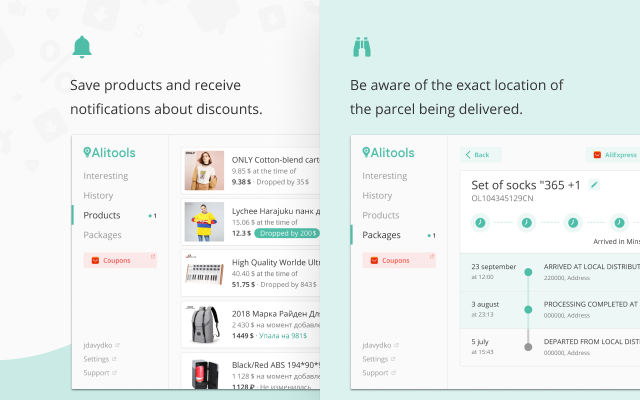
简介
The time for big sales on AliExpress ™ has passed, but many discounts remain. A few reasons to install Alitools and save even more:
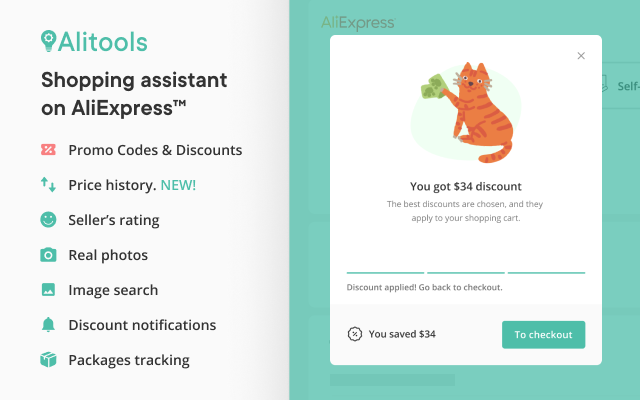
AUTOMATIC DISCOUNTS ALREADY IN YOUR CART
- Autochecker of promo codes and coupons helps you save money. We find all the latest AliExpress™ discounts daily and automatically apply the best ones to your cart.
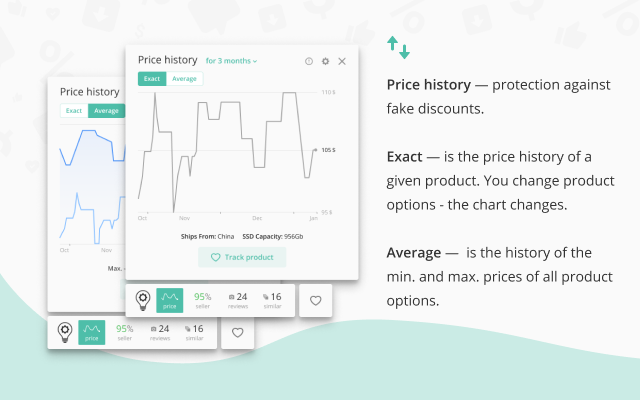
BUY AT A REAL, NOT EXCEEDED PRICE
- Price history checker for the product over the last 3 or 6 months helps to avoid artificial discounts, especially during big sales: 1111 Sale, Black Friday and Cyber Monday. EUR, USD, RUB and 17 more currencies are supported for price tracking.
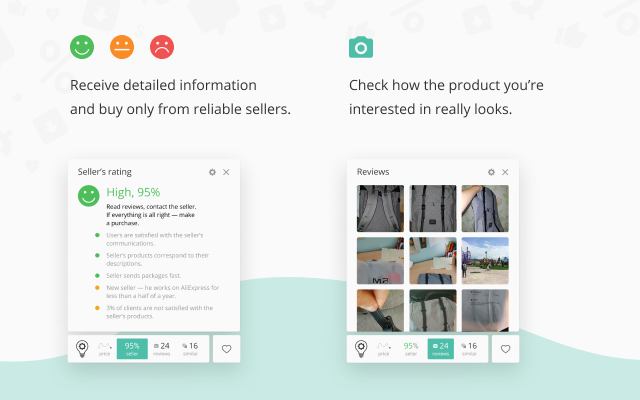
BUY ONLY FROM RELIABLE SELLERS
- Seller verification helps you avoid bad sellers. A reliable seller will deliver you what you bought right on time, and a bad one — a cat in a bag. Aliexpress seller check works completely automatically.
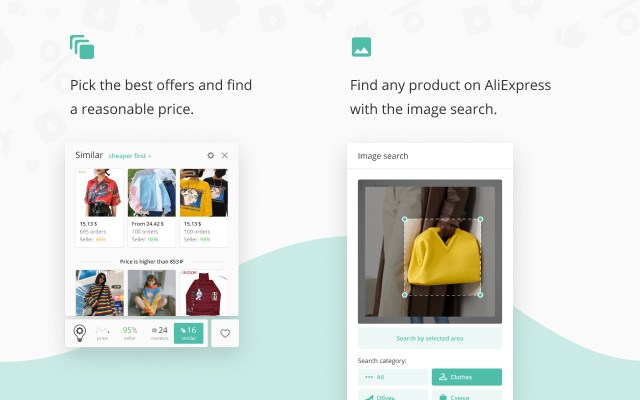
FIND EXACTLY THE PRODUCTS YOU ARE LOOKING FOR
- Aliexpress search by image helps you to find the item in the picture in one click. No more wasting precious time and looking for a thing you like for a long time.
- Search similar products help you find very similar products. This is useful when you want to find similar product, but slightly different.
CHECK YOUR PRODUCTS BEFORE PURCHASING
- Real product photos from customer feedbacks and product reviews allow you to check product before purchasing.
TRACK THE DELIVERY OF YOUR PRODUCTS
- Alitools will help to track the parcel from China. Postal tracking supports AliExpress Standard Shipping, China Post ePacket and other shipping methods.
=================================
Alitools can synchronize data between computers. For example, at work and at home. To do this, simply create an account.
Alitools extension is fully compatible with other shopping extensions, cashback services and dropshipping tools.
We are always open to communication and will be happy to answer your questions. Contact form: https://alitools.io/en/feedback.
By installing the Alitools Edge extension, you accept the terms of the «User Agreement» and allow redirecting you to the links of the affiliate program AliExpress. User agreement — https://alitools.io/en/info/agreement.
For extension's functions to work and to be able to improve the product, we collect anonymous data about how you use AliExpress and other popular online stores. More details in privacy — https://alitools.io/en/info/policy.
The Alitools extension uses the Google Analytics service to collect statistics on the use of the extension. If you do not want to transfer data, you can find the official Google blocker application or any equivalent. The official Google Analytics blocker from Google — https://tools.google.com/dlpage/gaoptout.
We support the Edge Web Store’s minimum rational use of extensions policy:
1. «http(s)://*/*»
- Collection of information on prices and products on Ali Express and on popular online stores.
- Search for products on AliExpress by pictures on other sites.
- Search for lower priced alternatives on AliExpress for products that you are viewing on other online stores.
2. «Cookies»
- Alitool account authorization.
- Automatic detection of language, currency and country of delivery on AliExpress.
3. «Notifications»
- Price drop alert is sent, when price drops down by 5% or more.
4. «Tabs» and «Web Navigation»
- Browsing history widget.
- Correct functioning of the Ali Tools widget when opening multiple product pages.
- We do not run reverse image search scripts on domains that are prohibited in the settings and save the resources of your computer.
5. «ContextMenus»
- Search product by image from the context menu.
6. «Storage»
- Storing the extension settings.
- Storing the history of recently viewed products.
*Ali, Ali Express and AliExpress is a trademark of Alibaba Group Holding Limited. Use of this trademark is subject to AliExpress Affiliate Program Service Agreement.
Alitools Shopping Assistant 是做什么的
Alitools Shopping Assistant 是一款面向 Edge 的购物比价类扩展,主要用来比价、查历史价格、自动套用优惠券、返现。官方对它的介绍是:Auto-find & apply AliExpress ™ promo codes, price history, seller rating, similar products, find item by picture在微软 Edge 加载项商店上,它当前版本 26.10.2.18260,评分 4.4(38 人评价),约 59,739 名用户。
适合什么人用
从功能定位看,Alitools Shopping Assistant 更适合经常网购、想在下单前确认是否真便宜的用户。如果你平时只是偶尔遇到相关需求,用浏览器自带功能也能凑合;但如果这件事每天都发生,装一个专门处理它的扩展通常比手动操作省事得多。需要注意的是它作用于所有网站,装上后建议先观察一两天,确认不影响常用站点的正常使用。
怎么安装 Alitools Shopping Assistant
- 打开微软 Edge 加载项商店上的官方页面;
- 点「添加到浏览器」并确认权限提示;
- 装好后在扩展列表里固定图标,方便随时开关。
本站只做索引与介绍,安装包来自官方商店。如果商店页面提示当前地区不可用,说明该扩展未在你所在区域上架。
常见问题
Alitools Shopping Assistant 是免费的吗?
Alitools Shopping Assistant 在微软 Edge 加载项商店免费提供下载。它是浏览器扩展,装上就能直接用,不需要注册账号。
Alitools Shopping Assistant 安全吗?
它只申请了 0 项权限,范围比较克制,没有申请「读取所有网站数据」这种大权限。
Alitools Shopping Assistant 支持哪些浏览器?
当前收录的版本来自微软 Edge 加载项商店,适用于 Edge。同一个扩展在其他商店可能有对应版本,但功能与版本号不一定相同。
怎么卸载 Alitools Shopping Assistant?
在扩展管理页找到 Alitools Shopping Assistant,点移除即可。它在本地保存的设置会一起清掉,不会残留数据。
权限清单 来自 manifest.json 原文
站点访问(可选) 1
<all_urls>
接口权限 9
alarmscontextMenuscookiesnotificationsscriptingstoragetabswebNavigationwebRequest