
AliFind — Image Search for AliExpress EN
YongWorks · EEdge MV3
Right-click any image to find it on AliExpress. Free & open.
截图
简介
Find any product on AliExpress instantly — just right-click an image anywhere on the web. AliFind is 100% free, requires no sign-up, and works in seconds.
Whether you're a dropshipper sourcing products, a reseller comparing prices, or a shopper looking for deals, AliFind turns any image into an AliExpress search. No copy-pasting URLs, no downloading images, no extra steps.
HOW IT WORKS
Image Search:
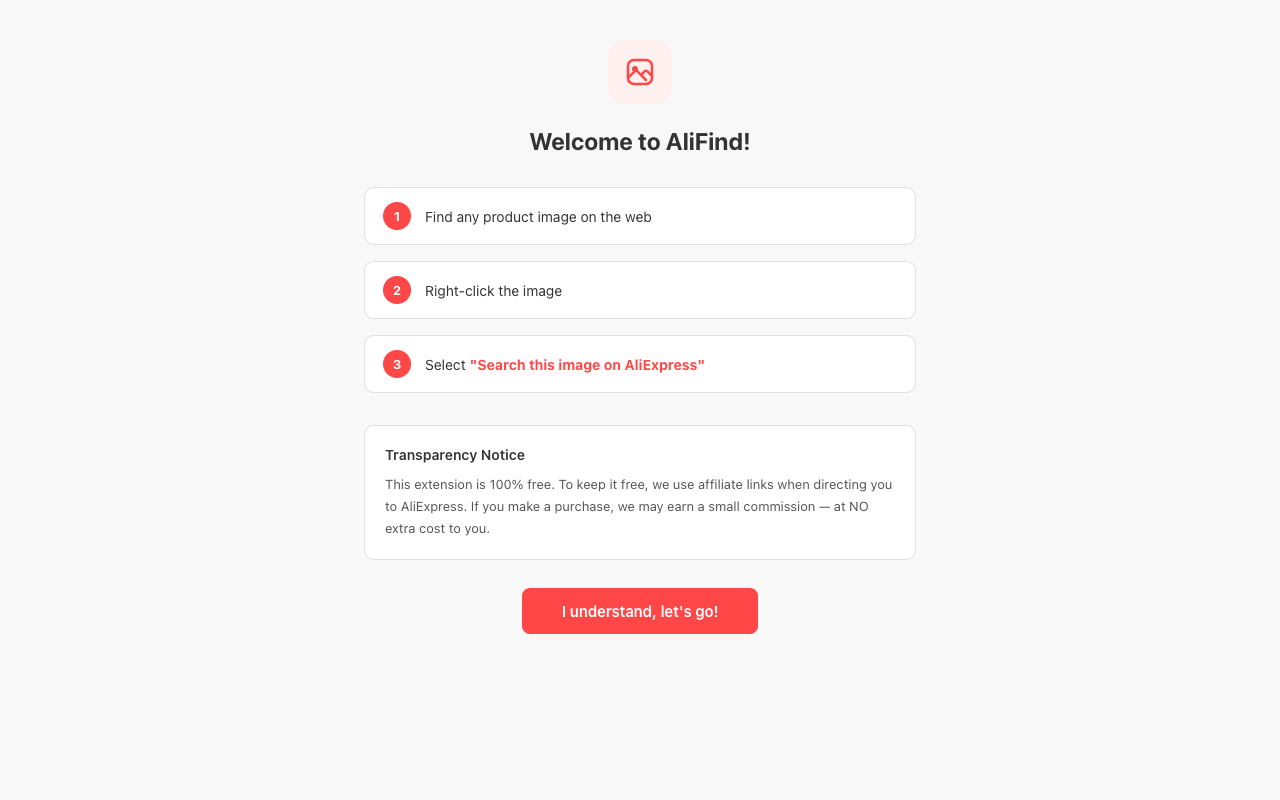
Right-click any image on any webpage
Select "Search this image on AliExpress"
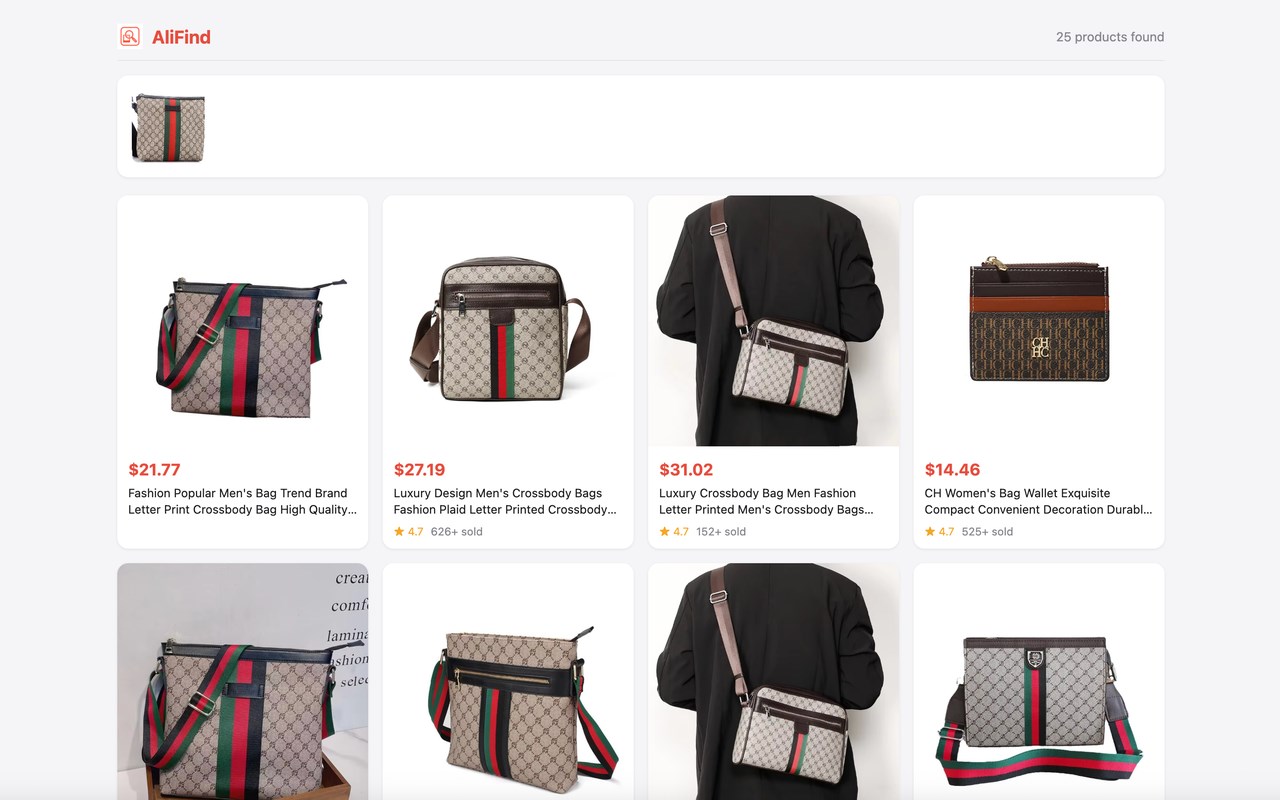
View matching products with prices, ratings, and sales data
Keyword Search:
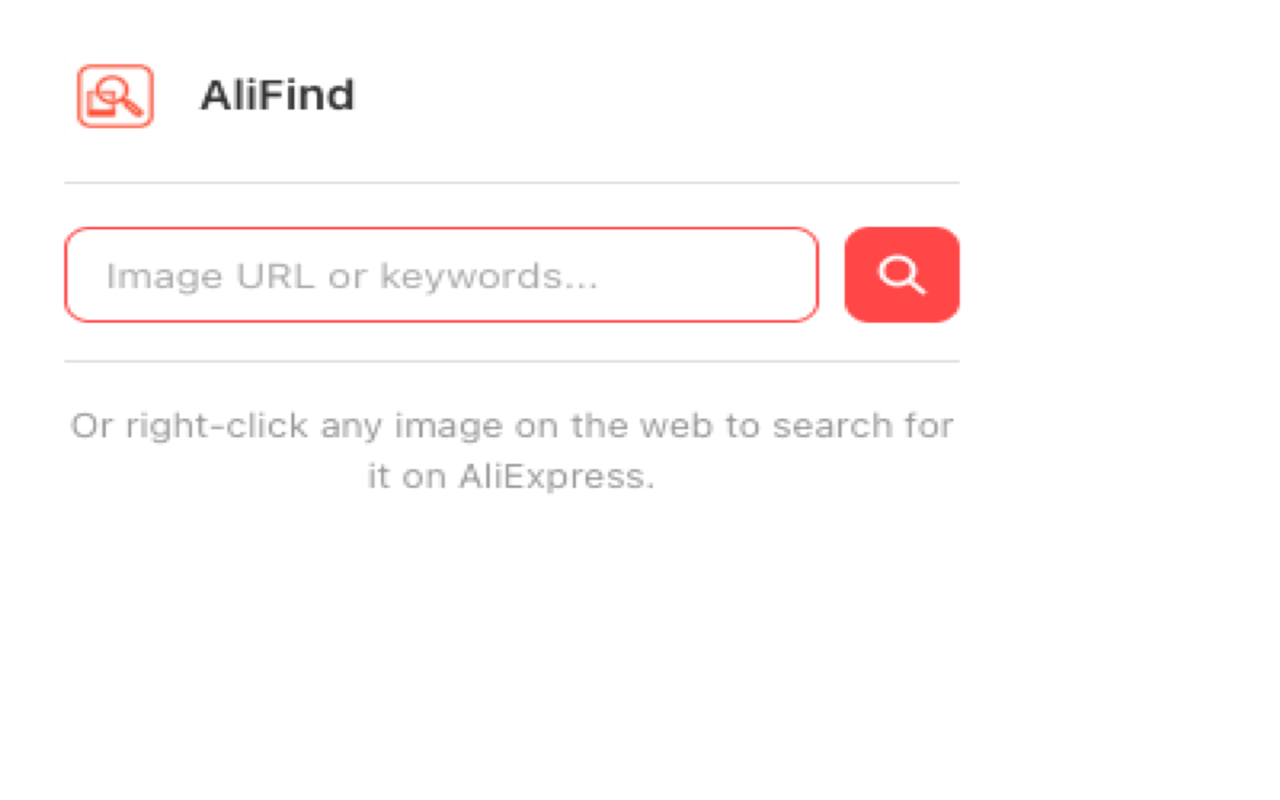
Click the AliFind icon in your toolbar
Type any keywords (e.g. "gold necklace", "wireless earbuds")
AliExpress opens with search results — done!
You can also paste an image URL directly into the popup search box.
FEATURES
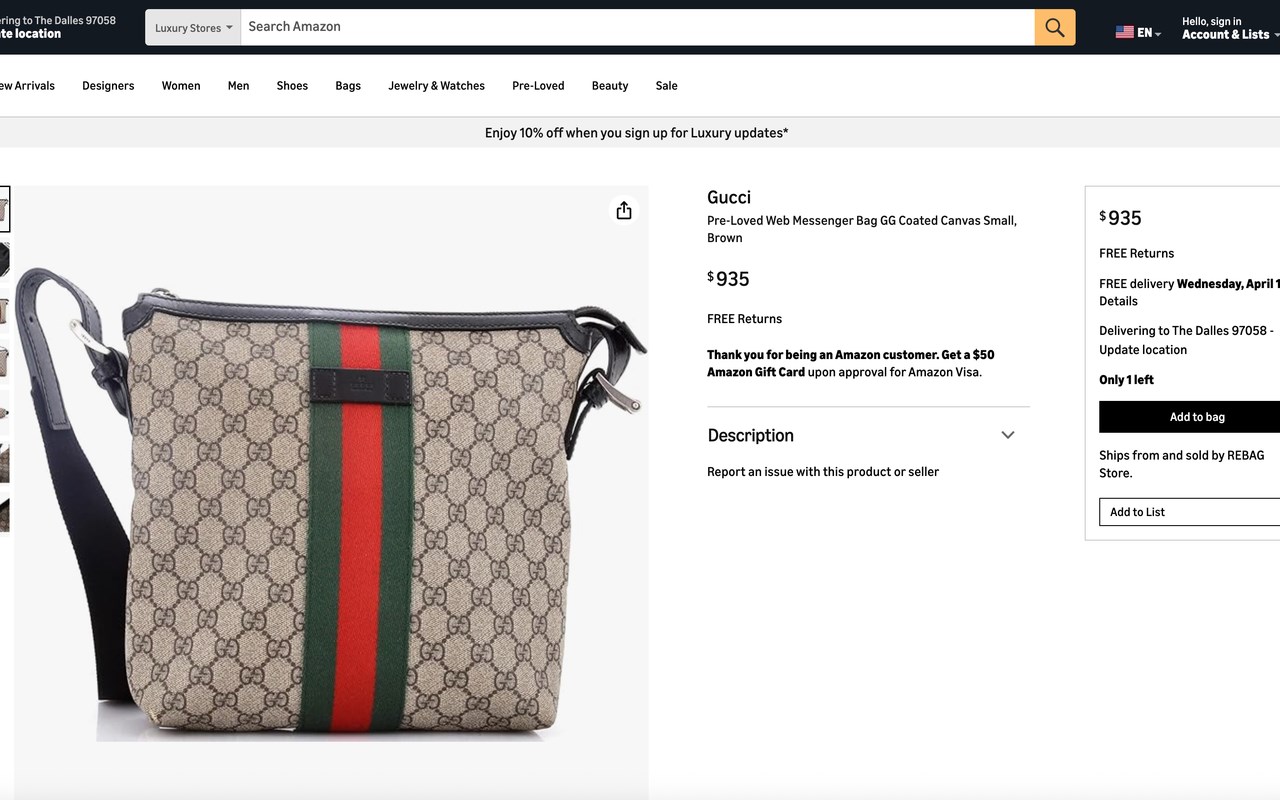
✓ Right-Click Image Search Right-click any product image on Amazon, eBay, Instagram, Shopify stores, or any website. AliFind finds matching products on AliExpress and displays them with prices, ratings, and sales data.
✓ Keyword Search Type any keywords in the popup to search AliExpress directly. Great when you know what you're looking for.
✓ Image URL Search Paste any image URL into the popup search box to find matching products on AliExpress.
✓ Built-in Results Page Search results are displayed in a clean, built-in results page showing product images, prices, ratings, and sales — no need to navigate away.
✓ Works Everywhere AliFind works on every website — product pages, social media, blogs, search results. If you can see an image, you can search it.
✓ No Account Required No sign-up, no login, no subscription. Install and start searching immediately.
✓ Minimal Permissions AliFind only requests the permissions it needs: context menu access and local storage. It does not read your browsing history, track your activity, or collect personal data.
WHO IS THIS FOR?
Dropshippers: Find AliExpress suppliers for products you spot on Amazon, eBay, or competitor stores. Compare prices and source products faster.
Resellers & Buyers: Quickly find the original AliExpress listing for any product image. Stop wasting time on manual searches.
Bargain Hunters: See something you like on Instagram or Pinterest? Find the same item on AliExpress for a fraction of the price.
Product Researchers: Speed up your product research workflow. Search by image is faster and more accurate than keyword search for finding exact matches.
FREQUENTLY ASKED QUESTIONS
Q: Is AliFind really free? A: Yes, completely free. There are no premium tiers, no trials, no hidden fees.
Q: Does it work with all images? A: It works with most standard web images. You can also copy an image URL and paste it into the popup search box.
Q: Do I need an AliExpress account? A: No. AliFind shows search results in a built-in page. You only need an AliExpress account if you want to make a purchase.
Q: What data does AliFind collect? A: None. AliFind does not collect, store, or transmit your browsing history, search queries, or personal information. Your settings are stored locally on your device.
Q: How is AliFind free if there's no paid version? A: Links to AliExpress may contain affiliate parameters. If you make a purchase through these links, we earn a small commission at no extra cost to you.
TRANSPARENCY
This extension uses affiliate links. When you click on a product, the link to AliExpress may contain affiliate parameters via the Admitad network. If you make a purchase, we may earn a small commission at no extra cost to you. This is how we keep AliFind free for everyone.
PRIVACY & SUPPORT
Privacy Policy: https://extpilot.com/privacy/ali-image-search/ Website: https://extpilot.com Support: support@extpilot.com
We do NOT use Google Analytics or any third-party tracking. We do NOT collect your browsing data or search history. We do NOT require any personal information.
AliFind is not affiliated with or endorsed by AliExpress or Alibaba Group.
AliFind — Image Search for AliExpress 是做什么的
AliFind — Image Search for AliExpress 是一款面向 Edge 的购物比价类扩展,主要用来比价、查历史价格、自动套用优惠券、返现。官方对它的介绍是:Right-click any image to find it on AliExpress. Free & open.在微软 Edge 加载项商店上,它当前版本 1.0.0,约 4 名用户。
适合什么人用
从功能定位看,AliFind — Image Search for AliExpress 更适合经常网购、想在下单前确认是否真便宜的用户。如果你平时只是偶尔遇到相关需求,用浏览器自带功能也能凑合;但如果这件事每天都发生,装一个专门处理它的扩展通常比手动操作省事得多。
怎么安装 AliFind — Image Search for AliExpress
- 打开微软 Edge 加载项商店上的官方页面;
- 点「添加到浏览器」并确认权限提示;
- 装好后在扩展列表里固定图标,方便随时开关。
本站只做索引与介绍,安装包来自官方商店。如果商店页面提示当前地区不可用,说明该扩展未在你所在区域上架。
常见问题
AliFind — Image Search for AliExpress 是免费的吗?
AliFind — Image Search for AliExpress 在微软 Edge 加载项商店免费提供下载。它是浏览器扩展,装上就能直接用,不需要注册账号。
AliFind — Image Search for AliExpress 安全吗?
它只申请了 0 项权限,范围比较克制,没有申请「读取所有网站数据」这种大权限。
AliFind — Image Search for AliExpress 支持哪些浏览器?
当前收录的版本来自微软 Edge 加载项商店,适用于 Edge。同一个扩展在其他商店可能有对应版本,但功能与版本号不一定相同。
怎么卸载 AliFind — Image Search for AliExpress?
在扩展管理页找到 AliFind — Image Search for AliExpress,点移除即可。它在本地保存的设置会一起清掉,不会残留数据。
权限清单 来自 manifest.json 原文
接口权限 2
contextMenusstorage