AI4Chat EN
AI4Chat · EEdge MV3
🔥 Use AI4Chat to interact with websites, YouTube videos, Google Docs, and emails, plus generate images and reply with AI-powered responses in multiple languages! 🔥 💪 Key Features: 👉 AI Chatbot ✔️ Multiple AI Models: Access a variety of language models for diverse conversation styles. ✔️ Language Options: Choose from multiple languages for truly global communication. ✔️ Customiza
<all_urls>),意味着它可以读取你在任意站点的页面内容,包括已登录的页面。这是许多扩展正常工作的必要条件,但也值得你确认来源可信。
截图


简介
🔥 Use AI4Chat to interact with websites, YouTube videos, Google Docs, and emails, plus generate images and reply with AI-powered responses in multiple languages! 🔥
💪 Key Features:
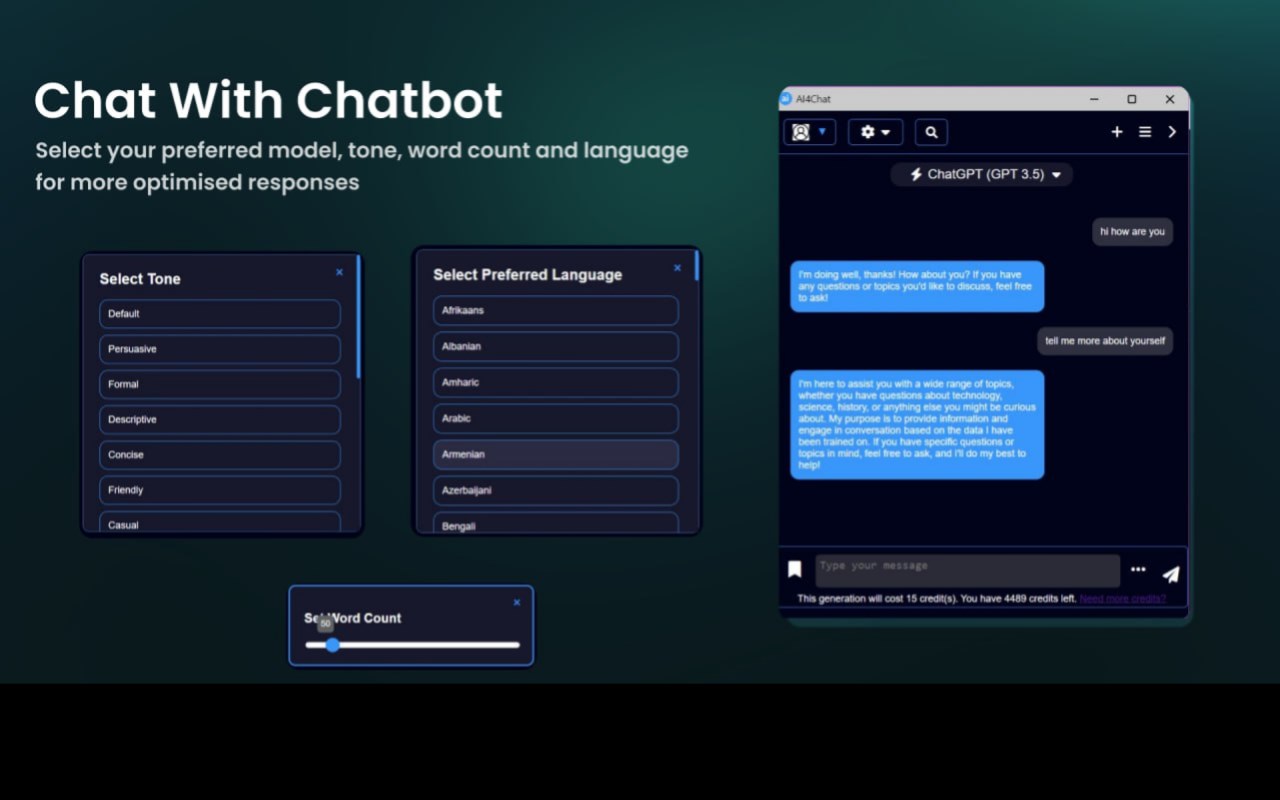
👉 AI Chatbot
✔️ Multiple AI Models: Access a variety of language models for diverse conversation styles.
✔️ Language Options: Choose from multiple languages for truly global communication.
✔️ Customizable Tone: Adjust the tone and word count for more personalized interactions.
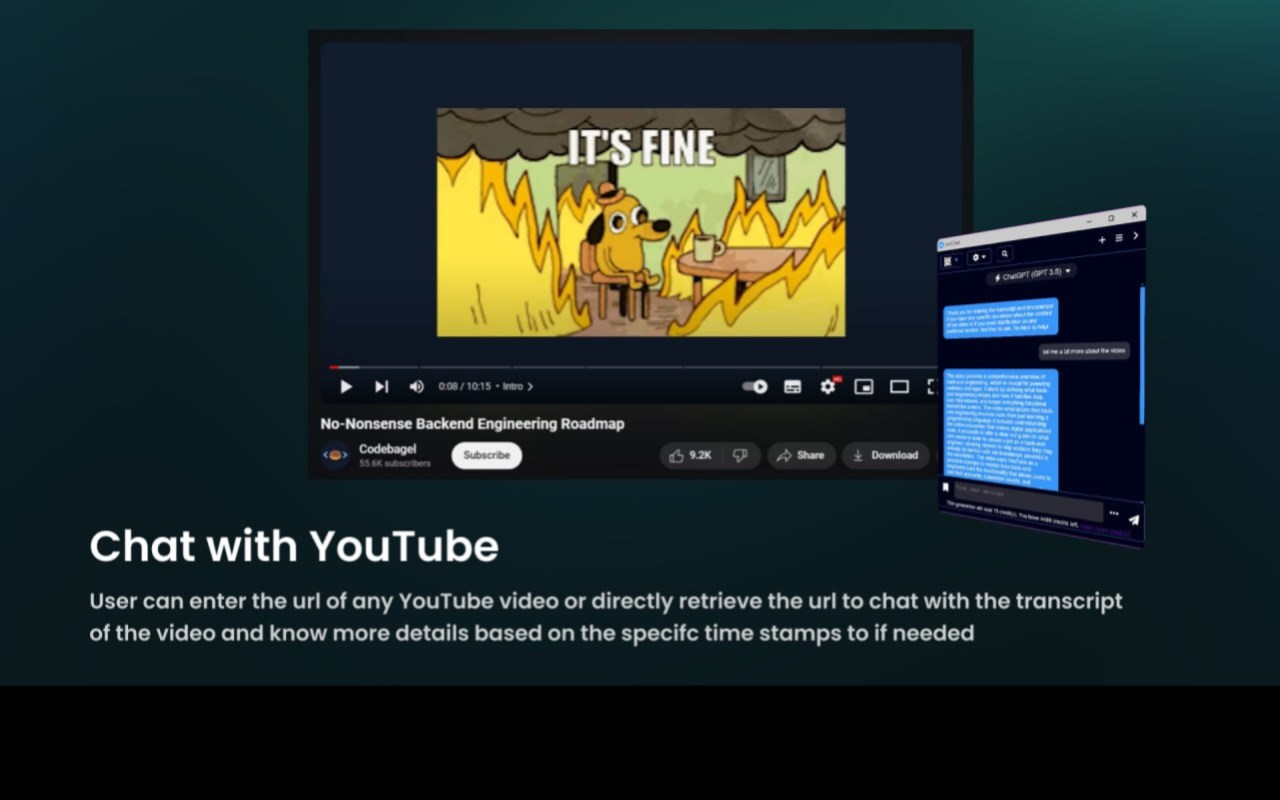
👉 YouTube Chat
✔️ Content-Aware Chat: Provide any YouTube URL, and AI4Chat extracts timestamps and transcripts so you can chat based on the video's content.
👉 Google Docs Interaction
✔️ Doc-Based Conversations: Chat seamlessly with Google Docs content by entering the document link. AI4Chat processes and makes the text interactive.
👉 Website Chat
✔️ Web Page Interaction: Enter any URL to turn its contents into a conversation starter. HTML-to-Markdown conversion lets you chat easily with any site's text.
👉 Image Generation
✔️ Text-to-Image Creation: Choose from various AI models to create striking visuals directly from text.
👉 AI-Powered Email Assistance
✔️ Compose and Reply: Effortlessly draft or respond to emails in Gmail and Outlook with AI-suggested content.
👉 Quick Text Actions
✔️ Smart Prompts on Selection: Highlight any text and press Ctrl + M to open a prompt menu with predefined responses and creative options.
💰 Pricing & Usage:
AI4Chat offers both free and premium usage tiers. Premium subscriptions provide increased usage limits, access to advanced AI models, and additional features for power users.
💻 How to get started:
🔸Click "Add to Edge" and pin AI4Chat to your toolbar.
🔸Sign up for an account.
🔸Get started by entering your favourite sites, documents, or text, and let AI4Chat transform your interactions.
📪 Contact us: For questions or suggestions, reach out at 💌 support@ai4chat.co.
AI4Chat 是做什么的
AI4Chat 是一款面向 Edge 的效率工具类扩展,主要用来管住注意力、屏蔽干扰站点、记录时间。官方对它的介绍是:🔥 Use AI4Chat to interact with websites, YouTube videos, Google Docs, and emails, plus generate images and reply with AI-powered responses in multiple languages! 🔥 💪 Key Features: 👉 AI Chatbot ✔️ Multiple AI Models: Access a variety of language models for diverse conversation styles. ✔️ Language Options: Choose from multiple languages for truly global communication. ✔️ Customiza在微软 Edge 加载项商店上,它当前版本 7.0,约 33 名用户。
适合什么人用
从功能定位看,AI4Chat 更适合想专注工作学习、减少无效刷网页的用户。如果你平时只是偶尔遇到相关需求,用浏览器自带功能也能凑合;但如果这件事每天都发生,装一个专门处理它的扩展通常比手动操作省事得多。需要注意的是它作用于所有网站,装上后建议先观察一两天,确认不影响常用站点的正常使用。
怎么安装 AI4Chat
- 打开微软 Edge 加载项商店上的官方页面;
- 点「添加到浏览器」并确认权限提示;
- 装好后在扩展列表里固定图标,方便随时开关。
本站只做索引与介绍,安装包来自官方商店。如果商店页面提示当前地区不可用,说明该扩展未在你所在区域上架。
常见问题
AI4Chat 是免费的吗?
AI4Chat 在微软 Edge 加载项商店免费提供下载。它是浏览器扩展,装上就能直接用,不需要注册账号。
AI4Chat 安全吗?
它只申请了 0 项权限,范围比较克制,没有申请「读取所有网站数据」这种大权限。
AI4Chat 支持哪些浏览器?
当前收录的版本来自微软 Edge 加载项商店,适用于 Edge。同一个扩展在其他商店可能有对应版本,但功能与版本号不一定相同。
怎么卸载 AI4Chat?
在扩展管理页找到 AI4Chat,点移除即可。它在本地保存的设置会一起清掉,不会残留数据。
权限清单 来自 manifest.json 原文
站点访问(可选) 2
http://*/*https://*/*
接口权限 7
activeTabcommandscookiessidePanelstoragetabswebNavigation