
AI song generator - Trymusic AI EN
steven windy · EEdge MV3
One-click access to Trymusic AI: create songs, phonk, 8-bit music and lyrics from your browser. Fast, royalty-free.
截图
简介
## What is the AI Song Generator Extension?
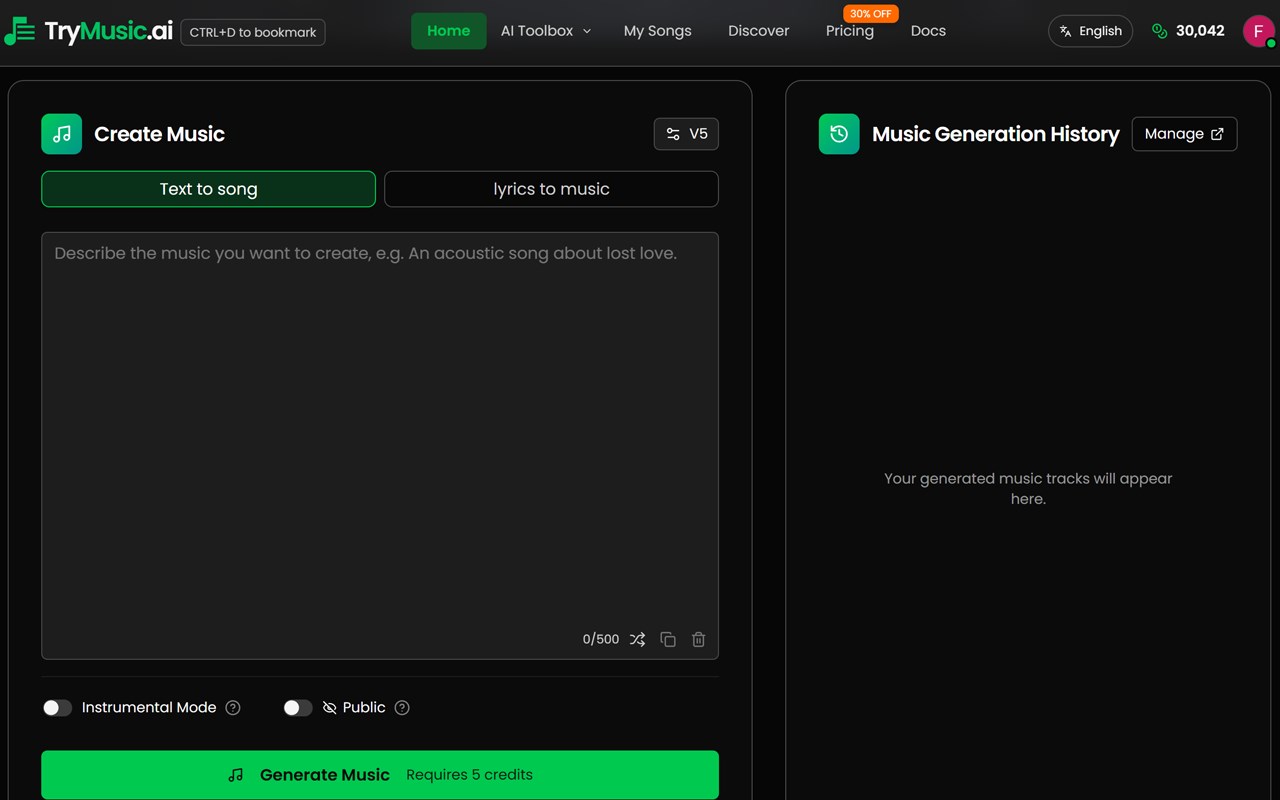
The AI Song Generator Extension puts the full Trymusic AI toolkit one click away in your browser. Instead of opening a new tab, typing the URL, or digging through bookmarks, you click the Trymusic AI icon and choose exactly which tool to open: the main AI Song Generator, AI Lyrics Generator, Phonk Maker, 8 Bit Music Generator, or AI Jingle Maker. Every link opens the correct page so you can start creating immediately.
## Why You Should Install It
**Save time and stay in flow.**
When you’re editing a video, writing a script, or brainstorming a project, you don’t want to stop to find “that music site.” With the extension, one click opens Trymusic AI in a new tab—and you can pick the right tool (e.g. phonk for a drift edit, 8-bit for a game, or lyrics for a song) without remembering URLs or menus.
**Always use the right tool.**
The popup is built so each card opens the right Trymusic AI page: AI Song Generator (homepage), 8 Bit Music Generator, AI Jingle Maker, Phonk Maker, and AI Lyrics Generator. No more landing on the homepage when you actually wanted the phonk or lyrics tool.
**No extra accounts or setup.**
Install the extension, click the icon, and open Trymusic AI. You use your existing Trymusic AI account when you’re on the site; the extension only makes getting there faster and more precise.
**Built for creators and musicians.**
If you make videos (YouTube, TikTok, Reels), streams, games, ads, or music, you get quick access to royalty-free AI music and lyrics. The extension is designed so the “Generate” button and each card take you straight to the right place to create.
**Track that you came from the extension.**
Links opened from the extension include a small tag so Trymusic AI can see that the visit came from the edge extension. That helps the team understand how people use the extension and improve the product.
## What You Can Do With It
- **AI Song Generator (homepage)** — Turn text or lyrics into full songs; generate, extend, and reimagine tracks.
- **AI Lyrics Generator** — Get lyric ideas and full verses from a short prompt.
- **Phonk Maker** — Create drift phonk, trap phonk, Memphis-style beats and related styles.
- **8 Bit Music Generator** — Create chiptune and retro game-style music.
- **AI Jingle Maker** — Create short jingles and branded music for ads or content.
Each of these opens in its own Trymusic AI page, so you always start in the right tool.
## Who It’s For
- **Content creators** who need background music or sound design without copyright issues.
- **Musicians and songwriters** who want quick access to lyrics and song generation.
- **Indie game devs** who need 8-bit or phonk-style tracks.
- **Marketers and brands** who use jingles or short-form audio.
- **Anyone** who already uses Trymusic AI and wants faster, one-click access from the browser toolbar.
## Summary
The Trymusic AI edge extension is for people who want **fast, one-click access** to Trymusic AI’s tools **without remembering or typing URLs**. It makes sure **each feature opens the correct page** (AI Song Generator, Lyrics, Phonk, 8-Bit, Jingle Maker) and helps you **stay in your workflow** while creating royalty-free music and lyrics. If you use Trymusic AI often, installing the extension saves time and keeps the right tool one click away.
AI song generator - Trymusic AI 是做什么的
AI song generator - Trymusic AI 是一款面向 Edge 的效率工具类扩展,主要用来管住注意力、屏蔽干扰站点、记录时间。官方对它的介绍是:One-click access to Trymusic AI: create songs, phonk, 8-bit music and lyrics from your browser. Fast, royalty-free.在微软 Edge 加载项商店上,它当前版本 1.0.0,约 9 名用户。
适合什么人用
从功能定位看,AI song generator - Trymusic AI 更适合想专注工作学习、减少无效刷网页的用户。如果你平时只是偶尔遇到相关需求,用浏览器自带功能也能凑合;但如果这件事每天都发生,装一个专门处理它的扩展通常比手动操作省事得多。
怎么安装 AI song generator - Trymusic AI
- 打开微软 Edge 加载项商店上的官方页面;
- 点「添加到浏览器」并确认权限提示;
- 装好后在扩展列表里固定图标,方便随时开关。
本站只做索引与介绍,安装包来自官方商店。如果商店页面提示当前地区不可用,说明该扩展未在你所在区域上架。
常见问题
AI song generator - Trymusic AI 是免费的吗?
AI song generator - Trymusic AI 在微软 Edge 加载项商店免费提供下载。它是浏览器扩展,装上就能直接用,不需要注册账号。
AI song generator - Trymusic AI 安全吗?
它只申请了 0 项权限,范围比较克制,没有申请「读取所有网站数据」这种大权限。
AI song generator - Trymusic AI 支持哪些浏览器?
当前收录的版本来自微软 Edge 加载项商店,适用于 Edge。同一个扩展在其他商店可能有对应版本,但功能与版本号不一定相同。
怎么卸载 AI song generator - Trymusic AI?
在扩展管理页找到 AI song generator - Trymusic AI,点移除即可。它在本地保存的设置会一起清掉,不会残留数据。
权限清单 来自 manifest.json 原文
接口权限 1
tabs