AI对话导出插件
BertXU AI · EEdge MV3
导出AI对话为Word文档
<all_urls>),意味着它可以读取你在任意站点的页面内容,包括已登录的页面。这是许多扩展正常工作的必要条件,但也值得你确认来源可信。
截图

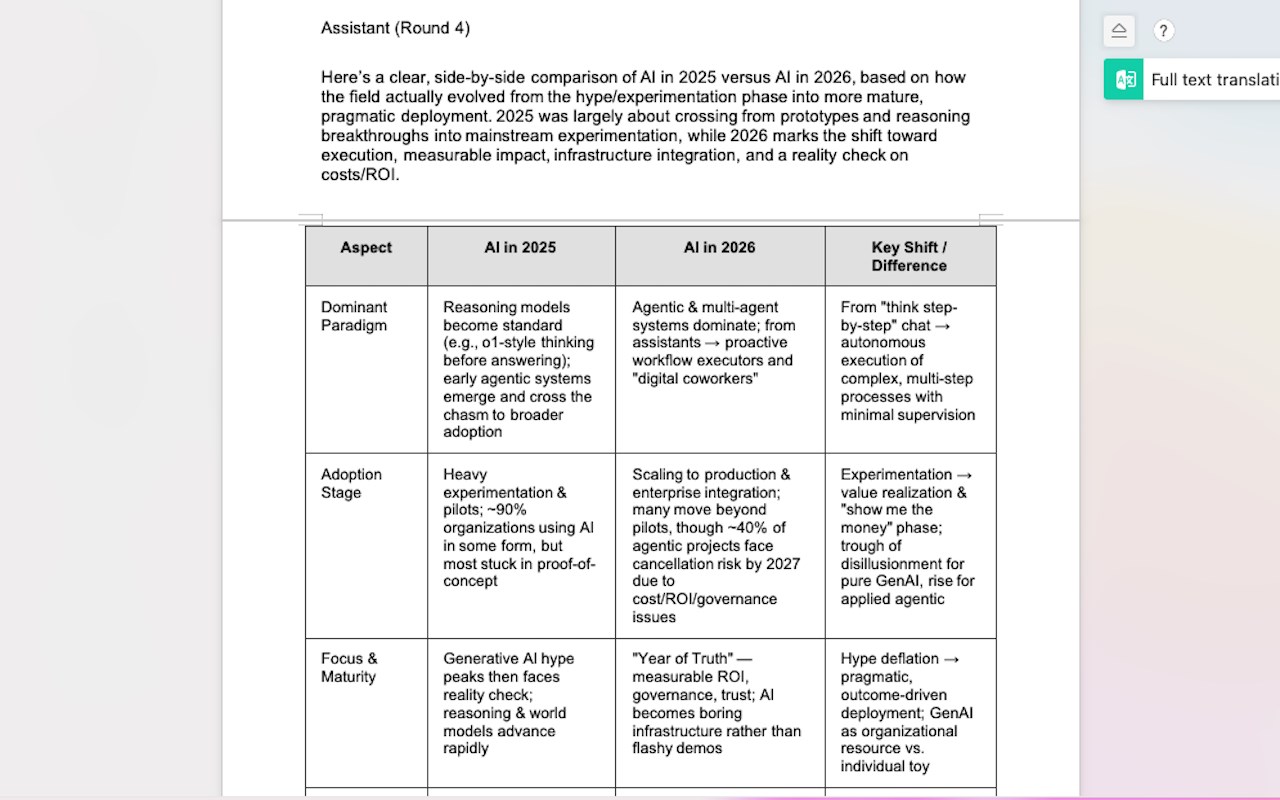
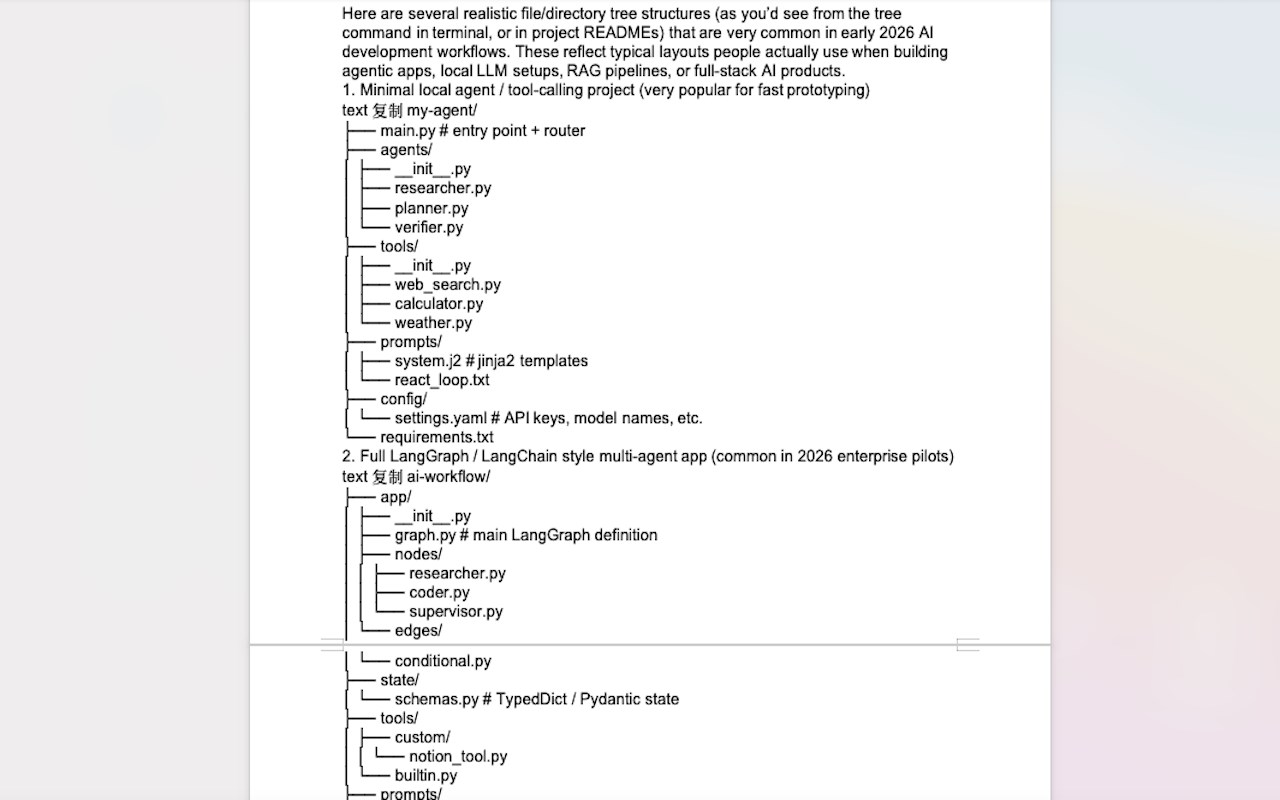
简介
AI Dialogue Exporter: One-Click AI Chat Documenter
Description
AI Dialogue Exporter is your essential productivity partner for managing and archiving AI conversations. Stop wasting time with manual copy-pasting and messy formatting. Whether you are conducting deep research, generating code, or managing business data, our tool turns complex AI dialogues into professional, presentation-ready documents instantly.
Advanced AI export support you can count on:
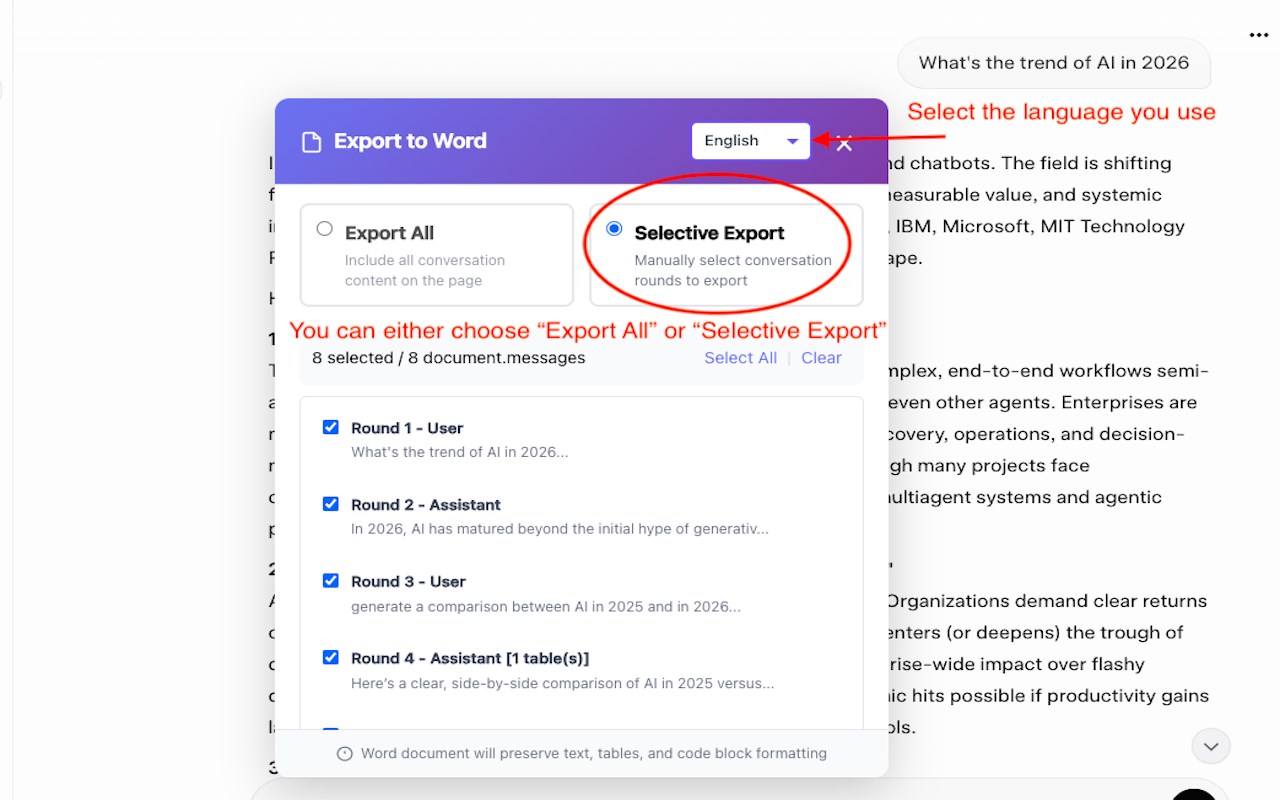
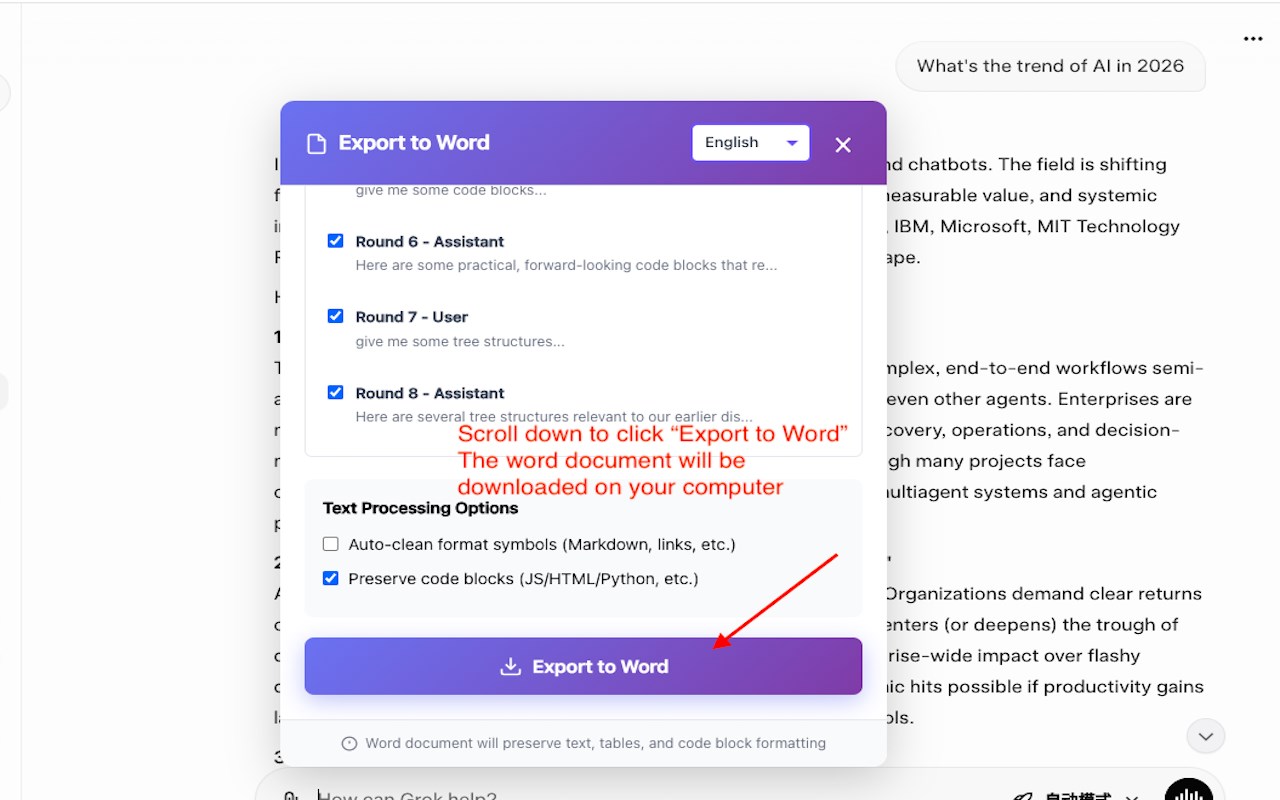
One-Click Documentation: Instantly convert multi-turn AI dialogues into high-quality Word or Excel files to skyrocket your office efficiency.
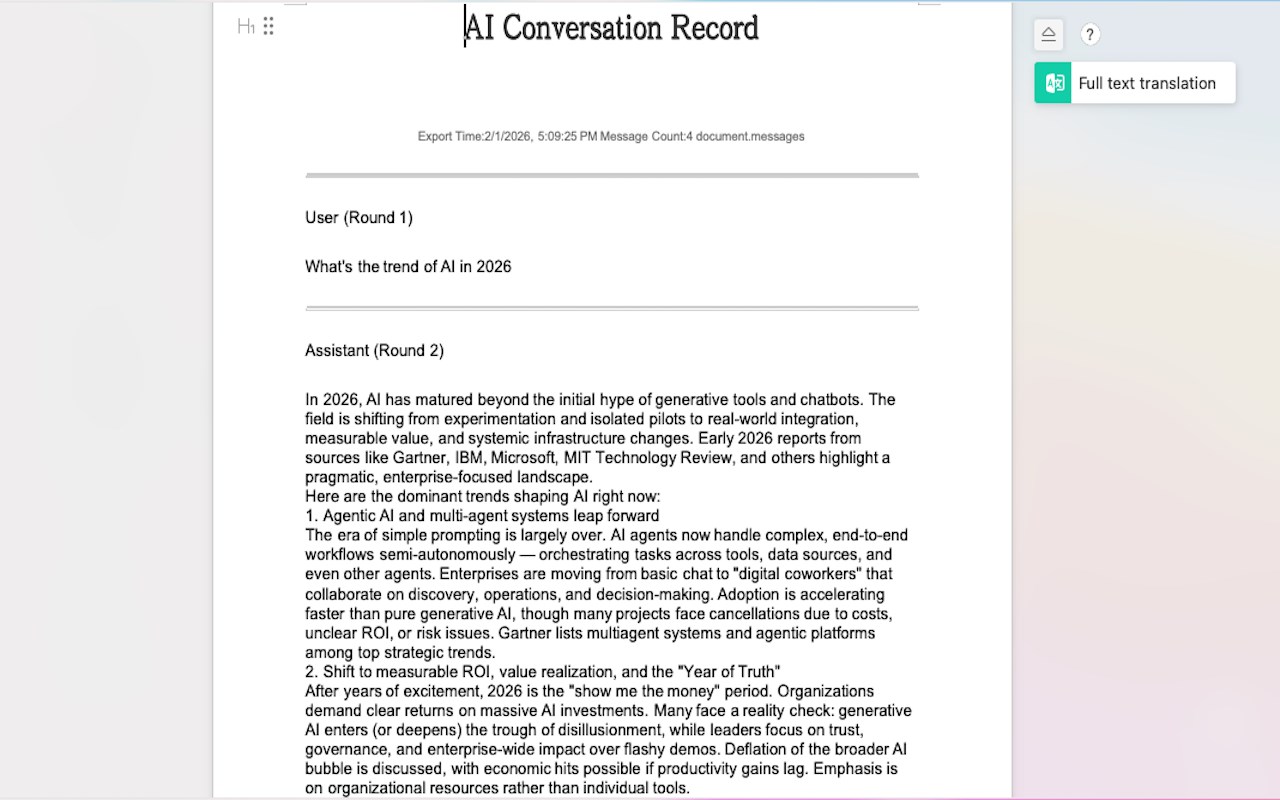
Comprehensive Content Capture: Seamlessly export everything from standard text and complex data tables to syntax-heavy code blocks.
Pristine Formatting: Enjoy clean, professional outputs. Our engine automatically removes extra blank lines and distracting special characters for a "final-draft" look.
Bilingual Excellence: Full support for bilingual exports, making it the perfect tool for international teams, translation tasks, and cross-border collaboration.
And now, with our latest update, you can streamline your knowledge management by creating structured archives of your AI brainstorming sessions directly in your local folders—minimizing interruptions and keeping you focused on what matters most.
How it works
AI Dialogue Exporter integrates directly into your AI interface, offering real-time export suggestions. As you finish a conversation, simply click the "Export" icon to generate a structured file that respects your original chat’s hierarchy and data.
See results instantly: Review your clean Word/Excel file seconds after clicking.
Customizable Exports: Choose between document-style Word files or data-centric Excel sheets.
Stay organized: Maintain a professional record of AI insights that you can search, edit, and share offline.
AI对话导出插件 是做什么的
AI对话导出插件 是一款面向 Edge 的效率工具类扩展,主要用来管住注意力、屏蔽干扰站点、记录时间。官方对它的介绍是:导出AI对话为Word文档在微软 Edge 加载项商店上,它当前版本 1.0,约 46 名用户。
适合什么人用
从功能定位看,AI对话导出插件 更适合想专注工作学习、减少无效刷网页的用户。如果你平时只是偶尔遇到相关需求,用浏览器自带功能也能凑合;但如果这件事每天都发生,装一个专门处理它的扩展通常比手动操作省事得多。需要注意的是它作用于所有网站,装上后建议先观察一两天,确认不影响常用站点的正常使用。
怎么安装 AI对话导出插件
- 打开微软 Edge 加载项商店上的官方页面;
- 点「添加到浏览器」并确认权限提示;
- 装好后在扩展列表里固定图标,方便随时开关。
本站只做索引与介绍,安装包来自官方商店。如果商店页面提示当前地区不可用,说明该扩展未在你所在区域上架。
常见问题
AI对话导出插件 是免费的吗?
AI对话导出插件 在微软 Edge 加载项商店免费提供下载。它是浏览器扩展,装上就能直接用,不需要注册账号。
AI对话导出插件 安全吗?
它只申请了 0 项权限,范围比较克制,没有申请「读取所有网站数据」这种大权限。
AI对话导出插件 支持哪些浏览器?
当前收录的版本来自微软 Edge 加载项商店,适用于 Edge。同一个扩展在其他商店可能有对应版本,但功能与版本号不一定相同。
怎么卸载 AI对话导出插件?
在扩展管理页找到 AI对话导出插件,点移除即可。它在本地保存的设置会一起清掉,不会残留数据。
权限清单 来自 manifest.json 原文
站点访问(可选) 1
<all_urls>
接口权限 3
activeTabscriptingstorage