
医学教育AI助手
ZUKYAI · EEdge MV3
医学教育AI助手:自动登录、视频播放、课程学习、智能答题(支持任意网站)
<all_urls>),意味着它可以读取你在任意站点的页面内容,包括已登录的页面。这是许多扩展正常工作的必要条件,但也值得你确认来源可信。
截图
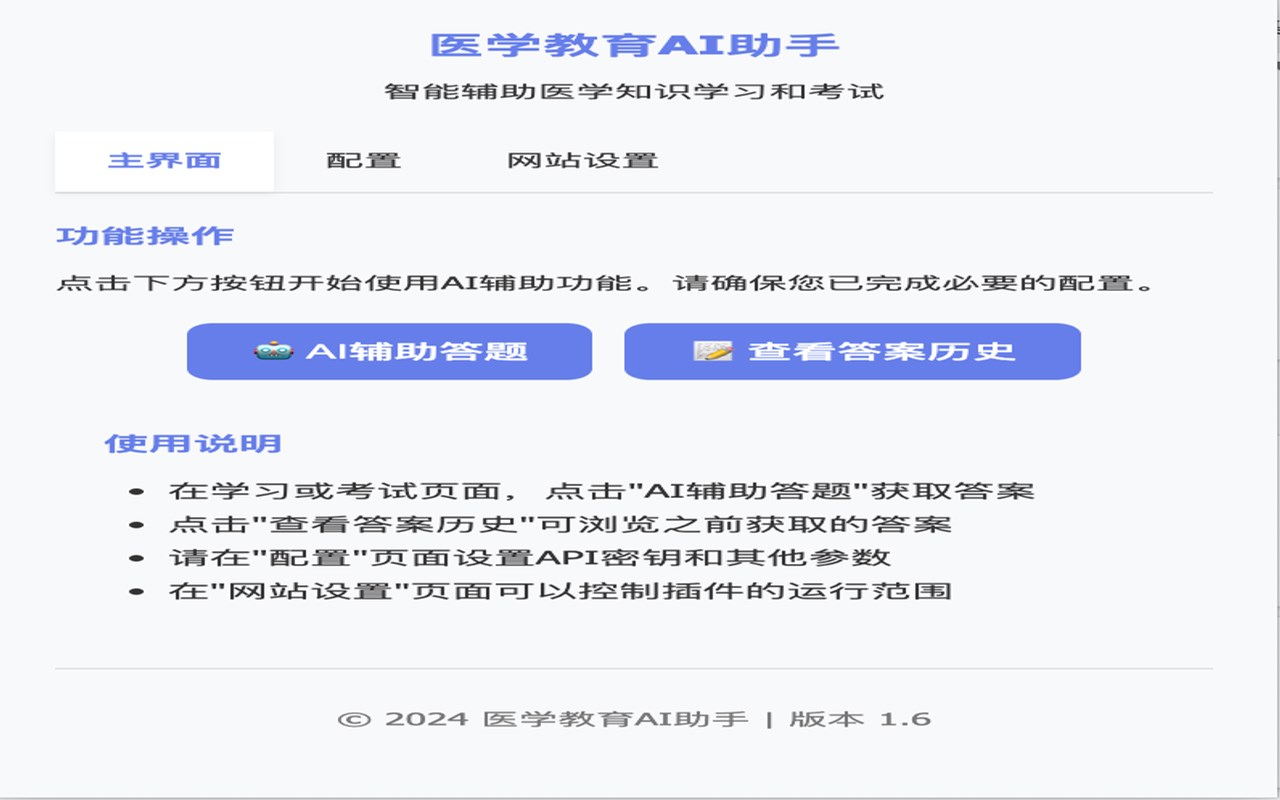
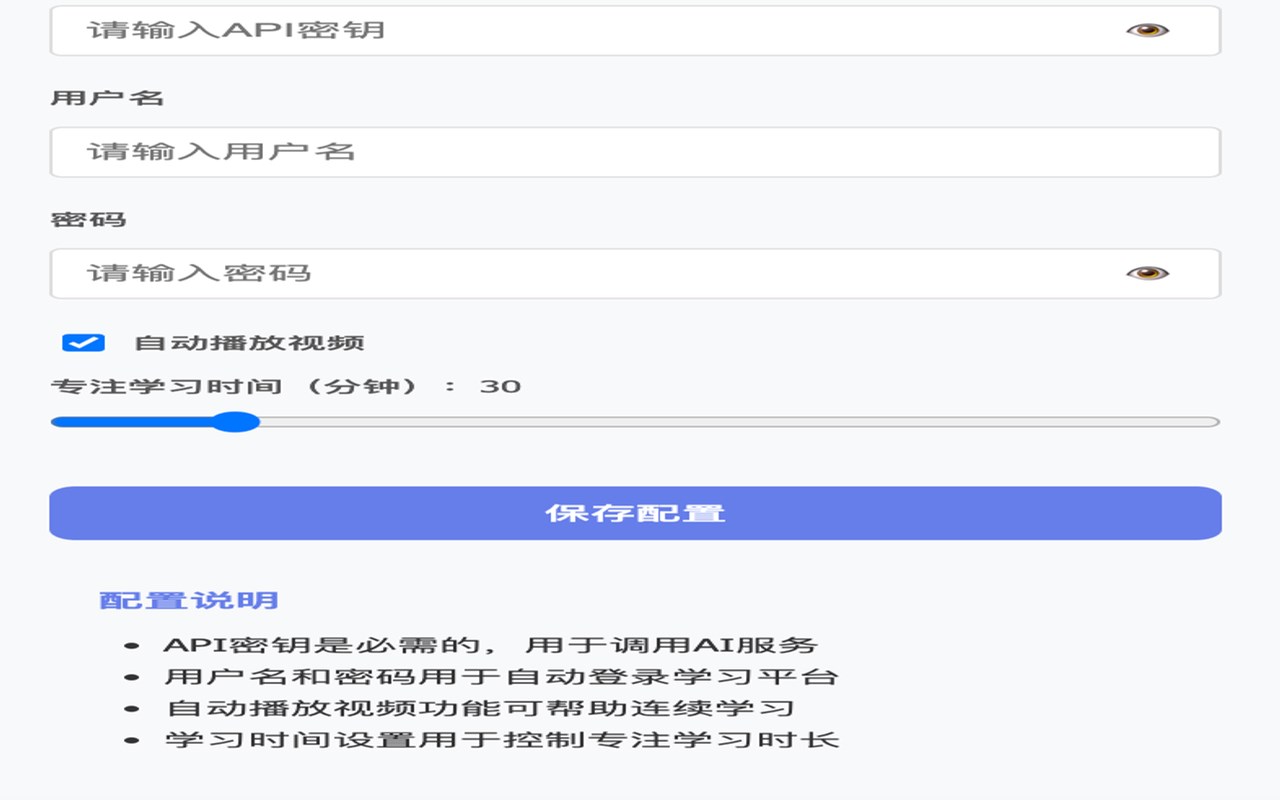
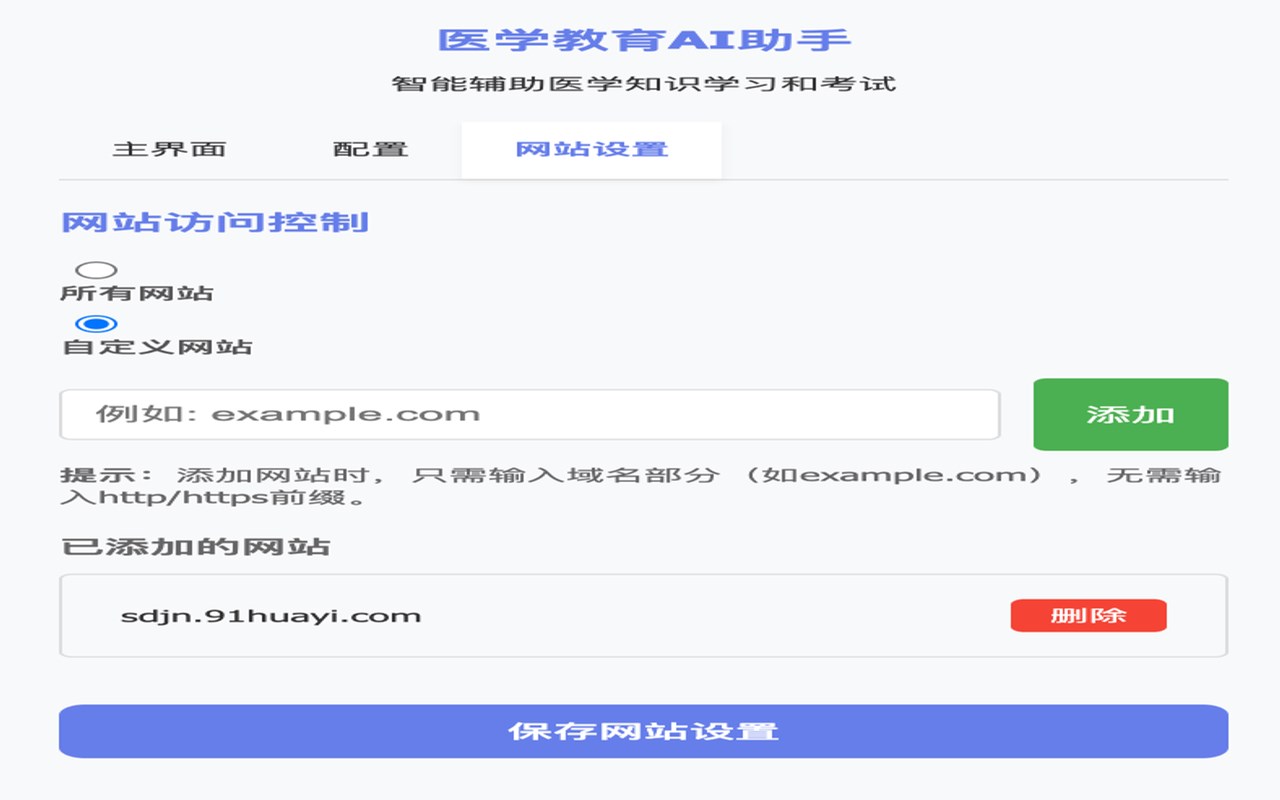
简介
Medical Education AI Assistant is an innovative browser extension designed to transform the way healthcare professionals, medical students, and lifelong learners engage with online medical education resources. This cutting-edge tool integrates advanced AI technology to streamline and enhance your learning experience across multiple leading medical education platforms. Whether you are watching educational videos, completing coursework, or tackling challenging quiz questions, Medical Education AI Assistant automates routine processes and delivers intelligent, AI-driven support to help you learn more efficiently and effectively.
This extension offers a suite of powerful features to optimize your study sessions. It automates logins by securely storing your credentials and accessing supported sites automatically. Its advanced AI capabilities analyze quiz questions in real time and provide instant, accurate answers through your preferred AI service by connecting via configurable API keys. For video-based learning, the assistant manages playback, tracks study time, and advances through content automatically based on your preferences, minimizing interruptions and maintaining your focus. Through a user-friendly popup interface, you have quick access to immediate feedback, notifications, and customizable settings that tailor the experience to your needs.
Medical Education AI Assistant is designed with both convenience and intelligence in mind. It reduces manual busywork, such as login management and repetitive video controls, allowing you to concentrate on absorbing knowledge. The intelligent quiz answering feature interprets complex medical questions and retrieves relevant responses, accelerating test preparation and continuous education. The extension supports flexible customization—enabling or disabling automated video playback or quiz responses, adjusting study times, and updating login or AI settings on the fly. Its compatibility with multiple top medical education platforms ensures you can rely on a consistent and stable experience throughout your academic or professional development journey.
Privacy and security are prioritized. All your credentials, API keys, and preferences are stored securely and encrypted within your browser’s storage space. The extension does not track or collect browsing history or personal activity data, safeguarding your privacy throughout use.
Key Features:
- One-click automated login: Securely saves credentials and logs you into supported medical education platforms automatically.
- AI-powered quiz answering: Connect your preferred AI API to receive intelligent, real-time answers to medical test questions.
- Automated video management: Controls video playback and study sessions to keep learning efficient and uninterrupted.
- Configurable study settings: Customize features such as auto-play, auto-answer, and study timer according to your learning style.
- Seamless notifications: Instant feedback and status updates about your quiz answers, video progress, and system actions.
- Robust site compatibility: Supports various leading online medical education platforms for reliable and consistent operation.
- Secure data storage: Encrypts and securely stores login credentials, API keys, and preferences without accessing browsing history.
How It Works:
1. Install Medical Education AI Assistant via your browser’s extension store and open the popup interface.
2. Enter and save your login credentials for supported medical education websites and optionally input your preferred AI API key.
3. Visit a compatible medical education platform; the extension automatically logs you in using stored credentials.
4. Start your course or play educational videos; the assistant manages playback and tracks your study time as configured.
5. When you encounter quiz questions, activate the "AI Answer" function to send questions to the AI and display suggested responses instantly.
6. Receive real-time notifications informing you of video progress, quiz answers, and any system events.
7. Adjust settings anytime from the popup to enable or disable automation features, update credentials, or review study statistics.
Privacy: - No personal data collected. The extension securely stores essential configuration details like login credentials and API keys locally in your browser. It does not access browsing history or personal activity information.
医学教育AI助手 是做什么的
医学教育AI助手 是一款面向 Edge 的效率工具类扩展,主要用来管住注意力、屏蔽干扰站点、记录时间。官方对它的介绍是:医学教育AI助手:自动登录、视频播放、课程学习、智能答题(支持任意网站)在微软 Edge 加载项商店上,它当前版本 1.7,约 31 名用户。
适合什么人用
从功能定位看,医学教育AI助手 更适合想专注工作学习、减少无效刷网页的用户。如果你平时只是偶尔遇到相关需求,用浏览器自带功能也能凑合;但如果这件事每天都发生,装一个专门处理它的扩展通常比手动操作省事得多。需要注意的是它作用于所有网站,装上后建议先观察一两天,确认不影响常用站点的正常使用。
怎么安装 医学教育AI助手
- 打开微软 Edge 加载项商店上的官方页面;
- 点「添加到浏览器」并确认权限提示;
- 装好后在扩展列表里固定图标,方便随时开关。
本站只做索引与介绍,安装包来自官方商店。如果商店页面提示当前地区不可用,说明该扩展未在你所在区域上架。
常见问题
医学教育AI助手 是免费的吗?
医学教育AI助手 在微软 Edge 加载项商店免费提供下载。它是浏览器扩展,装上就能直接用,不需要注册账号。
医学教育AI助手 安全吗?
它只申请了 0 项权限,范围比较克制,没有申请「读取所有网站数据」这种大权限。
医学教育AI助手 支持哪些浏览器?
当前收录的版本来自微软 Edge 加载项商店,适用于 Edge。同一个扩展在其他商店可能有对应版本,但功能与版本号不一定相同。
怎么卸载 医学教育AI助手?
在扩展管理页找到 医学教育AI助手,点移除即可。它在本地保存的设置会一起清掉,不会残留数据。
权限清单 来自 manifest.json 原文
站点访问(可选) 2
http://*/*https://*/*
接口权限 6
activeTabclipboardReadclipboardWritenotificationsscriptingstorage