
AI Data Insight
Shanghai Yikai Internet Technology Co., Ltd. · EEdge MV3
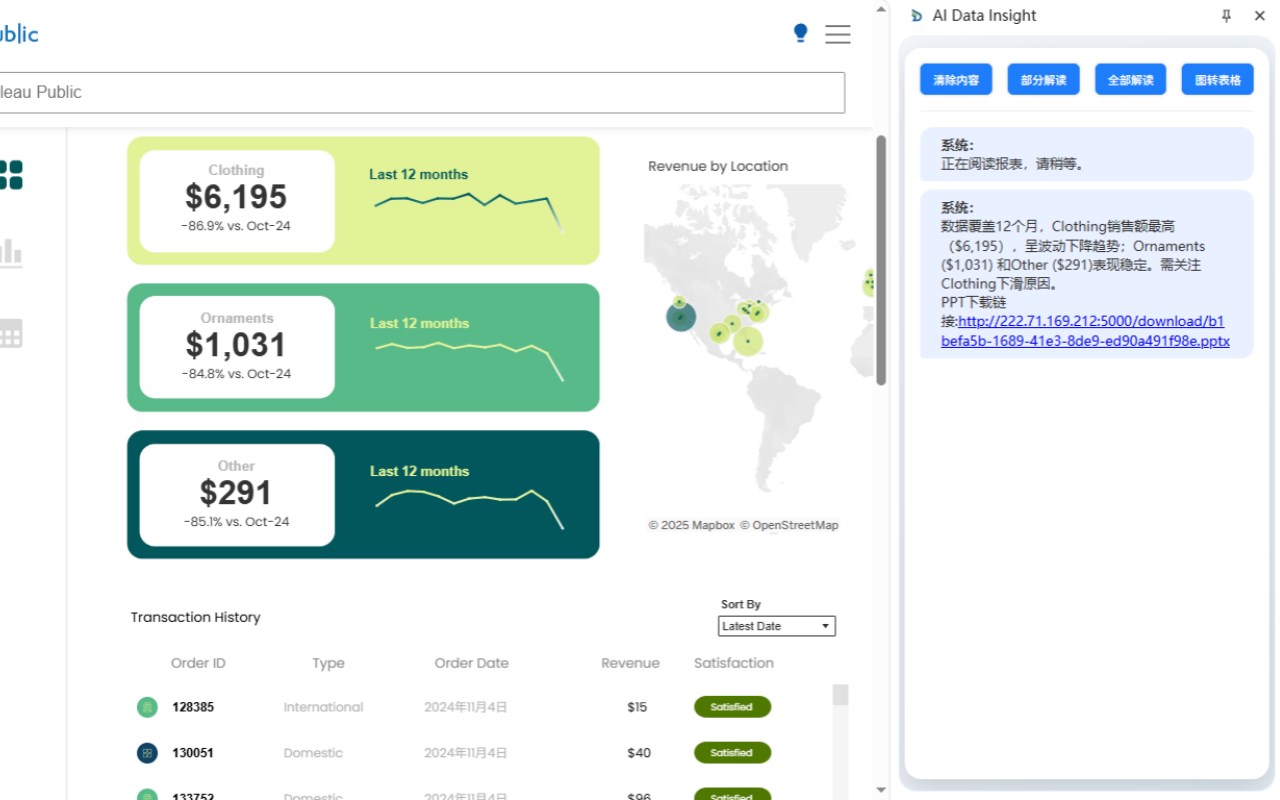
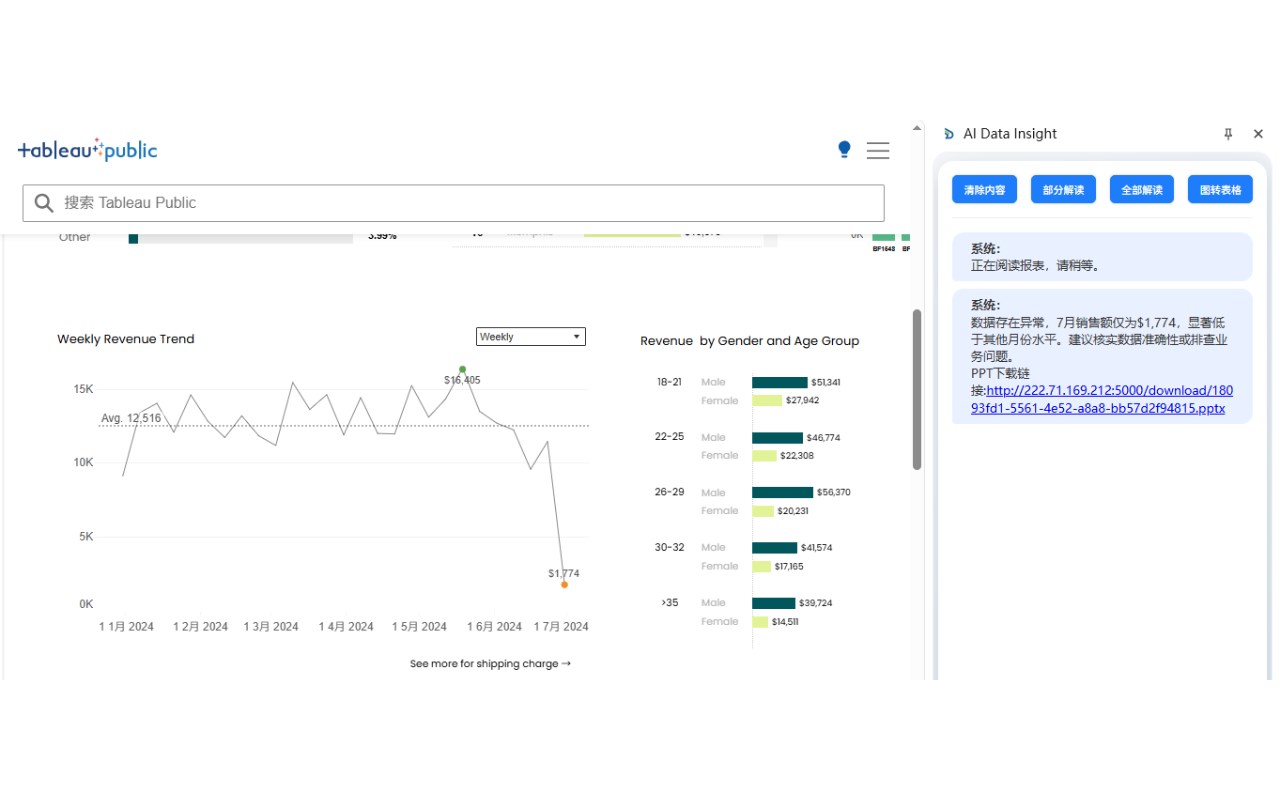
获取页面中的任意区域解读
<all_urls>),意味着它可以读取你在任意站点的页面内容,包括已登录的页面。这是许多扩展正常工作的必要条件,但也值得你确认来源可信。
截图
简介
AI Data Insight:用AI秒读数据,决策快人一步!
厌倦了手动分析海量数据?亦恺旗下AI Data Insight是您的数据洞察智能助手!这款浏览器插件支持用户直接圈选目标内容,通过AI自动解析数据,一键识别异常波动、业务机会,为用户提供开箱即用、无缝协同的一站式端到端智能洞察体验。
🔍功能亮点
●智能圈选与解读:兼容仪表盘、报表图片、PPT、Excel等主流数据源,框选任意区域,AI自动生成数据洞察。
●结构化导出:支持将解析结果导出为结构化摘要(如PPT或文本)。
●轻量化集成:作为Edge浏览器插件,即装即用。
🎯 业务价值
●效率提升:告别手动整理,AI 15秒内生成洞察,节省80%分析时间。
●零门槛使用:无需技术背景,尤其适合业务、销售、运营人员。
●无缝协同:可直接解析Tableau、Excel等工具中的数据,无需切换平台。
●精准决策支持:基于行业Know-How优化的算法,输出符合业务场景的实用建议。
📢立即下载,免费体验!
AI Data Insight: Stay ahead with AI powered data analysis agent
Tired of manually analyzing massive amounts of data? AI Data Insight from Early Data is your intelligent data analysis assistant! This browser extension allows users to directly select target content, leverages AI to automatically parse data, and identifies anomalies and business opportunities with one click, delivering a seamless, out-of-the-box, end-to-end intelligent analytics experience.
🔍 Key Features
● Smart Selection & Interpretation: Compatible with dashboards, report images, PPTs, Excel, and other major data sources. Frame-select any area, and AI auto-generates data insights.
● Structured Output: Export analysis results as structured summaries (e.g., to PPT or text).
● Lighter Integration: Works as a Edge browser extension — install and use instantly.
🎯 Business Value
● Maximized Efficiency: Ditch manual work. AI generates insights within 15 seconds, saving up to 80% of analysis time.
● Zero Learning Curve: No techbackground needed. Ideal for business, sales, and operations professionals.
● Seamless Collaboration: Analyze data directly from tools like Tableau and Excel without switching contexts.
● Data-Driven Decisions: Our industry-know-how-powered algorithm delivers actionable, scenario-specific recommendations.
📢 Download Now and Start Your Free Trial!
AI Data Insight 是做什么的
AI Data Insight 是一款面向 Edge 的效率工具类扩展,主要用来管住注意力、屏蔽干扰站点、记录时间。官方对它的介绍是:获取页面中的任意区域解读在微软 Edge 加载项商店上,它当前版本 0.3.5,评分 4.2(5 人评价),约 29 名用户。
适合什么人用
从功能定位看,AI Data Insight 更适合想专注工作学习、减少无效刷网页的用户。如果你平时只是偶尔遇到相关需求,用浏览器自带功能也能凑合;但如果这件事每天都发生,装一个专门处理它的扩展通常比手动操作省事得多。需要注意的是它作用于所有网站,装上后建议先观察一两天,确认不影响常用站点的正常使用。
怎么安装 AI Data Insight
- 打开微软 Edge 加载项商店上的官方页面;
- 点「添加到浏览器」并确认权限提示;
- 装好后在扩展列表里固定图标,方便随时开关。
本站只做索引与介绍,安装包来自官方商店。如果商店页面提示当前地区不可用,说明该扩展未在你所在区域上架。
常见问题
AI Data Insight 是免费的吗?
AI Data Insight 在微软 Edge 加载项商店免费提供下载。它是浏览器扩展,装上就能直接用,不需要注册账号。
AI Data Insight 安全吗?
它只申请了 0 项权限,范围比较克制,没有申请「读取所有网站数据」这种大权限。
AI Data Insight 支持哪些浏览器?
当前收录的版本来自微软 Edge 加载项商店,适用于 Edge。同一个扩展在其他商店可能有对应版本,但功能与版本号不一定相同。
怎么卸载 AI Data Insight?
在扩展管理页找到 AI Data Insight,点移除即可。它在本地保存的设置会一起清掉,不会残留数据。
权限清单 来自 manifest.json 原文
站点访问(可选) 1
<all_urls>
接口权限 4
activeTabnotificationssidePanelstorage