
AI assistant EN
Calendar extension · EEdge MV3
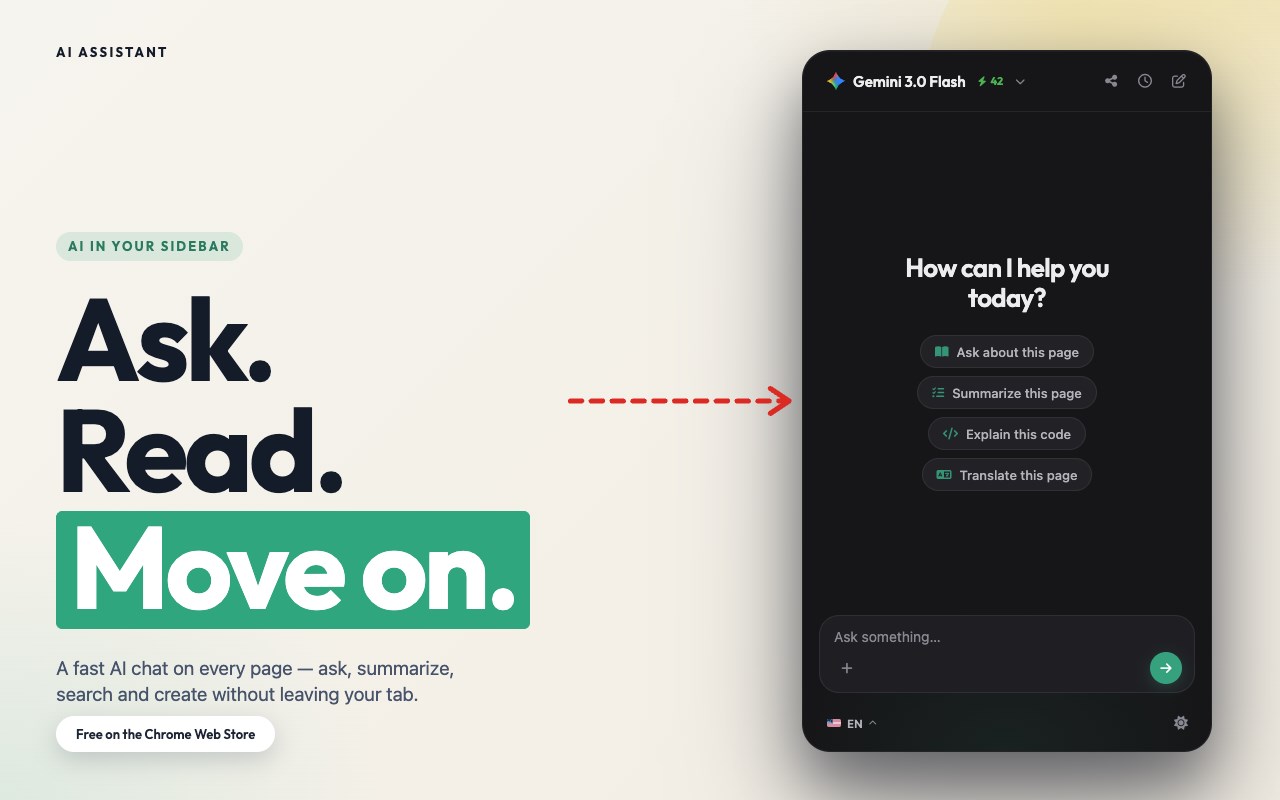
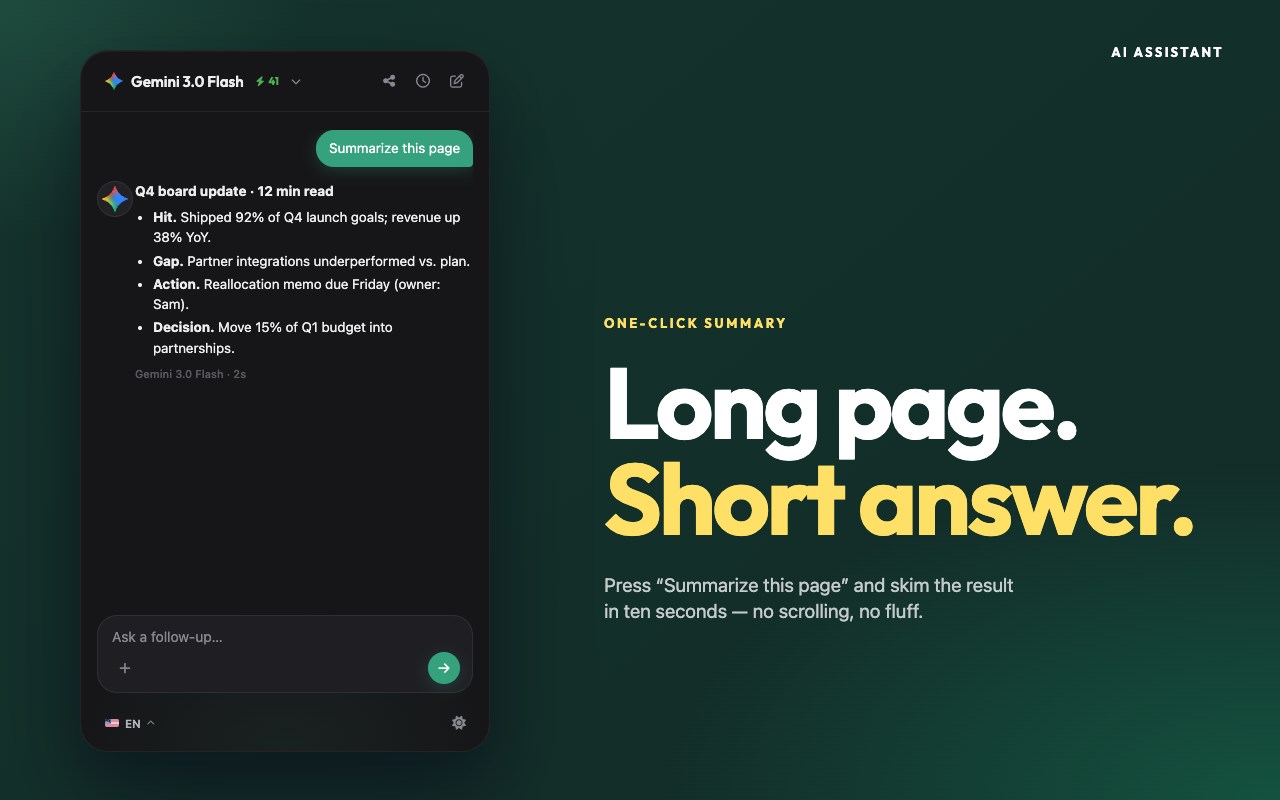
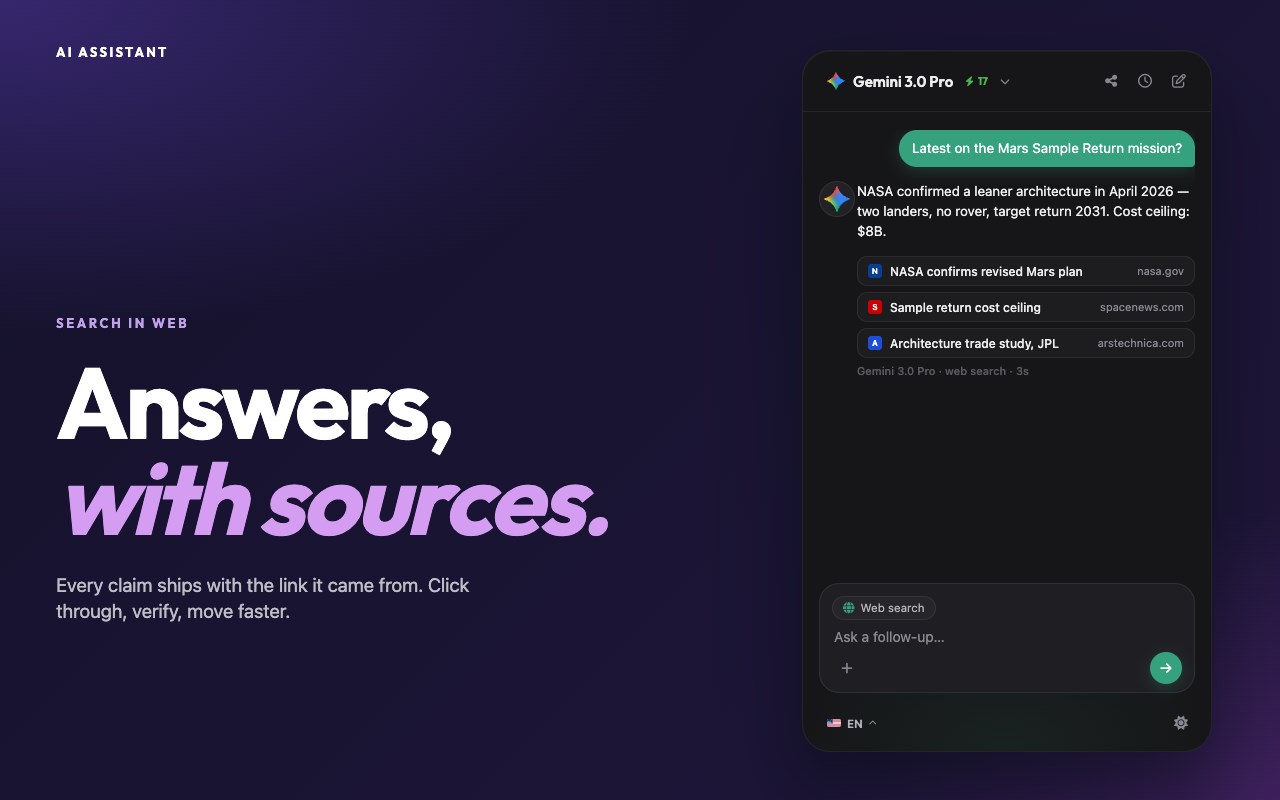
Use AI Assistant Chrome Extension for ai coding assistant and ai chat online productivity with smart, instant help in your browser.
截图
简介
Use the Power of AI in Your Browser with AI Assistant – Your Smart Edge Companion\nWelcome to AI Assistant, the ultimate ai edge extension designed to supercharge your productivity, creativity, and curiosity. Whether you're coding, writing, researching, or just want to ask questions, our smart chatbot is ready to help—right from your browser.\nNow you can enjoy the ease of conversation with artificial intelligence while browsing, working, or learning. With just one click, unlock an intelligent assistant that does it all.\n\nYour All-in-One AI Assistant App in Edge\nThe AI Assistant app is more than just a chatbot. It combines the power of multiple tools into one sleek edge chatbot. Whether you're looking for a free for pc, need assisted writing, or want an research assistant, this extension has you covered.\nWith seamless integration into Edge, AI Assistant becomes your always-available personal assistant, offering support for everyday tasks, schoolwork, professional projects, and more.\n\nTop Features of AI Assistant – Built for Everyone\n1️⃣ Instant access to chat online from any tab\n 2️⃣ A powerful code assistant for developers\n 3️⃣ Easy-to-use interface, perfect for beginners\n 4️⃣ Fast answer generator for research and Q&A\n 5️⃣ On-demand chatbot and google assistant alternative\n\nWhy Choose AI Assistant for Chrome?\nFast and accurate answers to any question\n\n\nIntuitive design with no learning curve\n\n\nVersatile tool for students, professionals, and creators\n\n\nWorks even as an unblocked ai in restrictive environments\n\n\nGreat support for chat, questions, and real-time feedback\n\n\n\nSmart AI Coding Assistant for Developers\nIf you’re a coder, the built-in this chat is your new friend. Need to debug, write snippets, or explore new languages? The code assistant helps you:\n➤ Write clean, efficient code\n ➤ Fix bugs in seconds\n ➤ Learn new programming skills\n ➤ Generate examples and templates instantly\n\nEffortless Writing with AI Assisted Writing Tools ✍️\nWhether you’re writing essays, emails, or content, the ai assisted writing features help you:\nOvercome writer's block\n\n\nRewrite and improve your text\n\n\nGenerate ideas and outlines\n\n\nSave time and boost quality\n\n\nWith assistance, you can write smarter, not harder.\n\nUse AI Chatbot to Ask Anything, Anytime 🤖\nTap into artificial intelligence ask anything mode and start a conversation with artificial intelligence on any topic. Whether it’s science, tech, history, or life advice, just ask questions and get meaningful, accurate responses.\n▸ Real-time ai chatbot\n ▸ Deep, thoughtful answers\n ▸ Great alternative to traditional search\n\nPerfect for Everyday Use\nNeed to schedule your day? Just ask your personal assistant.\n\n\nWorking on a report? Get help from your ai research assistant.\n\n\nWriting a blog? Use this writing tools.\n\n\nCoding an app? Ask your chatbot.\n\n\nFeeling curious? Just ask chatbot anything.\n\n\n\nLearn How to Use AI the Easy Way\nAI Assistant helps you understand how to use through simple interactions. You’ll discover how assist can transform your work, learning, and browsing.\nLet the extension guide you into the future of inteligencia artificial right from Edge.\n\nFree AI for PC Users – No Cost, Just Power\nThis free chat for pc Edge extension gives you premium features without hidden fees. Whether you’re using Windows, Mac, your app is always ready to help.\n\nBoost Your Productivity With Assist AI in Edge\nWith this chatbot, your browser becomes a command center. Multitask like a pro with:\n • Quick answers to tough questions\n • Writing help, coding support, and brainstorming\n • Integration with daily tasks and workflows\n\nChat Online – Always Available 💬\nUse chatbot online when you need ideas, answers, or just want to talk. It’s your always-on chatbot.\n▸ Available 24/7\n ▸ Safe and secure\n ▸ Smarter every day\n\nGet Started with Edge AI Assistant Now\nIt takes just seconds to install the edge. Add the extension, open a new tab, and start chatting with your intelligent partner. Whether you want to ask questions, get assistance, or use it as your go-to assistant app, it’s all just a click away.\n\nJoin the AGI Revolution 🚀\nThousands are already using the edge extension to stay ahead. Don’t fall behind. Embrace conversation with artificial intelligence, explore assist tools, and redefine how you work, create, and learn.\n\nChoose the AI model that fits your task: OpenAI GPT, Google Gemini, DeepSeek and Grok from xAI are all available right inside the extension. Switch between them in one click and compare answers without leaving your browser.
AI assistant 是做什么的
AI assistant 是一款面向 Edge 的效率工具类扩展,主要用来管住注意力、屏蔽干扰站点、记录时间。官方对它的介绍是:Use AI Assistant Chrome Extension for ai coding assistant and ai chat online productivity with smart, instant help in your browser.在微软 Edge 加载项商店上,它当前版本 1.62,评分 5(1 人评价),约 4 名用户。
适合什么人用
从功能定位看,AI assistant 更适合想专注工作学习、减少无效刷网页的用户。如果你平时只是偶尔遇到相关需求,用浏览器自带功能也能凑合;但如果这件事每天都发生,装一个专门处理它的扩展通常比手动操作省事得多。
怎么安装 AI assistant
- 打开微软 Edge 加载项商店上的官方页面;
- 点「添加到浏览器」并确认权限提示;
- 装好后在扩展列表里固定图标,方便随时开关。
本站只做索引与介绍,安装包来自官方商店。如果商店页面提示当前地区不可用,说明该扩展未在你所在区域上架。
常见问题
AI assistant 是免费的吗?
AI assistant 在微软 Edge 加载项商店免费提供下载。它是浏览器扩展,装上就能直接用,不需要注册账号。
AI assistant 安全吗?
它只申请了 0 项权限,范围比较克制,没有申请「读取所有网站数据」这种大权限。
AI assistant 支持哪些浏览器?
当前收录的版本来自微软 Edge 加载项商店,适用于 Edge。同一个扩展在其他商店可能有对应版本,但功能与版本号不一定相同。
怎么卸载 AI assistant?
在扩展管理页找到 AI assistant,点移除即可。它在本地保存的设置会一起清掉,不会残留数据。
权限清单 来自 manifest.json 原文
接口权限 6
activeTabcontextMenusscriptingsidePanelstorageunlimitedStorage