
AI Advanced Research (Bing) EN
SkyWalker679 · EEdge MV3
Normalize messy queries into advanced research searches for Bing.
<all_urls>),意味着它可以读取你在任意站点的页面内容,包括已登录的页面。这是许多扩展正常工作的必要条件,但也值得你确认来源可信。
截图
简介
AI Advanced Research (Bing) is an innovative browser extension designed to transform and enhance your online research by leveraging artificial intelligence to convert informal, conversational, or complex user queries into well-structured, advanced search queries optimized for Bing. This tool empowers individuals—ranging from students and academics to professional researchers—to effortlessly extract precise and relevant results from Bing’s search engine, regardless of the initial query’s formality or complexity.
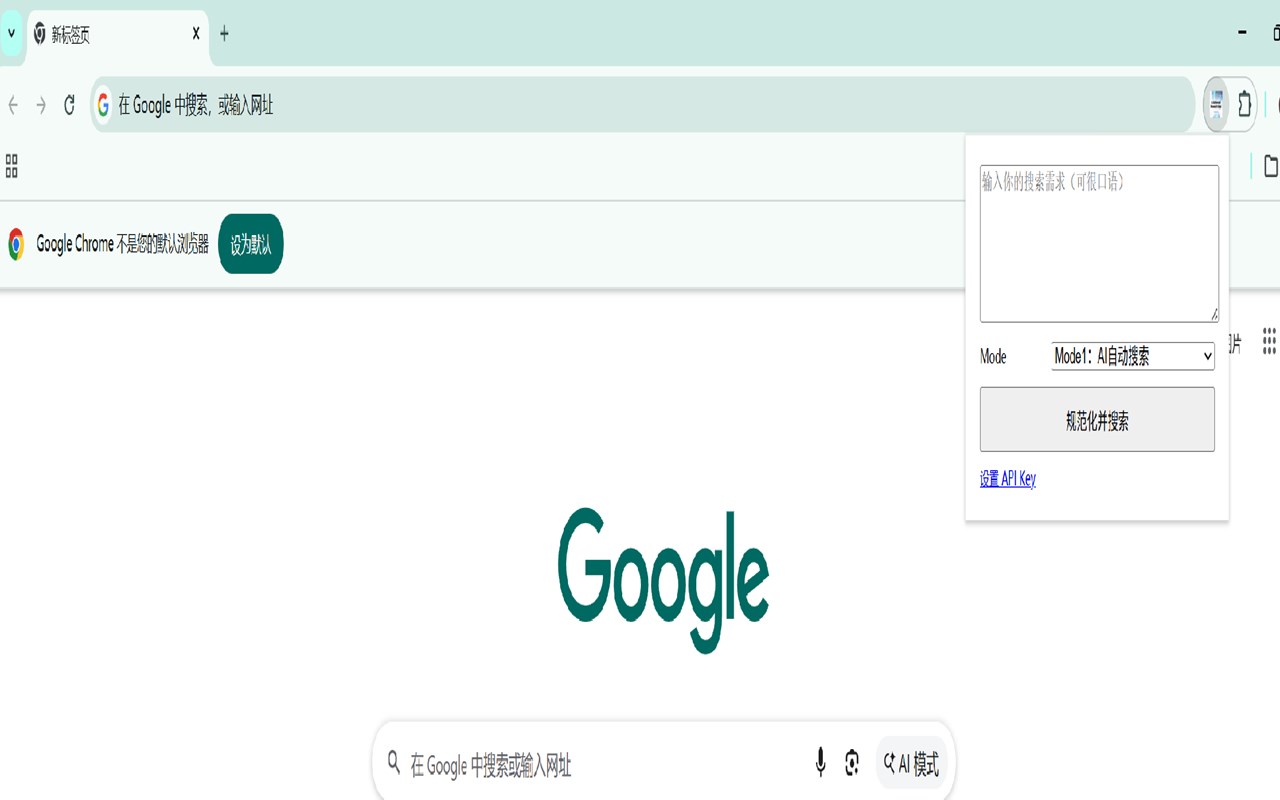
Once installed, the extension integrates smoothly into your browser and provides a user-friendly popup interface where you can enter search requests in natural language. Instead of struggling with advanced search syntaxes, you simply type your query in your own words, and the extension’s AI engine intelligently reformulates it into strategic, precise Bing search queries. The extension offers two distinct search modes to cater to different user preferences: “AI Automatic Search,” which automatically generates and runs the advanced Bing queries; and “AI-generated Keywords,” which presents you with AI-suggested keywords for you to review, refine, and approve before initiating the search. The popup clearly displays the process and outcomes whether the searches launch directly in Bing or after your keyword confirmation.
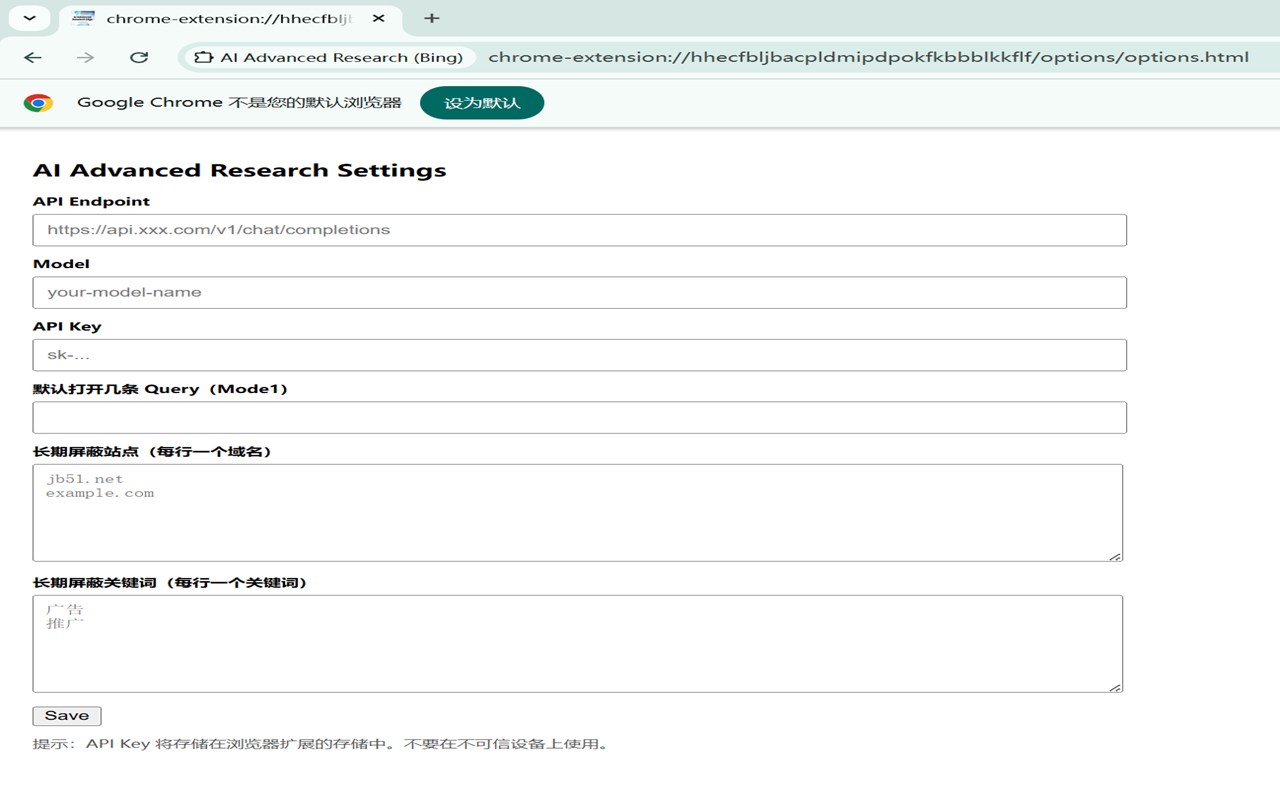
Customization and flexibility are key strengths of AI Advanced Research (Bing). You configure the AI integration by setting your preferred AI API endpoint, model, and API key, enabling seamless connection to diverse AI providers. The AI runs on a sophisticated prompt mechanism that deconstructs your intent, identifies preferred sources such as Zhihu, Baidu Tieba, or Ali213.net, and converts these into Bing’s advanced search operators like “site:” for highly targeted results. Additionally, you can manage custom blocklists for specific sites and keywords to exclude irrelevant or low-quality results, tailoring your research closer to your needs.
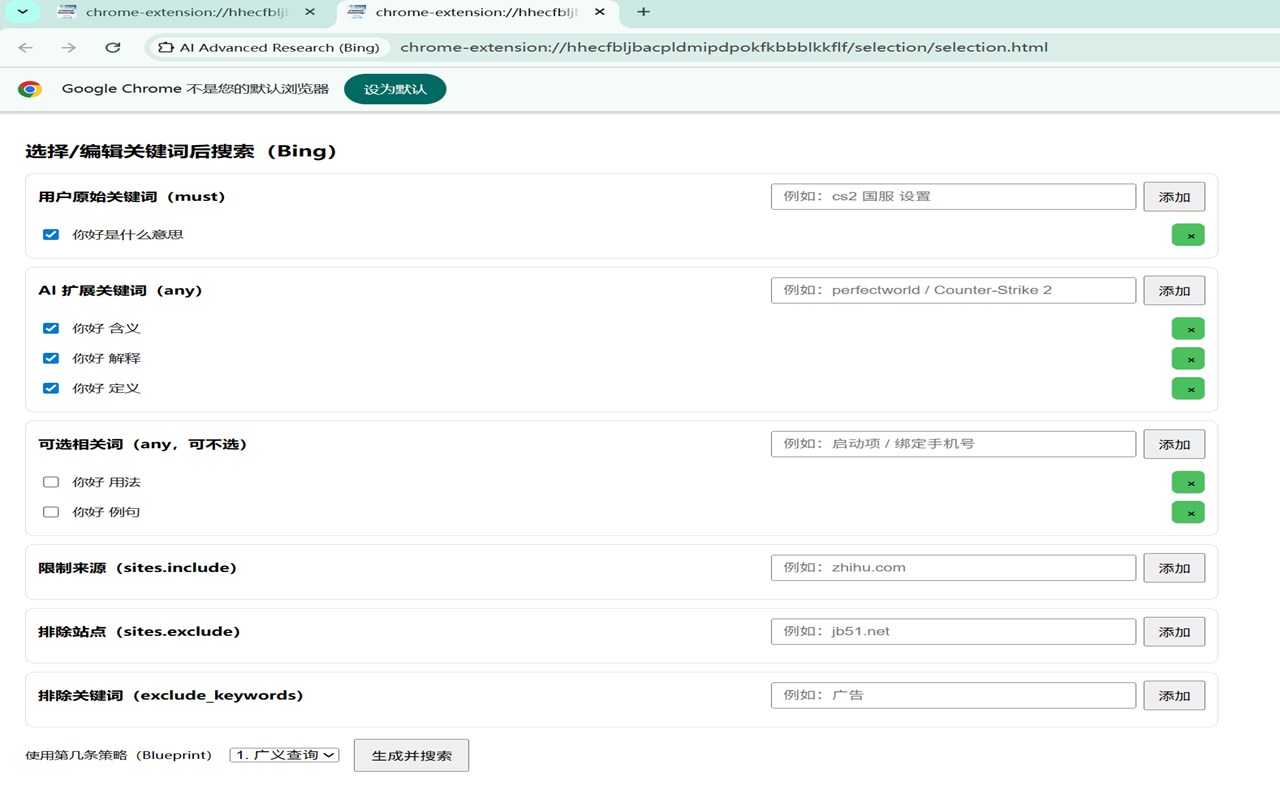
Moreover, the extension features an interactive interface for keyword refinement where you review, adjust, or expand on AI-extracted terms and strategies (called “Blueprints”). This gives you greater control over crafting highly specific search strings, making complex research accessible even for those unfamiliar with advanced search syntax. The options panel further supports customization by letting you define the maximum number of search queries to open simultaneously, synchronize your settings securely across sessions, and maintain comfortable control over blocking rules and AI behavior.
AI Advanced Research (Bing) is especially valuable for users who find advanced search string construction daunting or time-consuming—multilingual researchers, students dealing with diverse online communities, and anyone who needs to access niche forums and information sites efficiently will benefit from its contextual query normalization, intelligent site filtering, and versatile AI-powered query generation. Importantly, the extension respects your privacy by not collecting any personal data and solely focuses on enhancing your research capabilities.
Key Features:
- Natural language query normalization: Converts casual or complex user input into structured and precise Bing search queries for better accuracy.
- Dual AI-powered modes: Automatic search execution for instant results or AI-generated keyword panels for manual review and fine-tuning of search terms.
- Intelligent source site mapping: AI converts user preferences for specific forums or communities into targeted Bing “site:” operators for more focused searches.
- Customizable blocking: Maintain blocklists of unwanted sites and keywords to eliminate distracting or irrelevant results.
- Flexible AI integration: Easily connect to various AI providers by configuring your API endpoint, model, and API key to suit your workflow.
- Editable keyword blueprints: Interactively tweak AI-suggested keywords and strategies before launching refined searches.
- Secure, synchronized settings: Your personalized preferences are kept safe and consistent across browser sessions.
How It Works:
1. Install the “AI Advanced Research (Bing)” extension from your browser’s web store.
2. Open the settings panel and input your preferred AI API endpoint, select the AI model, and enter your API key to enable query transformation.
3. Access the popup interface, type your search query in natural language, and choose a mode: “AI Automatic Search” or “AI-generated Keywords.”
4. In automatic mode, the extension instantly converts your input into advanced Bing queries and loads the results.
5. In keyword mode, review the AI-generated keywords, make edits or refinements as needed in the popup window.
6. Use options to add blocked sites or keywords to tailor your search results and improve relevance.
7. Continue exploring targeted, AI-enhanced Bing searches with improved efficiency and precision tailored to your research needs.
Privacy: - No personal data collected.
Important Notes:
1.This extension requires you to provide your own AI API key, endpoint, and model configuration for full functionality.
2.Xiaomi MiMo API is highly recommended for its exceptional cost-effectiveness and extremely low pricing, offering great performance at a fraction of the cost of mainstream AI services.
AI Advanced Research (Bing) 是做什么的
AI Advanced Research (Bing) 是一款面向 Edge 的搜索增强类扩展,主要用来补充搜索结果、切换搜索引擎、过滤无效结果。官方对它的介绍是:Normalize messy queries into advanced research searches for Bing.在微软 Edge 加载项商店上,它当前版本 0.1.0,评分 5(2 人评价),约 17 名用户。
适合什么人用
从功能定位看,AI Advanced Research (Bing) 更适合每天大量搜索、希望结果更干净准确的用户。如果你平时只是偶尔遇到相关需求,用浏览器自带功能也能凑合;但如果这件事每天都发生,装一个专门处理它的扩展通常比手动操作省事得多。需要注意的是它作用于所有网站,装上后建议先观察一两天,确认不影响常用站点的正常使用。
怎么安装 AI Advanced Research (Bing)
- 打开微软 Edge 加载项商店上的官方页面;
- 点「添加到浏览器」并确认权限提示;
- 装好后在扩展列表里固定图标,方便随时开关。
本站只做索引与介绍,安装包来自官方商店。如果商店页面提示当前地区不可用,说明该扩展未在你所在区域上架。
常见问题
AI Advanced Research (Bing) 是免费的吗?
AI Advanced Research (Bing) 在微软 Edge 加载项商店免费提供下载。它是浏览器扩展,装上就能直接用,不需要注册账号。
AI Advanced Research (Bing) 安全吗?
它只申请了 0 项权限,范围比较克制,没有申请「读取所有网站数据」这种大权限。
AI Advanced Research (Bing) 支持哪些浏览器?
当前收录的版本来自微软 Edge 加载项商店,适用于 Edge。同一个扩展在其他商店可能有对应版本,但功能与版本号不一定相同。
怎么卸载 AI Advanced Research (Bing)?
在扩展管理页找到 AI Advanced Research (Bing),点移除即可。它在本地保存的设置会一起清掉,不会残留数据。
权限清单 来自 manifest.json 原文
站点访问(可选) 1
<all_urls>
接口权限 2
storagetabs