
Ahmed Download Manager EN
Ahmed Abdelaziz · EEdge MV3
Send downloads, videos and links from Edge to the Ahmed Download Manager app on your PC for faster, resumable downloads.
截图
简介
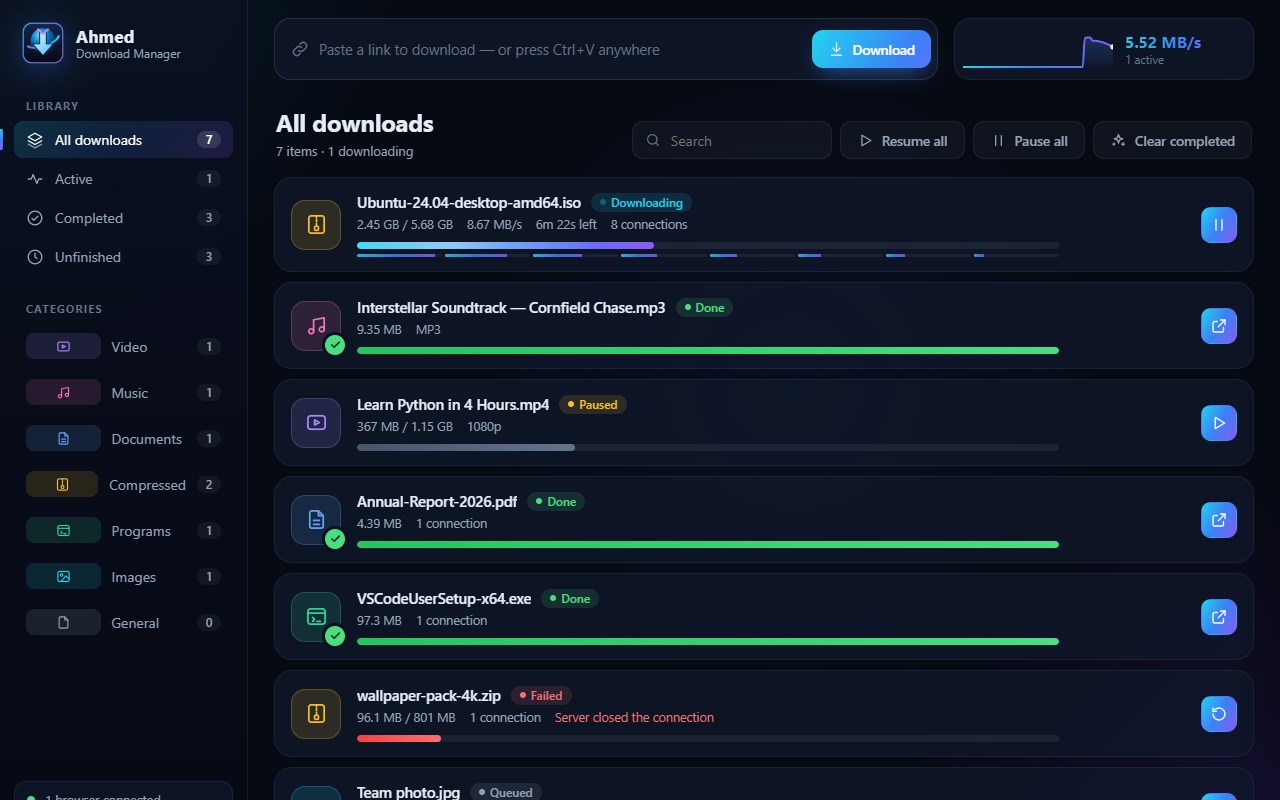
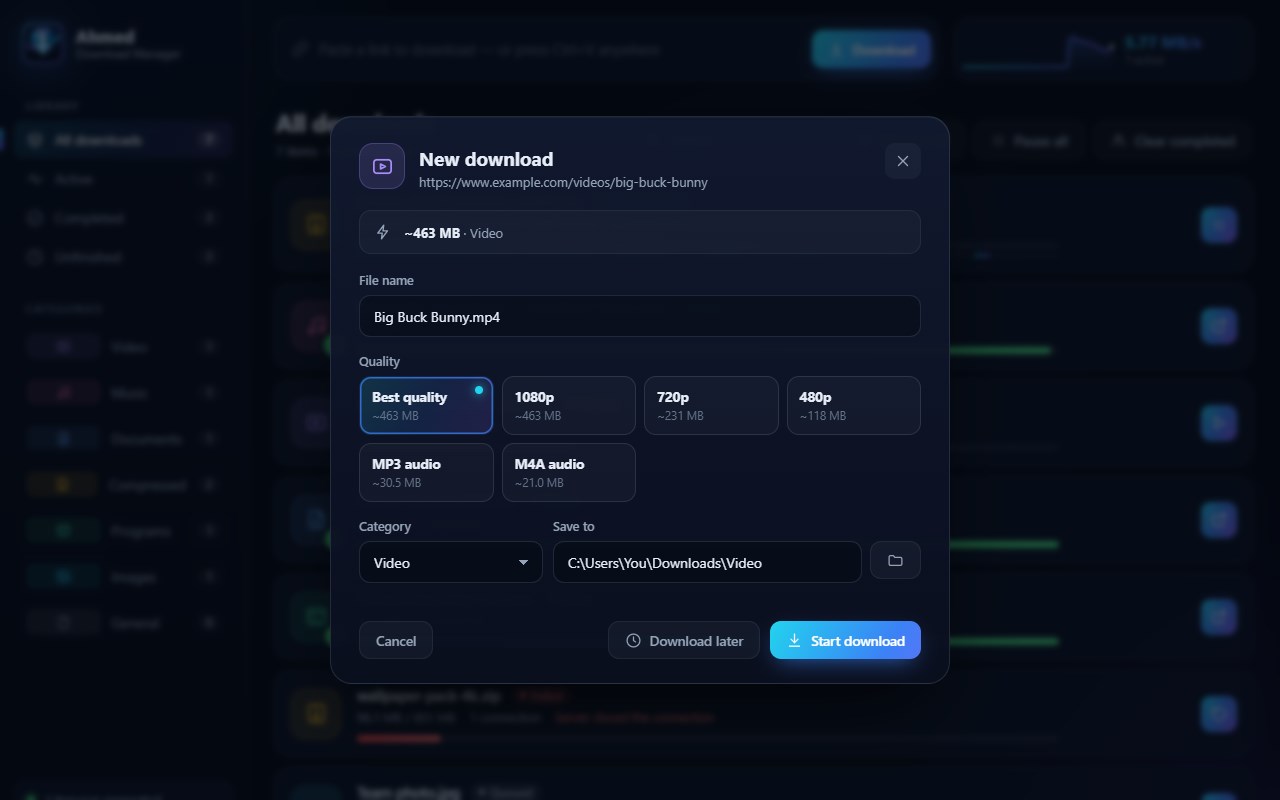
Ahmed Download Manager connects your browser with the Ahmed Download Manager desktop application on the same PC, making it easier to move downloads, media links, and supported video pages out of the browser and into a dedicated download manager. Based on the package, the extension works as a local bridge through 127.0.0.1 on port 7531, so its main purpose is not to download files by itself, but to pass download information from the browser to the companion app. This creates a smoother workflow for users who want the browser to trigger downloads while the desktop application handles them separately. The extension focuses on convenience by combining automatic capture, right-click download actions, and an on-page video panel for supported sites and media elements.
When automatic capture is enabled, the extension watches for new browser downloads and checks whether they match its handling rules. It is designed to work with HTTP and HTTPS downloads and intentionally leaves very small files under 1 MB in the browser instead of redirecting everything. For larger supported downloads, it sends details such as the file URL, filename, and referrer to the local Ahmed Download Manager app. If the handoff succeeds, the browser download is canceled and removed from the browser download list, and the user receives a confirmation notification. This allows the browser to act as the starting point while the desktop manager becomes the primary tool for handling the actual download task.
The extension also offers manual control through context menu integration. It adds right-click options for links, media, and page content, allowing users to send a link, image, audio file, video, or page-related item directly to Ahmed Download Manager. This is useful when users do not want every eligible download to be captured automatically, or when they want to choose individual items one by one. The package shows that referrer information is included when sending these requests, helping preserve page context for the desktop application.
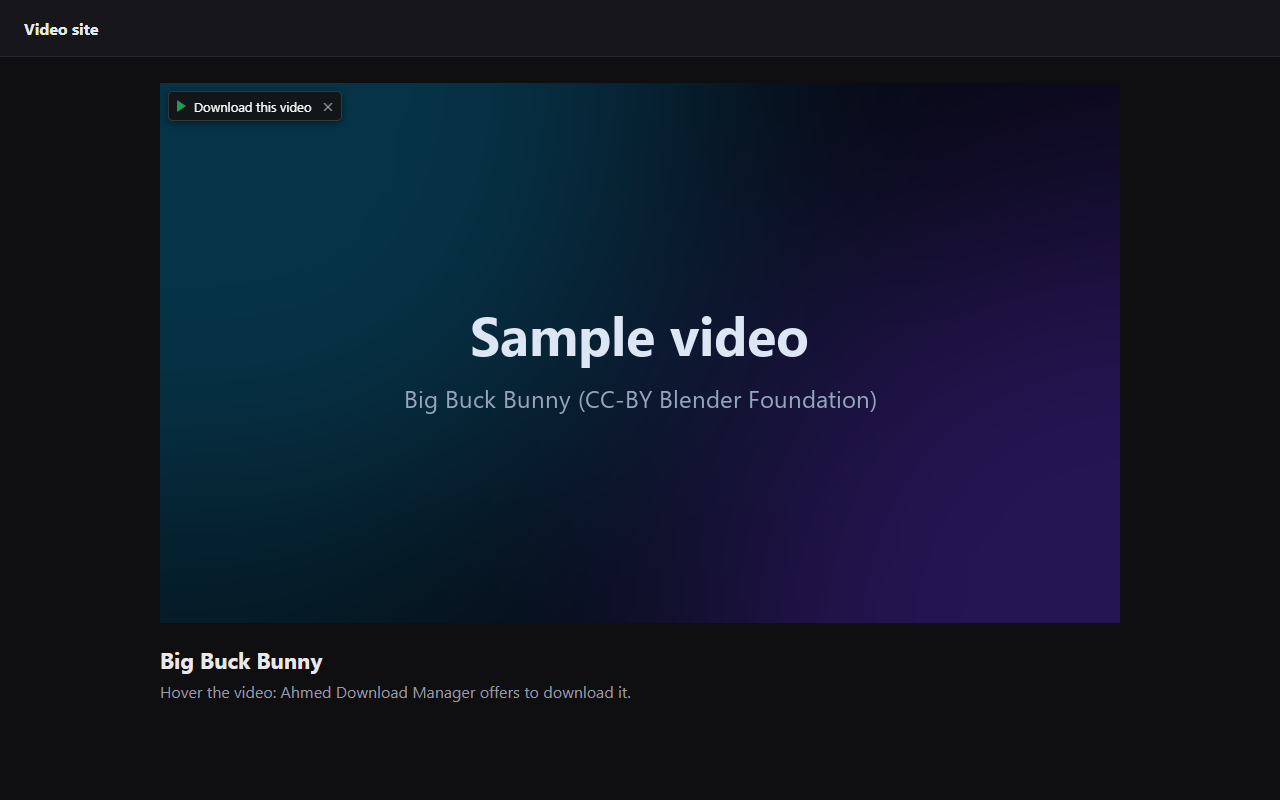
Another notable feature is the floating “Download this video” panel injected into regular web pages. When the content script detects a suitable video element and the user hovers over it, the extension can display a small overlay near the video with a download action and a close button. Clicking the panel sends either the detected video source or, on certain known video and social media domains, the current page URL to the background process so it can be forwarded to the local app. The implementation also includes user-facing messaging for cases where a page needs to be refreshed after an extension update, helping reduce confusion if an older injected script is still active.
The popup is intentionally simple and practical. It includes a “Capture downloads” toggle for quickly enabling or disabling automatic interception, along with a live connection indicator that checks whether the local Ahmed Download Manager app is running. This makes it easier to understand whether transfers are likely to succeed. The package also shows a local handshake process that sends browser name and extension version information to the companion app so the desktop side can recognize that browser integration is available.
The extension is built for Chromium-based browsers and identifies environments such as Chrome, Edge, Brave, Opera, Yandex, and Vivaldi. At the same time, the package clearly centers its function on sending downloads from the browser to the Ahmed Download Manager application on the user’s computer. It uses browser permissions related to downloads, storage, notifications, context menus, and access to the local loopback address required for companion app communication. The implementation also contains specific limitations: YouTube-related pages are excluded from content script injection, and related context menu handling is deliberately avoided there, so users should not expect the video overlay or right-click actions to function on those pages.
Overall, Ahmed Download Manager is best suited for users who already use the Ahmed Download Manager desktop application and want a faster, simpler way to pass downloads and media from the browser into that local program. It keeps browser-side interaction lightweight while giving users both automatic and manual ways to transfer supported content to the desktop manager.
Key Features:
- Automatic download capture for supported browser downloads, with larger items handed off to the local desktop app.
- Smart size filtering that leaves files under 1 MB in the browser instead of redirecting every download.
- Right-click menu actions for links, images, audio, video, and page-related content.
- Floating “Download this video” panel that appears over detected video elements on supported pages.
- Popup toggle to quickly enable or disable the capture feature.
- Live connection status indicator that checks whether the Ahmed Download Manager app is running locally.
- Local communication through 127.0.0.1 with browser and extension version reporting during connection setup.
How It Works:
1. Install the extension and make sure the Ahmed Download Manager desktop application is running on the same PC.
2. Open the extension popup to check the connection status and turn “Capture downloads” on or off.
3. Start a normal browser download; if it is a supported HTTP or HTTPS download over 1 MB, the extension sends it to the local app.
4. If the transfer succeeds, the original browser download is canceled and removed from the browser’s download list.
5. For manual use, right-click a link, image, audio file, video, or page and choose the Ahmed Download Manager option.
6. On supported pages, hover over a video element to show the floating “Download this video” panel and click it to send the item to the desktop app.
7. If the app is not connected or a page needs refreshing after an update, the extension provides status or guidance so you can retry.
Privacy: - This extension comm…
Ahmed Download Manager 是做什么的
Ahmed Download Manager 是一款面向 Edge 的效率工具类扩展,主要用来管住注意力、屏蔽干扰站点、记录时间。官方对它的介绍是:Send downloads, videos and links from Edge to the Ahmed Download Manager app on your PC for faster, resumable downloads.在微软 Edge 加载项商店上,它当前版本 1.1.0,约 2 名用户。
适合什么人用
从功能定位看,Ahmed Download Manager 更适合想专注工作学习、减少无效刷网页的用户。如果你平时只是偶尔遇到相关需求,用浏览器自带功能也能凑合;但如果这件事每天都发生,装一个专门处理它的扩展通常比手动操作省事得多。
怎么安装 Ahmed Download Manager
- 打开微软 Edge 加载项商店上的官方页面;
- 点「添加到浏览器」并确认权限提示;
- 装好后在扩展列表里固定图标,方便随时开关。
本站只做索引与介绍,安装包来自官方商店。如果商店页面提示当前地区不可用,说明该扩展未在你所在区域上架。
常见问题
Ahmed Download Manager 是免费的吗?
Ahmed Download Manager 在微软 Edge 加载项商店免费提供下载。它是浏览器扩展,装上就能直接用,不需要注册账号。
Ahmed Download Manager 安全吗?
它只申请了 0 项权限,范围比较克制,没有申请「读取所有网站数据」这种大权限。
Ahmed Download Manager 支持哪些浏览器?
当前收录的版本来自微软 Edge 加载项商店,适用于 Edge。同一个扩展在其他商店可能有对应版本,但功能与版本号不一定相同。
怎么卸载 Ahmed Download Manager?
在扩展管理页找到 Ahmed Download Manager,点移除即可。它在本地保存的设置会一起清掉,不会残留数据。
权限清单 来自 manifest.json 原文
接口权限 4
contextMenusdownloadsnotificationsstorage