
Actionbook: AI Browser Agent EN
Cue Labs, Inc. · EEdge MV3
Works where you're already signed in and gets the job done. Check the result, take the next step, and run it again when needed.
<all_urls>),意味着它可以读取你在任意站点的页面内容,包括已登录的页面。这是许多扩展正常工作的必要条件,但也值得你确认来源可信。
截图
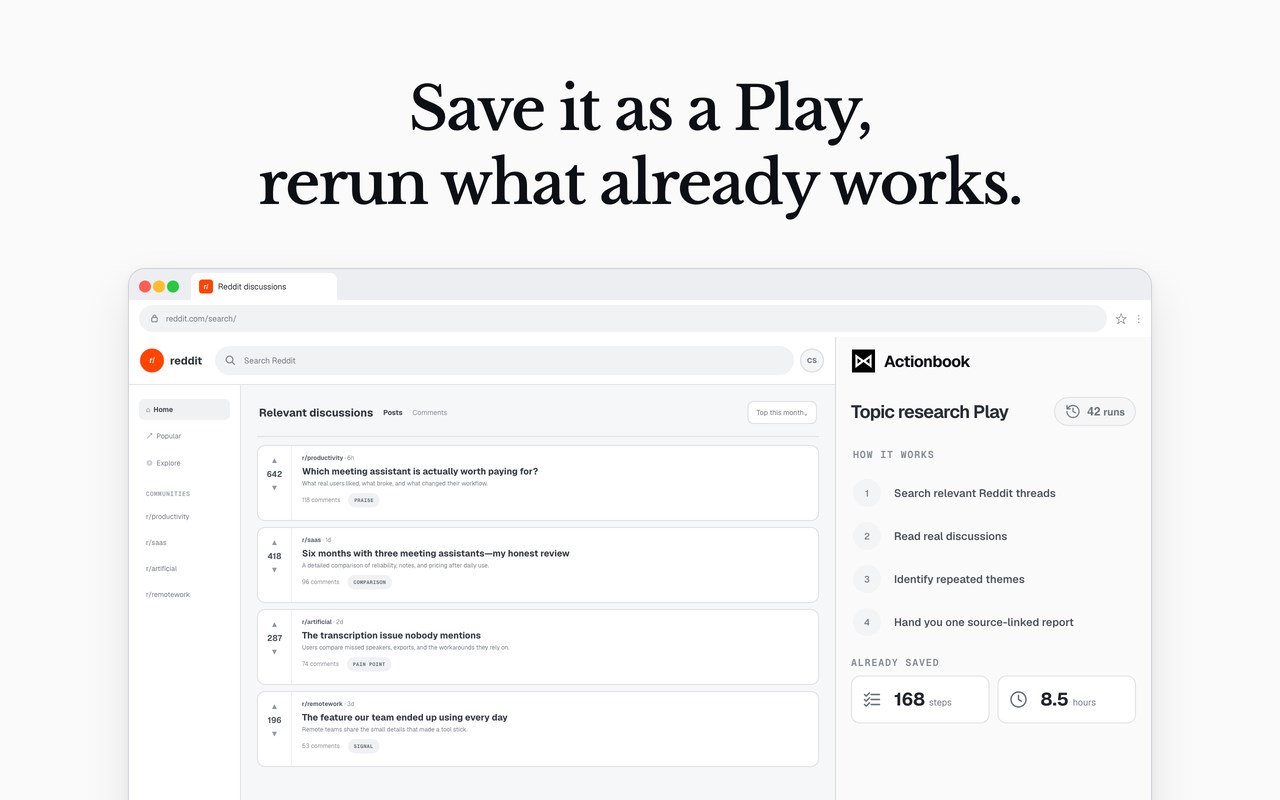
简介
Actionbook is an AI browser agent for turning multi-step research, sales, reporting, and web tasks into finished work.
It works where you're already signed in, gathers what it needs, and takes action. Every job stays in a live workspace, where you can review the result, continue the work, or run the job again.
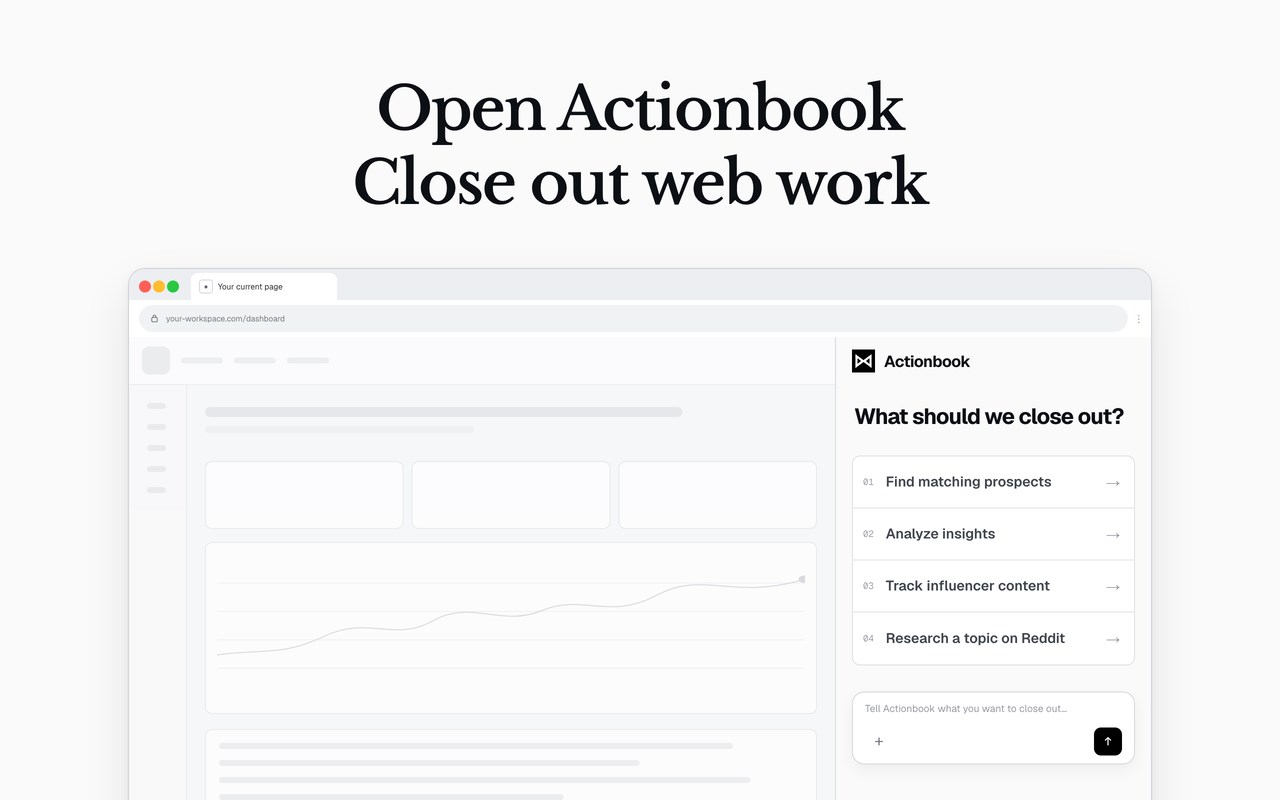
Use it from your browser side panel to research multiple sources, organize information, operate websites, and produce reports, prospect lists, dashboard pages, and drafts you can use immediately.
COMPLETE WEB WORK, NOT JUST ANSWERS
Most AI assistants stop after suggesting what to do or summarizing a page. Actionbook continues through the steps needed to complete the task. It gathers the information you asked for, compares relevant sources, organizes the findings, and delivers a practical output.
Follow the work in the side panel, add context when necessary, and guide important decisions. Actionbook keeps browser automation visible while helping you finish repetitive work across the websites and tools you already use.
AUTOMATED REPORTING AND DASHBOARD REPORTING
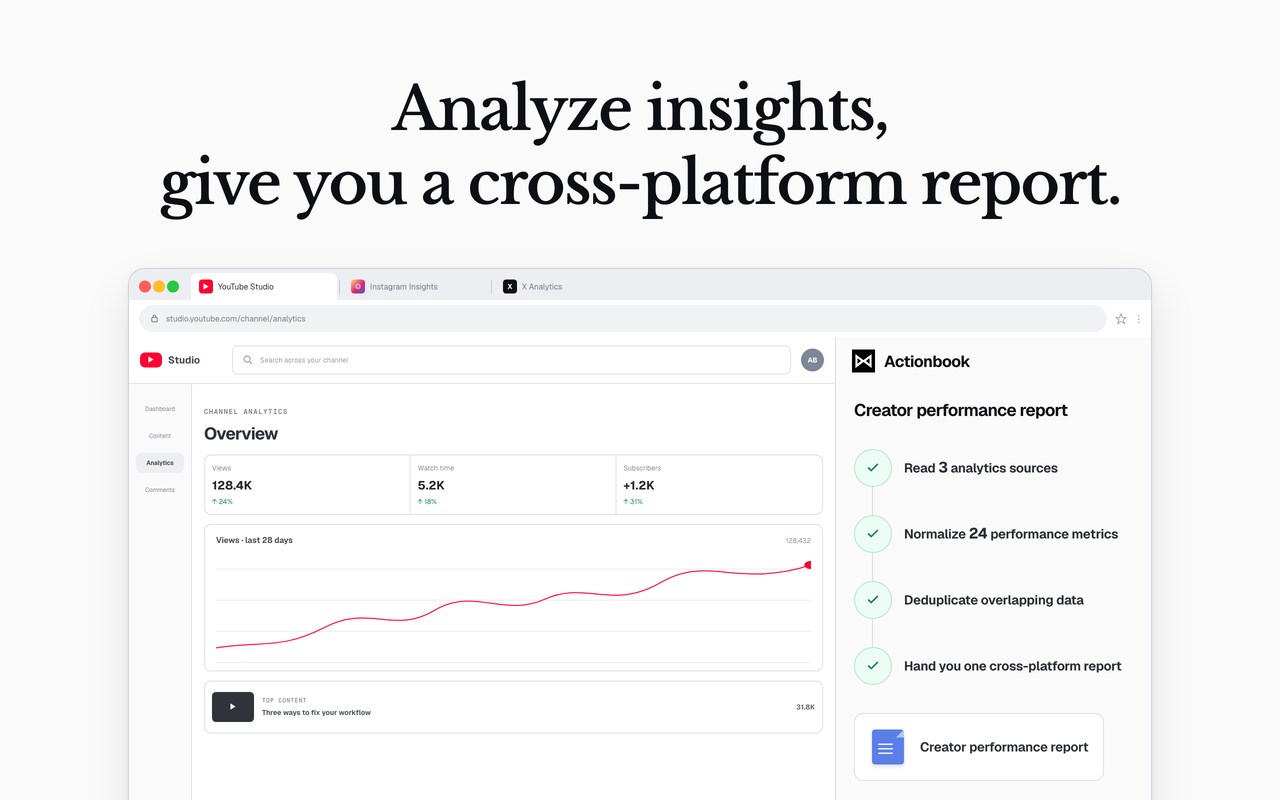
Turn repeated reporting work into a clearer process. Actionbook can collect selected campaign, account, operational, or performance metrics from the dashboards and business tools you use, then prepare a report or CSV for the period you specify.
Use it for automated reporting, dashboard reporting, marketing reporting, campaign reporting, and recurring performance reviews. The final output can include organized metrics, important changes, supporting context, and practical next steps.
This is useful when reporting requires information from several pages or tools. Actionbook gathers the selected data and brings it together into one deliverable instead of leaving you to copy, format, and compare everything by hand.
BUILD A DASHBOARD YOU CAN USE
Actionbook can gather data from multiple websites and business tools, then turn it into a working dashboard page. Describe the information you need and how you want to explore it. Ask for key metrics, charts, comparison tables, and source links that help you understand the results.
Open the finished dashboard in your browser, explore the collected data, and share the page when you're ready. Use it to bring campaign results, competitor comparisons, research findings, or business metrics together in one place.
MARKET VALIDATION AND CUSTOMER RESEARCH
Use Actionbook to investigate whether a product idea, market, or customer problem deserves further attention. It can research selected discussions, product pages, communities, and other relevant sources, then organize the evidence into a market validation report.
Explore recurring problems, current alternatives, demand signals, customer language, and unanswered questions. Actionbook can support customer discovery, product validation, and customer research without reducing the result to a list of links.
The finished report can include themes, supporting evidence, source links, open questions, and areas that require additional validation. This gives founders, product teams, and marketers a clearer starting point for deciding what to build, test, or investigate next.
COMPETITOR INTELLIGENCE AND MONITORING
Use Actionbook for competitor intelligence, competitor monitoring, and competitor tracking. Ask it to review selected product, pricing, positioning, feature, and review pages, then deliver a structured comparison.
Actionbook can organize current claims, target audiences, pricing details, product differences, and visible market changes into a source-linked competitor report. This makes it easier to identify positioning gaps, compare alternatives, and see which changes deserve attention.
Save a successful competitor research task as a Play and run it again with new companies or at a later date. Repeated runs can turn a one-time market research task into a reviewable monitoring workflow.
SALES PROSPECTING AND LEAD RESEARCH
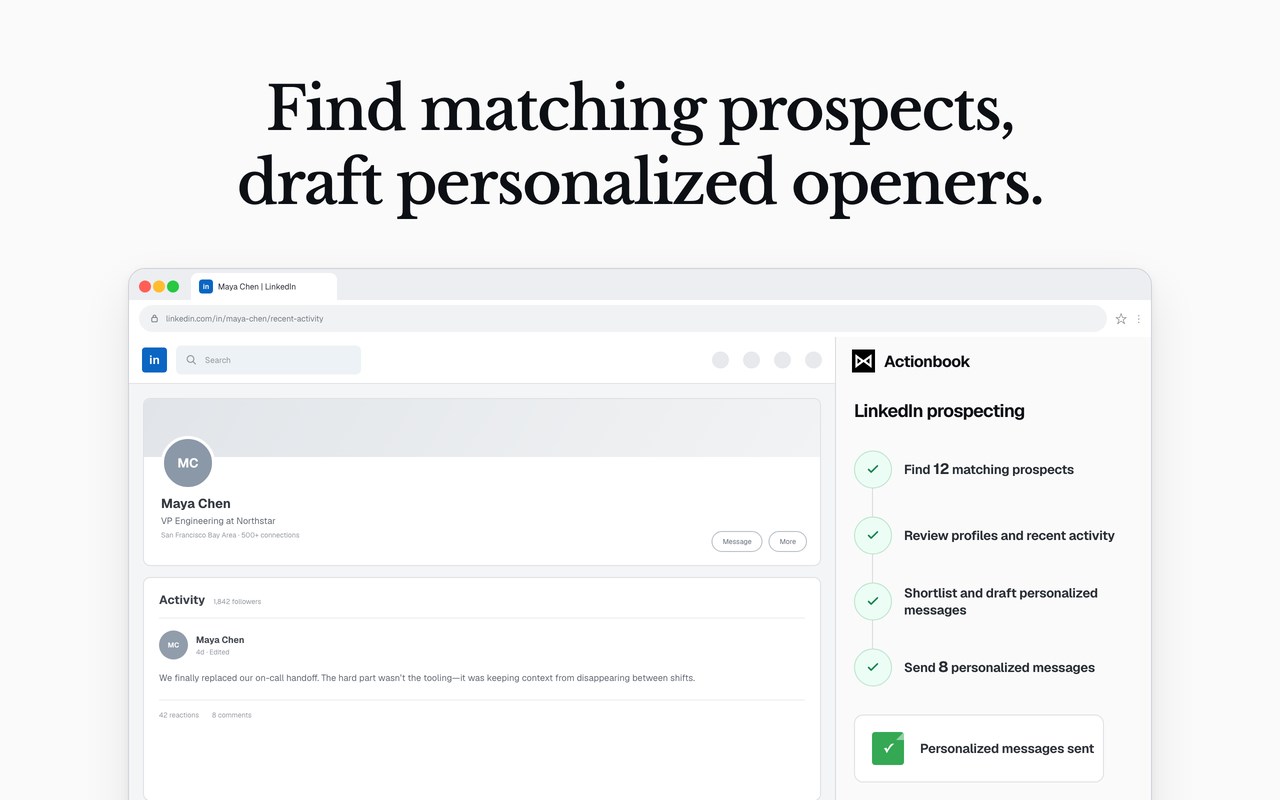
Use Actionbook for sales prospecting, prospect research, and lead research. Describe the people or companies you want to find, the criteria that matter, and the information required in the final list.
Actionbook can review relevant sources, organize matching prospects, and prepare a clean lead list with useful context and source links. Instead of moving between pages and manually copying details into a spreadsheet, you receive a structured starting point for qualification and outreach.
Actionbook can also work as an AI sales assistant for research-driven sales outreach. Ask it to identify relevant prospect context and draft personalized openers based on the material it reviewed. You check the research and drafts before deciding what to do next.
SEO AUTOMATION AND CONTENT RESEARCH
Use Actionbook for SEO automation, keyword gap analysis, and SEO competitor analysis. It can review selected search results, competitor pages, website content, and the SEO tools you use, then organize the opportunities into a report or keyword CSV.
Ask Actionbook to compare current rankings, identify relevant keyword gaps, review competing pages, and prioritize opportunities based on the evidence available. The result can include target queries, current gaps, source links, and recommended areas for further work.
Actionbook can also support content research by gathering and comparing the information needed for briefs, opportunity reports, and recurring SEO reviews. Save the workflow as a Play when you want to repeat the same research for a new market, competitor, or reporting period.
SOCIAL LISTENING FOR BUYER INTENT
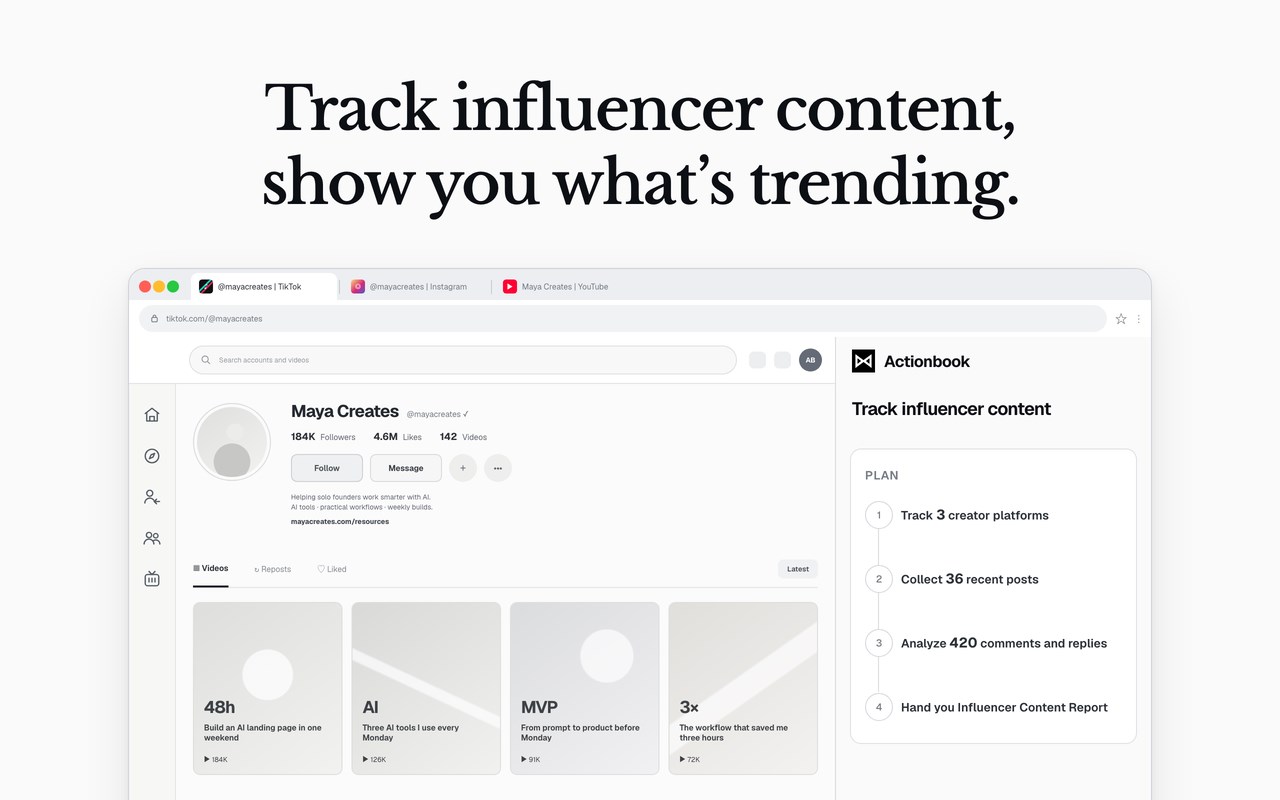
Actionbook can help with focused social listening and buyer intent research. Ask it to review selected community discussions, identify conversations that match your criteria, and organize the relevant people, posts, and source links.
Use this as a supporting workflow for customer research, community research, and buyer intent data. The goal is a qualified set of conversations to review, not a collection of keyword-o…
Actionbook: AI Browser Agent 是做什么的
Actionbook: AI Browser Agent 是一款面向 Edge 的效率工具类扩展,主要用来管住注意力、屏蔽干扰站点、记录时间。官方对它的介绍是:Works where you're already signed in and gets the job done. Check the result, take the next step, and run it again when needed.在微软 Edge 加载项商店上,它当前版本 1.4.11,约 40 名用户。
适合什么人用
从功能定位看,Actionbook: AI Browser Agent 更适合想专注工作学习、减少无效刷网页的用户。如果你平时只是偶尔遇到相关需求,用浏览器自带功能也能凑合;但如果这件事每天都发生,装一个专门处理它的扩展通常比手动操作省事得多。需要注意的是它作用于所有网站,装上后建议先观察一两天,确认不影响常用站点的正常使用。
怎么安装 Actionbook: AI Browser Agent
- 打开微软 Edge 加载项商店上的官方页面;
- 点「添加到浏览器」并确认权限提示;
- 装好后在扩展列表里固定图标,方便随时开关。
本站只做索引与介绍,安装包来自官方商店。如果商店页面提示当前地区不可用,说明该扩展未在你所在区域上架。
常见问题
Actionbook: AI Browser Agent 是免费的吗?
Actionbook: AI Browser Agent 在微软 Edge 加载项商店免费提供下载。它是浏览器扩展,装上就能直接用,不需要注册账号。
Actionbook: AI Browser Agent 安全吗?
它只申请了 0 项权限,范围比较克制,没有申请「读取所有网站数据」这种大权限。
Actionbook: AI Browser Agent 支持哪些浏览器?
当前收录的版本来自微软 Edge 加载项商店,适用于 Edge。同一个扩展在其他商店可能有对应版本,但功能与版本号不一定相同。
怎么卸载 Actionbook: AI Browser Agent?
在扩展管理页找到 Actionbook: AI Browser Agent,点移除即可。它在本地保存的设置会一起清掉,不会残留数据。
权限清单 来自 manifest.json 原文
站点访问(可选) 1
<all_urls>
接口权限 10
alarmscookiesdebuggerdownloadsfaviconoffscreensidePanelstoragetabGroupstabs